This week, a quick progress update for iPhone Essentials Plus, iPhone leasing comes to the US, and Tim Cook's last Earnings Call
iPhone Essentials Plus: A Quick Update
A quick heads-up: I'm leading with an update on my own courses this week before we get into the Apple news. If that's not your thing, no hard feelings, just scroll down and the usual newsletter goodness is waiting for you below. For everyone else, here's where things stand.
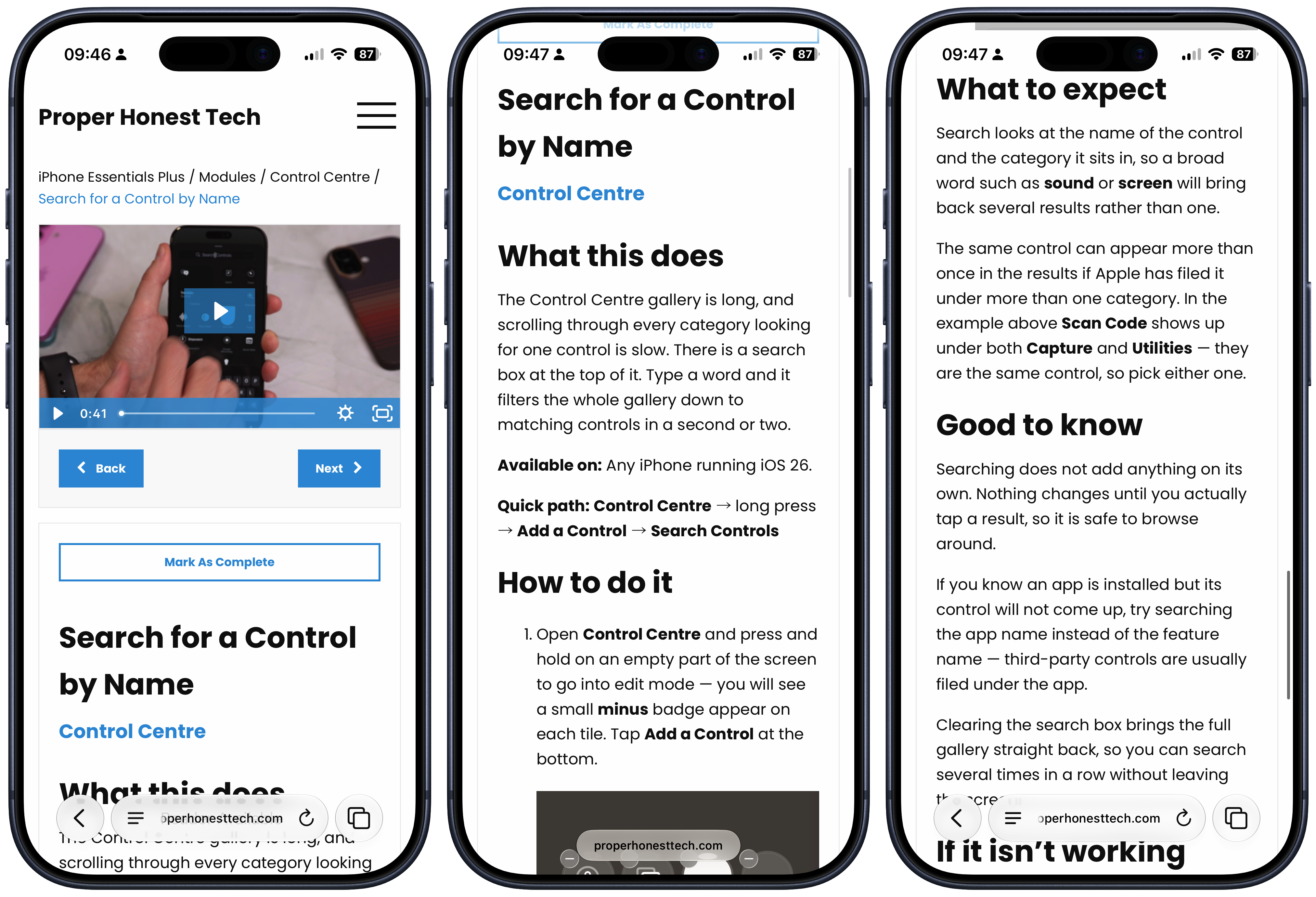
First, a huge thank you to everyone who bought iPhone Essentials Plus over the past week. It's been wonderful to see how many people want to learn more about what their iPhone can do, and I'm genuinely honoured that you're choosing me to help you do that. It's something I take extremely seriously.
A lot has changed since last week. If you bought the course a while ago and haven't looked recently, I'd really encourage you to go back and have a browse, because it's a very different product to what you might remember. If you already own the course, you can log in here and explore everything that's been added.
I'd originally planned to build a completely new course from scratch, but once I started going through the existing material, I realised there was far more value already in there than I'd given it credit for. Rather than starting over and moving everything into a separate legacy archive, I've expanded and restructured the existing course so that all the original content and the new material now sit together in one cohesive library. The result is over 400 lessons, and I'd estimate we're about 75% of the way to where I want the finished product to be.
The videos are still a core part of every lesson, and I've produced a lot of new ones. But the bit I'm most proud of is the written content. Previously, a lesson would often just tell you how to do the thing. Now, each one gives you the full picture: what the feature is, why you'd want to use it, step-by-step instructions, compatibility details, how to undo any changes, FAQs, and troubleshooting. All of the new lessons follow this expanded format, and most of the existing lessons have been converted too. Anything that remains will be updated next week.
Next week is about finishing touches. The remaining content goes in, any missing videos and screenshots get added, and I'm making a significant improvement to the search so you can find exactly what you need even faster. There are also some lessons sitting behind the scenes that aren't public yet because they need a few final pieces, and those will go live as they're completed.
In the background, work is continuing on iPhone Essentials, the structured beginner course. Where Essentials Plus is a library you dip in and out of, iPhone Essentials will be a proper start-to-finish course with a clear path through the material, designed for people who want the foundations laid out in order. It's a big project and should launch within the next few weeks.
Here's how the offer works. If you already own iPhone Essentials Plus, you'll receive iPhone Essentials for free when it launches. If you buy iPhone Essentials Plus before iPhone Essentials launches, you'll also receive it for free. Once iPhone Essentials goes live, the two courses will be sold separately, each at its own price. Given the amount of content that's been added to Essentials Plus over the past week alone, there's also a strong likelihood that its price will increase to around $149/£149 once the expansion is complete.
I don't like artificial scarcity tactics, and I'm not going to pretend there's a countdown timer ticking somewhere. But this is a genuine window where buying one course gets you both. That offer ends when iPhone Essentials launches.
Purchase Links;
Would You Lease an iPhone?
Apple launched its new device leasing programme earlier this week. It's called Apple Upgrade, it's powered by Klarna, and it's available right now at Apple Stores and online across the United States. The timing, one month to the day after Apple raised prices across its entire Mac and iPad lineup, is not a coincidence.
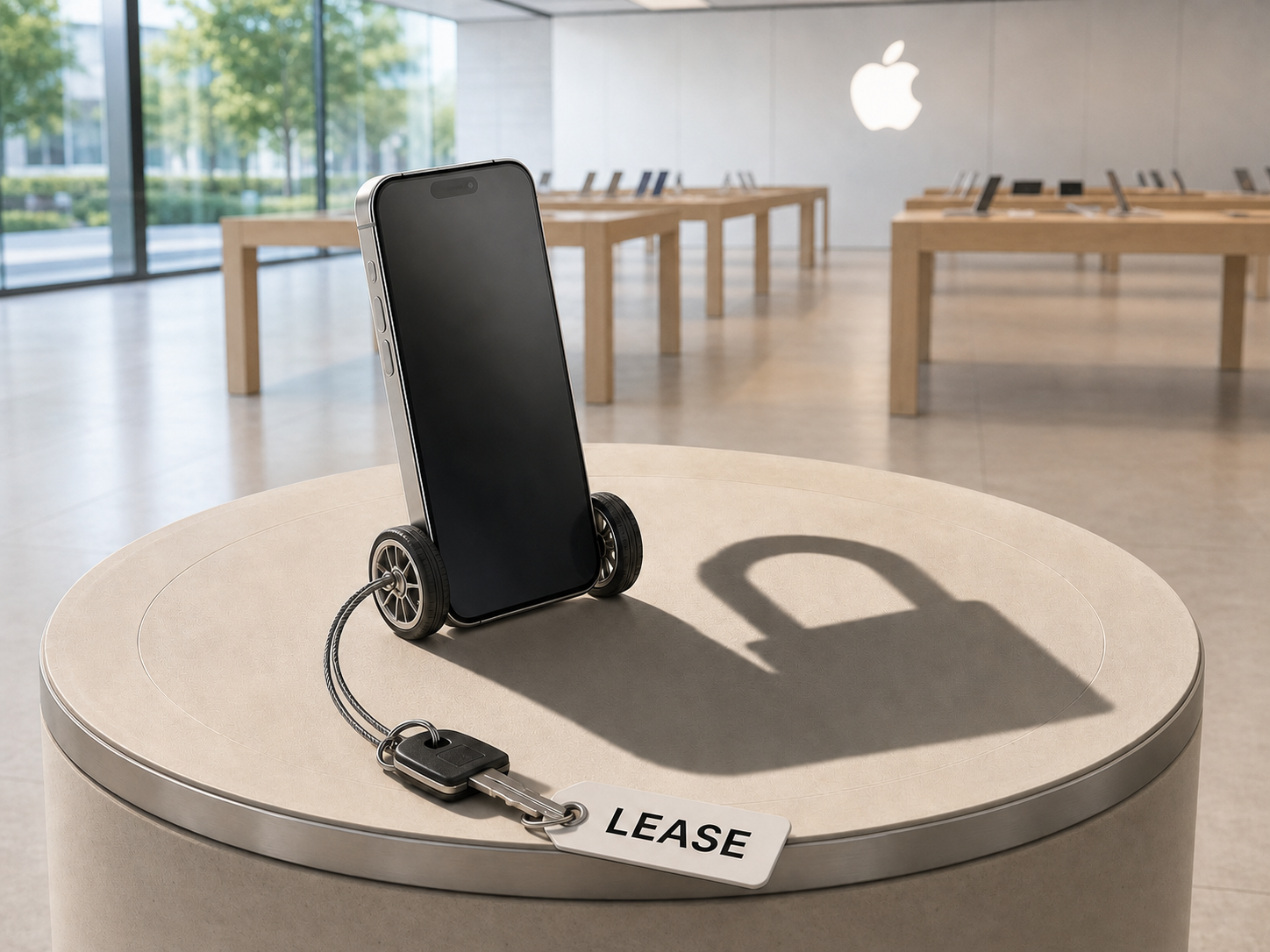
Here's how it works. Apple Upgrade is a lease. You pick a device, undergo a soft credit check, and commit to a fixed monthly payment. iPhones and Apple Watches are available on 12 or 24 month terms. Macs and iPads on 24 or 36 month terms. Monthly prices start at $17.99 for an iPhone, $11.99 for an Apple Watch, $11.99 for an iPad, and $24.99 for a Mac. At the end of your term, you can return the device, upgrade early, or pay the remaining balance and keep it. Trade-in values are applied as monthly credits. It replaces the existing iPhone Upgrade Programme, and it's US only for now.
Now, you might be thinking "people already do this with their phones through their carrier." And on the surface, that's true. But this is not the same thing. When you buy an iPhone through a carrier contract, you're splitting the full purchase price across the length of the deal. At the end, the phone is yours. You own it. Apple Upgrade is fundamentally different. It's a true lease, much closer to PCP finance on a car than a phone contract. Your monthly payments don't cover the full cost of the device. At the end of the term, there's a remaining balance, essentially a balloon payment, that you either pay to keep it or you hand it back and walk away. For example, 24 months of $17.99 payments on an iPhone 17e covers $431.76 of a $599 device. There's still $167.24 left to pay if you want to own it. That's a crucial distinction that the headline monthly prices don't make obvious.
UK readers might remember that Apple ran a version of this here. The iPhone Upgrade Programme, in partnership with Barclays, allowed customers to finance a new iPhone with monthly payments and upgrade annually. But that programme was financing, not leasing, and you owned the phone once it was paid off. Apple has since discontinued it, replacing it with the Flexible Finance Account through a company called Creation. Apple Upgrade in the US is a different beast entirely, and whether a UK version of this new lease model ever arrives remains to be seen. Klarna already operates here, so there's no obvious barrier, but Apple hasn't said a word about international expansion.
After price increases of $200 on a MacBook Air, $300 on a MacBook Pro, and up to $1,300 on the Mac Studio, Apple needed a way to make those numbers feel manageable. Turning $1,299 into $36 a month does exactly that. And extending the lease model to Macs and iPads is arguably where it makes the most sense. A Mac is a tool you use every day for work. Leasing it for three years, keeping it current, and then swapping to the next model is how businesses have managed equipment costs for decades.
As a business owner, this is the kind of programme I'd look at seriously if it were available in the UK. When the M5 Ultra Mac Studio eventually arrives, it's going to cost a significant amount. Being able to lease it for three years, use it as my primary workstation, and then upgrade to whatever comes next without worrying about ownership or resale is a genuinely smart way to manage that cost. For anyone who uses a Mac professionally and upgrades on a regular cycle, the maths could work out well. How it translates for non-business users is a different question. If you're leasing a MacBook Air for personal use, you need to carefully work out whether the total cost of monthly payments plus the balloon payment is actually more expensive than buying outright. The convenience of monthly payments has a price, and it's worth knowing what that price is before you commit.
Now, the interesting part. Last week, developers found code in the iOS 27 beta for something called "Restricted Mode." It's a fully built system that allows a financing provider to remotely block access to most apps on an iPhone if the financing contract falls out of good standing. Only essential apps like Phone, Settings, and Wallet remain available. Everything else goes dark. There's also a "Partner Finance Lock" that prevents a restricted device from being erased or resold.
The timing of the discovery, days before Apple Upgrade launched, led to obvious speculation: miss a payment and Apple bricks your phone. Apple moved quickly to deny it. A spokesperson told The Verge that missed lease payments will not trigger Restricted Mode. But Apple didn't explain what the code is actually for. It exists. It works. There's a dedicated testing menu for it in the developer settings. 9to5Mac published screenshots of the alert interface. This isn't theoretical. It's a fully functional system whose purpose Apple has chosen not to explain.
It could be intended for enterprise device management, or for emerging markets where financing works differently. Apple isn't saying. And while I take the company at its word that it won't be used for Apple Upgrade, the fact that the infrastructure exists is worth knowing about. The capability is there. Whether Apple ever decides to use it is a different question entirely.
For US readers, Apple Upgrade is a genuinely useful option, especially for professional users who upgrade regularly. Just make sure you understand that it's a lease, not a loan, and that those attractive monthly payments don't tell the whole story. For everyone else, we're watching from the sidelines, waiting to see if and when Apple brings this model to other markets. With the iPhone 18 Pro launch just six weeks away, the question of whether UK customers will have access by September is one that Apple hasn't answered yet.
Cook's Final Call
Tim Cook led his final earnings call as Apple CEO earlier this week, and in typical Cook fashion, the farewell was understated. No grand speeches. No emotional moments. Just the numbers, a few reflective comments, and a handover that felt as carefully managed as everything else he's done.
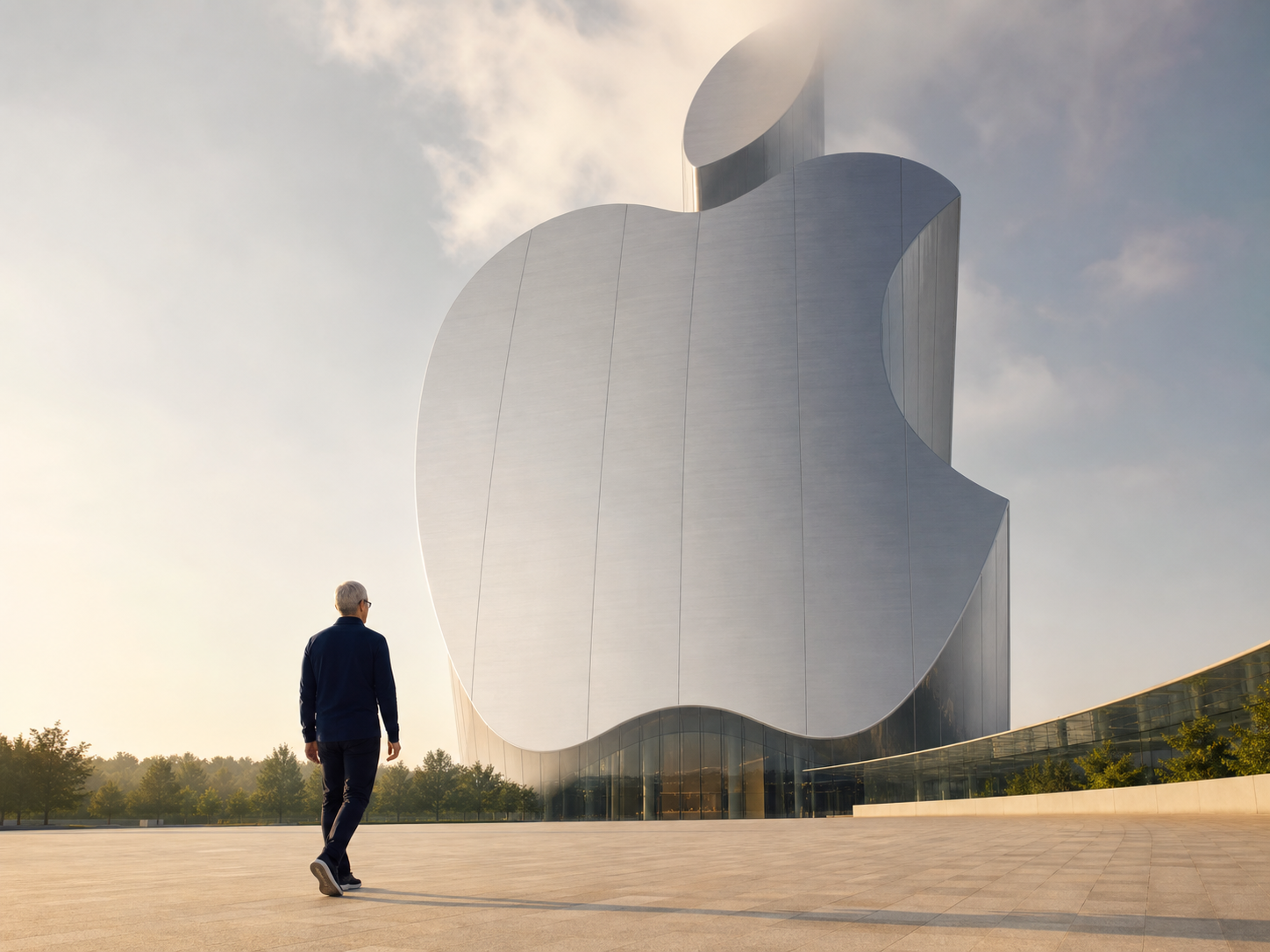
The numbers were excellent. Apple posted $111.2 billion in revenue, beating Wall Street estimates across every metric. iPhone sales were up 22% to $54.25 billion. Mac sales surged nearly 29% to $10.35 billion, driven largely by the MacBook Neo. And Services hit an all-time record of $30.98 billion. Earlier in the week, Apple's market cap briefly crossed $5 trillion for the first time, overtaking Nvidia to reclaim its position as the world's most valuable company. When Cook took over from Steve Jobs in 2011, Apple was worth $350 billion. He's leaving it at $5 trillion. Apple's share price is up more than 2,400% during his tenure.
Cook acknowledged the supply chain situation on the call, describing it as "a difficult situation." He was bullish on Siri AI, and when asked about the transition to John Ternus, said it was going "seamlessly." Ternus himself spoke only once, when an analyst asked about his approach. "There is so much opportunity for us," he said. Brief, measured, and deliberately low-key. This was Cook's moment, not his.
In a fitting bit of Apple irony, the stock dropped 8% in after-hours trading despite the record results. That's just what Apple's stock does after earnings. It'll recover. It always does. Cook's next public appearance as CEO will likely be the iPhone 18 event in September, the last product launch of his tenure before Ternus takes the stage for the first time. After 15 years of steady, methodical, occasionally frustrating leadership, Tim Cook is stepping back from the microphone. Quietly, of course. Because that's how he's always done everything.
AppleCare One Comes to the UK
A quick practical one for UK readers. AppleCare One, Apple's multi-device protection plan, launches in the UK on Monday 4 August. If you've got multiple Apple devices and you've been paying for separate AppleCare+ plans on each one, this could save you a decent chunk of money.
Here's how it works. For £16.99 a month, AppleCare One covers up to three devices under a single plan. You can add more at any time for £4.99 a month per additional device. It includes everything you'd get with AppleCare+: unlimited repairs for accidental damage, battery replacement service, and 24/7 priority access to Apple support. Apple says you could save up to £11.48 a month compared to maintaining separate AppleCare+ with Theft and Loss plans for each device.
The really interesting bit is the eligibility window. Currently, you have 60 days from the date of purchase to add AppleCare+ to a device. AppleCare One extends that to four years, provided the device is in good condition. That means if you bought a MacBook two years ago and never got around to adding AppleCare, you can now bring it into the fold. In some cases, Apple may want to inspect the device in-store before approving it, which is fair enough.
If you already have AppleCare+ on one or more devices, you can transition them into AppleCare One. Adding a product to the new plan will automatically cancel its existing AppleCare+ subscription, and Apple will refund any unused portion. If you trade in a device through Apple's trade-in programme, coverage transfers to the new device automatically.
Apple is also expanding AppleCare+ with Theft and Loss to cover iPad and Apple Watch in the UK for the first time. Previously, that level of coverage was only available for iPhones. Under AppleCare One, theft and loss claims are capped at three per year across all covered devices.
It's not going to be for everyone. If you only own one Apple device, a standard AppleCare+ plan is probably still the better option. But if you've got an iPhone, a MacBook, and an Apple Watch, bundling them under one £16.99 plan rather than paying for three separate ones is worth looking at. You can sign up from Monday at apple.com or at your nearest Apple Store.
Tip of the Week
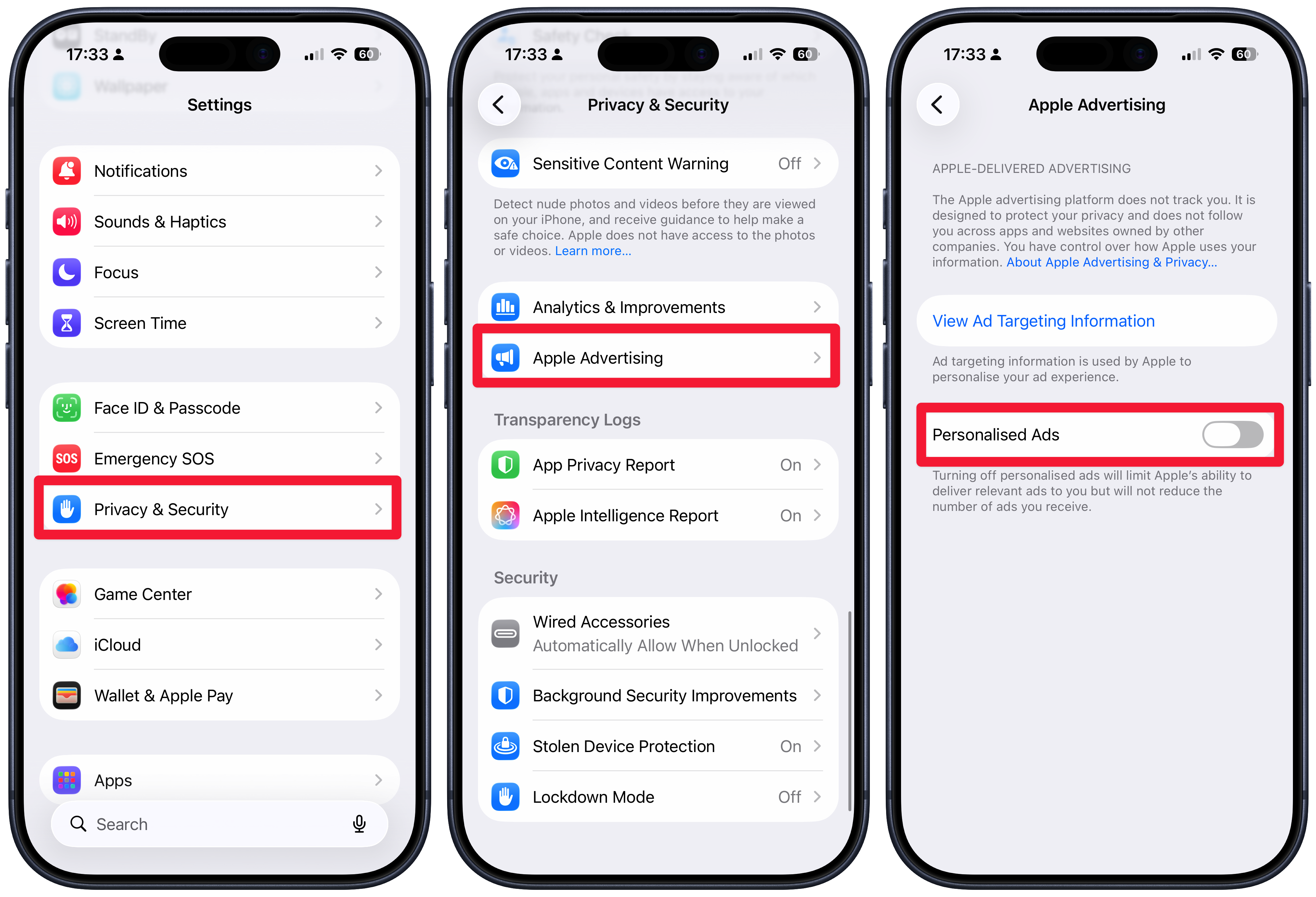
Did you know, your iPhone quietly tracks your usage in the background and then uses that information to feed you personalised ads. Apple does claim that this information is anonymized, but you may still want to switch this feature off.
To do that - Go into settings, then choose privacy and security. Scroll to the bottom of this page and choose Apple advertising, then turn off personalised ads.
You'll still receive ads on your iPhone in places like the App Store and even the Maps app moving forward, but they will be more generalist.