This week, my thoughts on the new Apple products I picked up as part of Apple's March product blitz...
A big week for Apple
Apple has had an extraordinary week. In one go, we've seen updated MacBook Air models, refreshed MacBook Pro models, and new iPad Air hardware land alongside a couple of entirely new products. Under normal circumstances, any one of those updates would dominate the conversation for weeks. This time around, though, they've arguably all been overshadowed by the MacBook Neo, an entirely new Mac that starts at just £599 ($599) and represents something genuinely new for Apple.
I wanted to get hands-on with the hardware as quickly as possible, so I went ahead and purchased three of the new products myself. Just to be absolutely clear: none of this was provided by Apple. I don't have a media relationship with Apple, I wasn't on any invite list, and nothing arrived in a special box with a press note. Everything was bought with my own money, just as most of you would buy it.
The three products I picked up were the iPhone 17e in white, the MacBook Neo in blue with the upgraded storage and Touch ID, and the Studio Display XDR. I've spent a couple of days with each, and the goal here is to share those early impressions before I go deeper on each product in future issues and videos.
iPhone 17e - The Budget King?
If you're expecting a dramatic redesign from the iPhone 17e, you won't find one here. It looks and feels almost identical to the iPhone 16e. I picked up the white model this time around, having previously owned the black 16e, mostly so I can actually tell the two apart when I'm handling them side by side in the studio. But beyond the colour choice, there's very little to visually distinguish the two devices. The notch is unchanged, the bezels appear identical, and there are no new hardware controls. No Camera Control button, nothing like that.
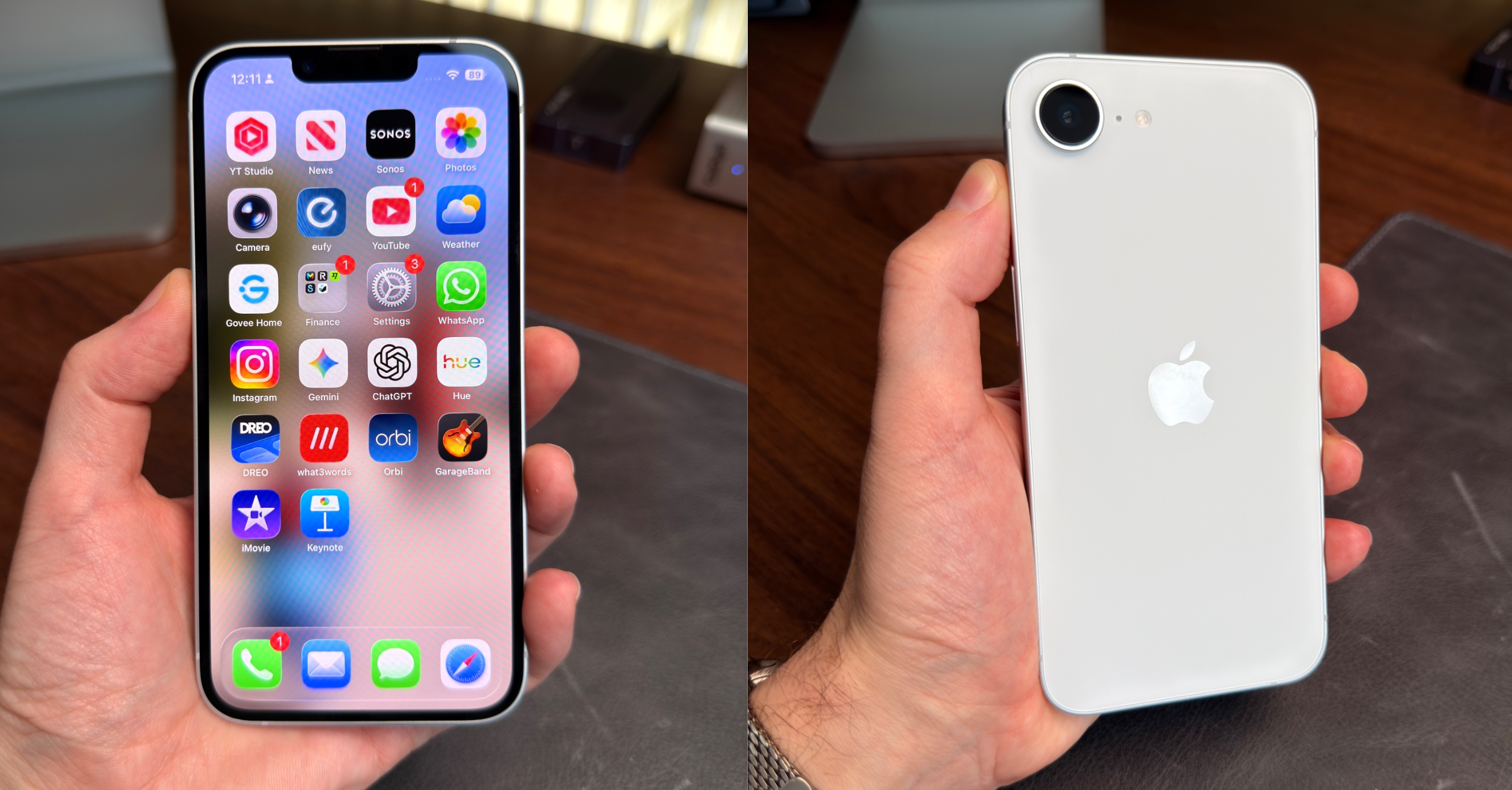
In day-to-day use it feels much the same, too. That isn't necessarily a criticism though, because the 16e was already a capable device. The real question with any "e" model is always whether Apple has addressed the compromises that made the previous version feel awkward for its price, and with the 17e, I think the answer is largely yes.
The most immediately welcome change is MagSafe. For most buyers this is really about accessory compatibility, and that's a big deal on its own. But for me personally it solves a very practical annoyance. When you're maintaining a collection of iPhones, it's really useful to be able to drop a device on a MagSafe charger to top it up or run a software update. That wasn't possible with the 16e. Now it is.
The base storage jumping from 128GB to 256GB at the same £599 ($599) starting price is also genuinely significant. 128GB was starting to feel mean at that price point. 256GB removes that concern for the vast majority of buyers.
The camera has seen a meaningful step forward too. The 17e now shoots at 48 megapixels and gains an optical-quality 2x telephoto, which essentially gives you two focal lengths from a single lens. The previous model had the 48MP sensor but lacked the telephoto. Images look noticeably sharper and more detailed straight away, and being able to zoom in with optical quality rather than just cropping into a digital image makes a real difference in everyday shooting.
This still isn't a pro camera system, and it isn't trying to be. But compared with the 16e, it feels meaningfully more capable. Combined with the A19 chip, MagSafe, and the doubled storage, the value proposition here is considerably stronger than last year.
It's worth stepping back for a moment and thinking about what Apple is actually doing here. The iPhone has always been positioned as a premium product, and the company spent years resisting the idea of a genuinely affordable entry point. The "e" line is clearly a shift in that thinking. Apple isn't just trying to sell a cheaper phone. It's trying to bring more people into its ecosystem, knowing that once someone is in, the services revenue, the accessories, the app spending, and the loyalty all follow. The 17e, done properly, is a very effective front door. And this version feels like it's finally been done properly. For someone looking for an affordable way into the iPhone ecosystem, the 17e is now very easy to recommend.
Your iPhone is WAY more capable
You search for something simple on your iPhone and twenty minutes later you're three videos deep, none of them quite right, and the one that looked promising was made in 2019 for a model you don't even own. It's exhausting. And it shouldn't be this hard.
Maybe you've had your iPhone for years and there's a nagging feeling you're missing something. Shortcuts you don't know. Features buried in menus you've never opened. Time being lost every day to tasks your iPhone could handle in seconds, if only someone would just show you clearly, once.
iPhone Essentials Plus is a comprehensive training portal with more than 200 lessons covering everything your iPhone can actually do. No fluff, no filler, no rabbit holes. Just practical skills you'll use from day one, with fresh content added regularly so it's always current.
Every lesson gives you three ways to learn: a short video walkthrough, a step-by-step guide with screenshots, and a downloadable PDF for quick reference. On the commute, at your desk, or whenever you've got five minutes, it fits around you. And because everything lives in one place, you'll never lose track of where you saw that tip.
No ads, no sponsors, no subscription traps. One payment, lifetime access.
Got a Mac too? Mac Essentials Plus follows the same approach. Grab it separately or bundle both for the best value.
The tips you've been meaning to learn aren't going to learn themselves. Now's a good time to start.
Purchase Links;
- iPhone Essentials Plus
- Mac Essentials Plus
- iPhone & Mac Essentials Plus Discount Bundle
- iPhone & Lifetime PDF
- Mac & Lifetime PDF
- iPhone, Mac & Lifetime PDF
Studio Display XDR - The New Pro?
I should be upfront about the context here, because this isn't a typical purchase for most people. My main studio setup already includes a Pro Display XDR, which has been my primary display for around five years, along with the original Studio Display as a secondary screen. The Studio Display XDR has joined that setup rather than replacing anything outright, so I'm coming at this from an unusual angle.
The criticism most often levelled at the original Studio Display was the display technology itself. For the price, it always felt slightly underwhelming sitting next to OLED panels that offered deeper blacks and much stronger contrast. The Studio Display XDR addresses this with a mini-LED backlight featuring over 2,000 local dimming zones, and the difference is immediately visible. Black levels and contrast are significantly better, and they look genuinely fantastic in everyday use. Interestingly, the blacks even appear deeper than those on the Pro Display XDR, which I wasn't expecting.
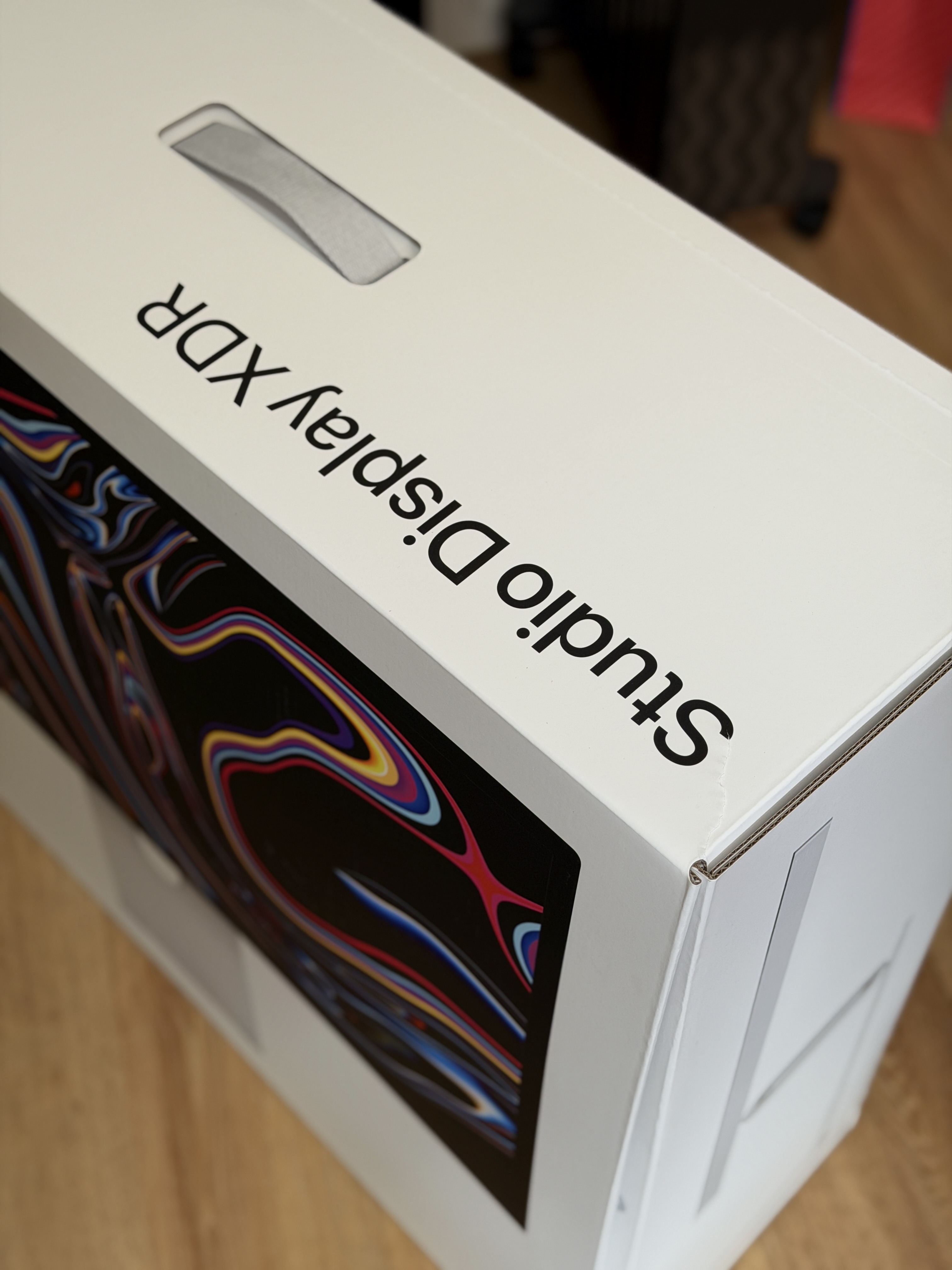
Setup was completely effortless. I plugged it in alongside the Pro Display XDR and it just worked. macOS even recognised the relative position of the display on my desk automatically. That kind of seamless experience remains one of the strongest arguments for sticking with Apple's own displays.
The 120Hz refresh rate is something I was curious about before it arrived. In practice, it's fine, but I'll be honest: it hasn't felt transformative. Switching back to the Pro Display XDR doesn't leave me feeling like I'm missing something. What does stand out much more clearly is the brightness. Placed next to both the original Studio Display and the Pro Display XDR, the Studio Display XDR is noticeably brighter, and that matters in a well-lit working environment.

On value, the Studio Display XDR sits at $3,299/£3,299 with the stand included. The Pro Display XDR required a much more significant outlay. Once you added the stand, you were looking at close to $6,000. By comparison, this feels like a far more realistic price for a premium Apple display experience.
It's also worth noting that Apple has discontinued the Pro Display XDR entirely, which is a little sad to see go. But if the Studio Display XDR is what replaces it, that's a strong successor. My one ongoing frustration is the stand: the VESA mount version allows portrait rotation using a third-party arm, but the standard height-adjustable stand doesn't. On a display at this price, that feels like an unnecessary limitation.
MacBook Neo - Apple's Most Important Prodct In Years
I'll be honest: the MacBook Neo has been the standout product of this whole batch, and I don't think that was entirely predictable going in. I picked up the indigo model with the upgraded 512GB storage and Touch ID, which adds £100 to the base price but felt very much worth it. Having Touch ID on a Mac is something I've always appreciated, and giving it up on a device I'll use regularly wasn't something I wanted to do.

Unboxing it feels exactly like unboxing any other MacBook. Apple has introduced a new design that shares some visual DNA with the MacBook Air, though it's slightly more rounded and a touch chunkier. Crucially, it still feels unmistakably like a Mac. The aluminium construction is immediately obvious when you pick it up. It has a reassuring weight and doesn't feel flimsy or compromised in any way.
The display is very good for everyday use, though it's worth knowing it doesn't support the full P3 colour gamut found on other MacBooks. For the target audience that's unlikely to matter much, but it does mean this isn't the right choice for colour-critical work. Photographers wanting to edit seriously would be better served by a MacBook Air. The display also lacks ProMotion and a 120Hz refresh rate, but I haven't missed either in day-to-day use.
One thing that caught my attention ahead of launch was commentary suggesting the keyboard on coloured models would appear essentially white. On the indigo that isn't the case at all. The keyboard carries a clear blue tint that matches the rest of the device. The one real compromise is that it isn't backlit, which means you'll want to be in a reasonably well-lit environment to use it comfortably.
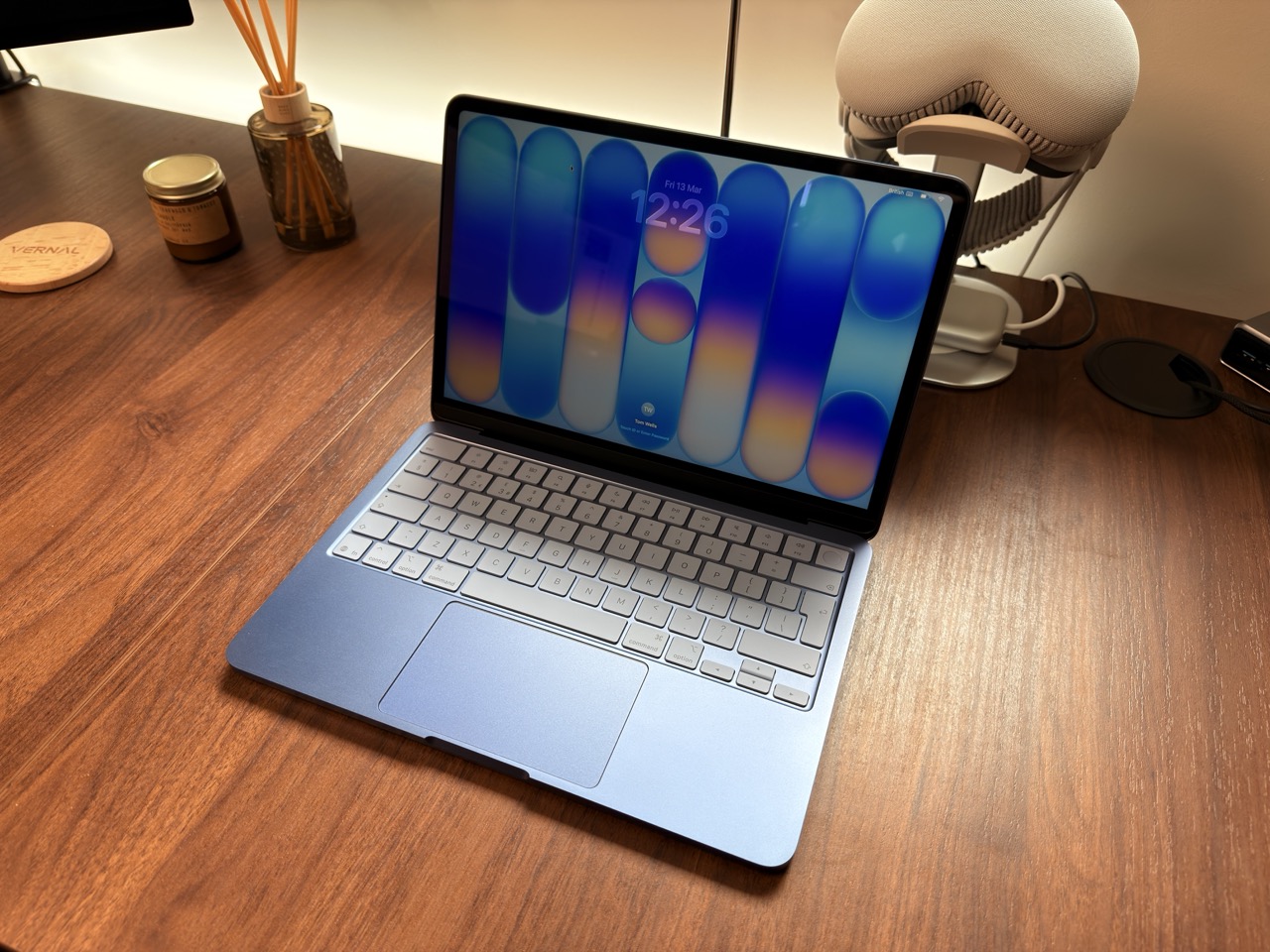
What has genuinely impressed me is how quickly it becomes part of the Apple ecosystem. Universal Control, Handoff, and Universal Clipboard all just work immediately. I placed it next to another Mac on my desk and moved my mouse straight across without touching any settings. That level of integration is something you really have to experience to appreciate fully.
Pairing the MacBook Neo with the iPhone 17e makes the point even more clearly. For a little over £1,000 in total, you can now buy two brand new Apple devices that work seamlessly together. And that combination tells you a lot about where Apple's strategy is heading.
There's a version of Apple that existed for a long time which was built almost entirely around premium pricing and the idea that owning an Apple product was, in part, a statement. That version of Apple hasn't disappeared, but it's clearly sharing the stage with something different now. The MacBook Neo, at £599 ($599), isn't a stripped-back product designed to make up the numbers. It's a genuinely impressive machine that happens to cost less than most people expect a Mac to cost. Apple knows that getting someone onto a Mac, even at this price point, means iCloud subscriptions, Apple One bundles, App Store purchases, and a customer who will almost certainly stay in the ecosystem for years.
The clever part is that the Neo doesn't feel like a compromise device. It feels like a good computer. A student who buys one isn't going to feel short-changed. They're going to feel like they got a Mac. And that's exactly the point. Apple is less interested in convincing you that you need to spend £1,299 on a MacBook Air on day one, and more interested in getting you through the door at all. The upsell can come later.
That's a meaningful strategic shift, and the MacBook Neo is the clearest expression of it yet. Apple is going to sell a very large number of these.
Tip of the week
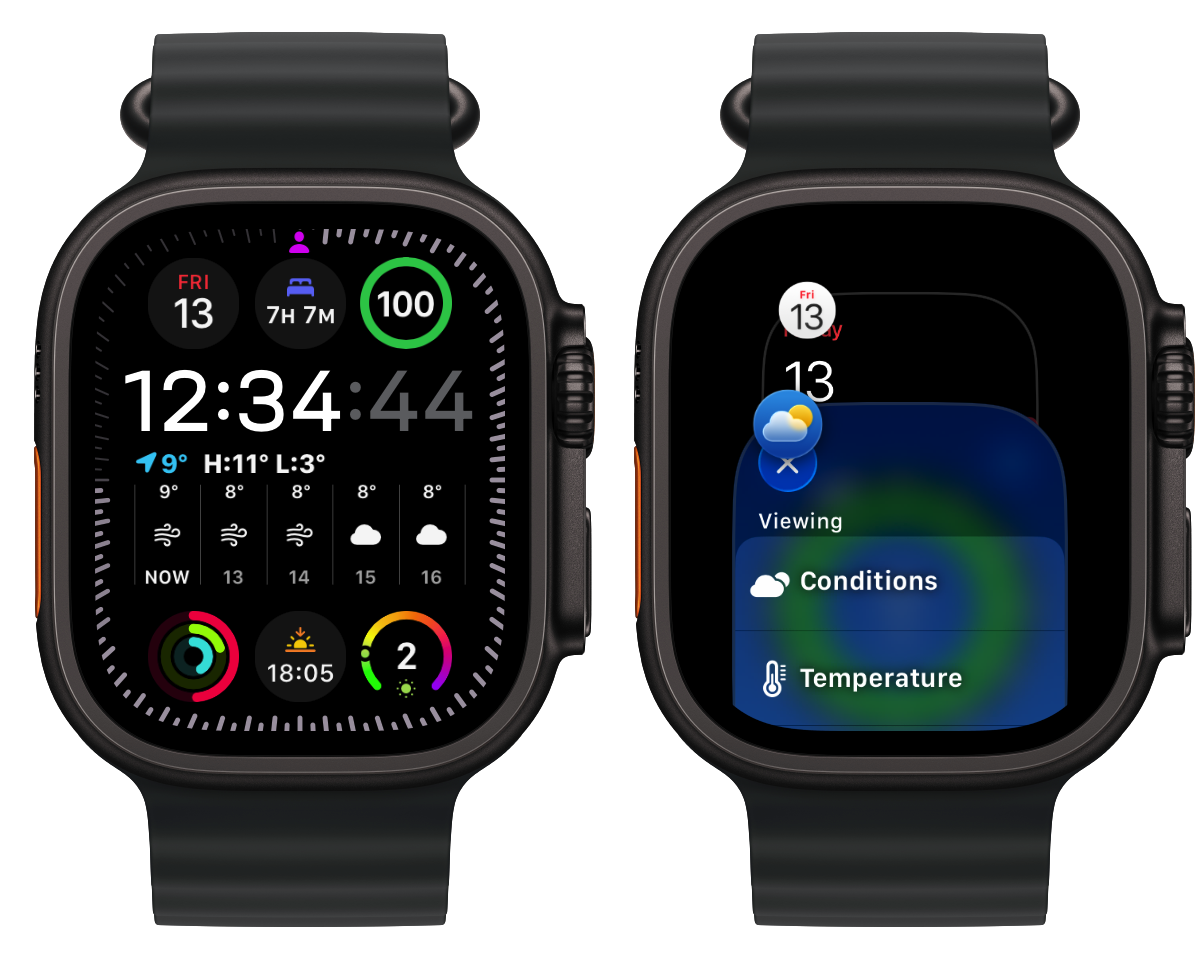
Did you know, you can access an App Carousel, just like the one on your iPhone, on your Apple Watch? This allows you to cycle through your open apps.
To do this, simply Double Tap the Digital Crown.