This week, I've launched something new, iOS 26.1 is here, and could Apple be about to surprise us in the coming days?
First - I've made something new
I’ve just launched something I think you’ll love.
It’s called The Daily Swipe — a free daily email that shares one quick iPhone tip every day. Each one takes less than a minute to read, but will help you discover brilliant little features you probably didn’t know your iPhone could do.
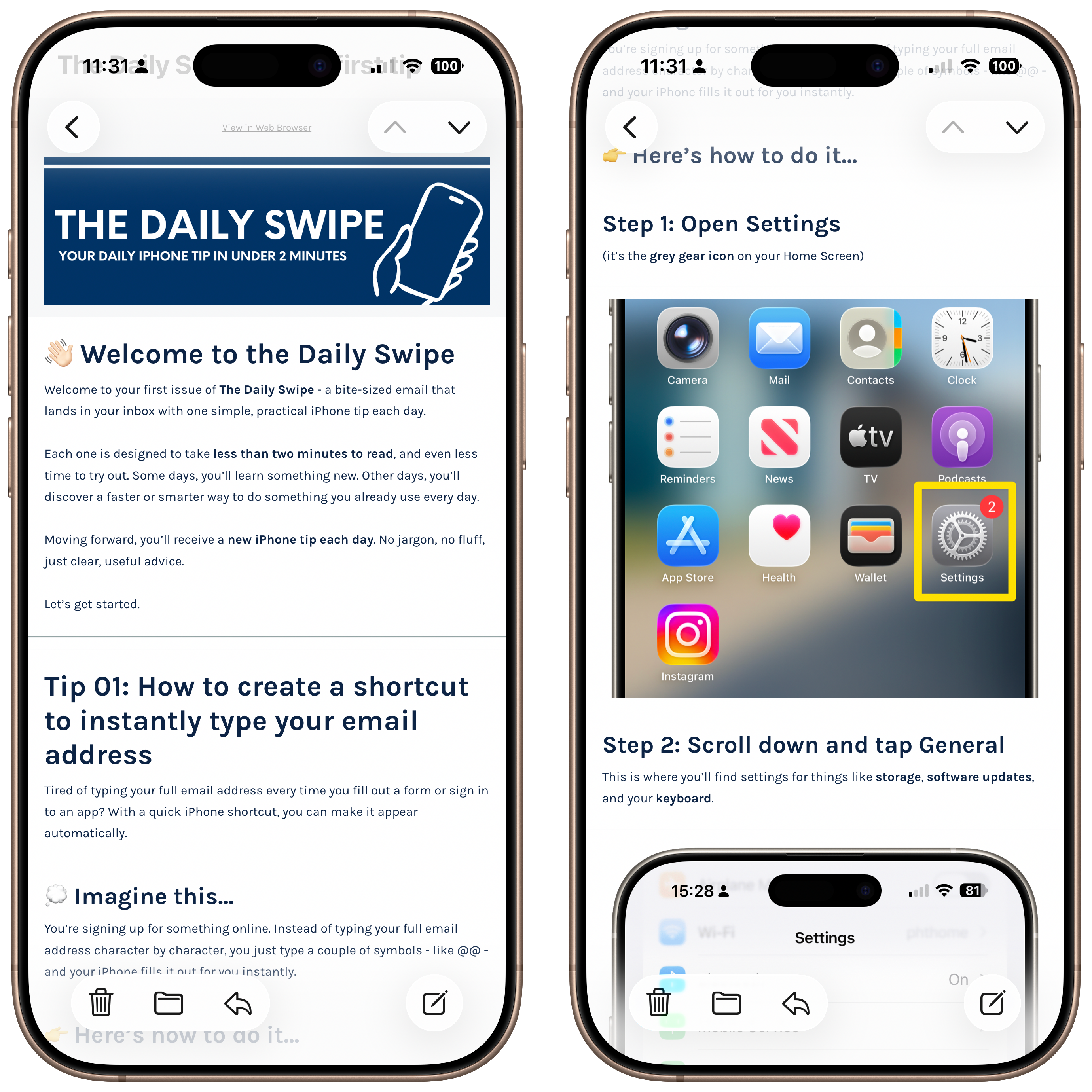
It’s completely free (and always will be), takes just seconds to sign up, and it’s already helping thousands of readers get more from their devices. You can join in here: https://propht.io/daily-swipe
iOS 26.1 - What's new?
Apple Finally Listens: iOS 26.1 Fixes the Annoyances
Apple released iOS 26.1 this week, and buried beneath the usual collection of minor interface tweaks is something genuinely refreshing - Apple has actually responded to some of the criticism aimed at iOS 26.
Let's start with the big one. You can now disable that infuriating Lock Screen camera swipe. If you've ever pulled your iPhone from your pocket only to find you've accidentally taken seventeen photos of the inside of your jeans, you'll understand why this matters. There's finally a toggle in Camera settings to turn off the left-swipe gesture, ending years of pocket photography mishaps. It's a small thing, but it's the kind of small thing that makes you wonder why it took this long.
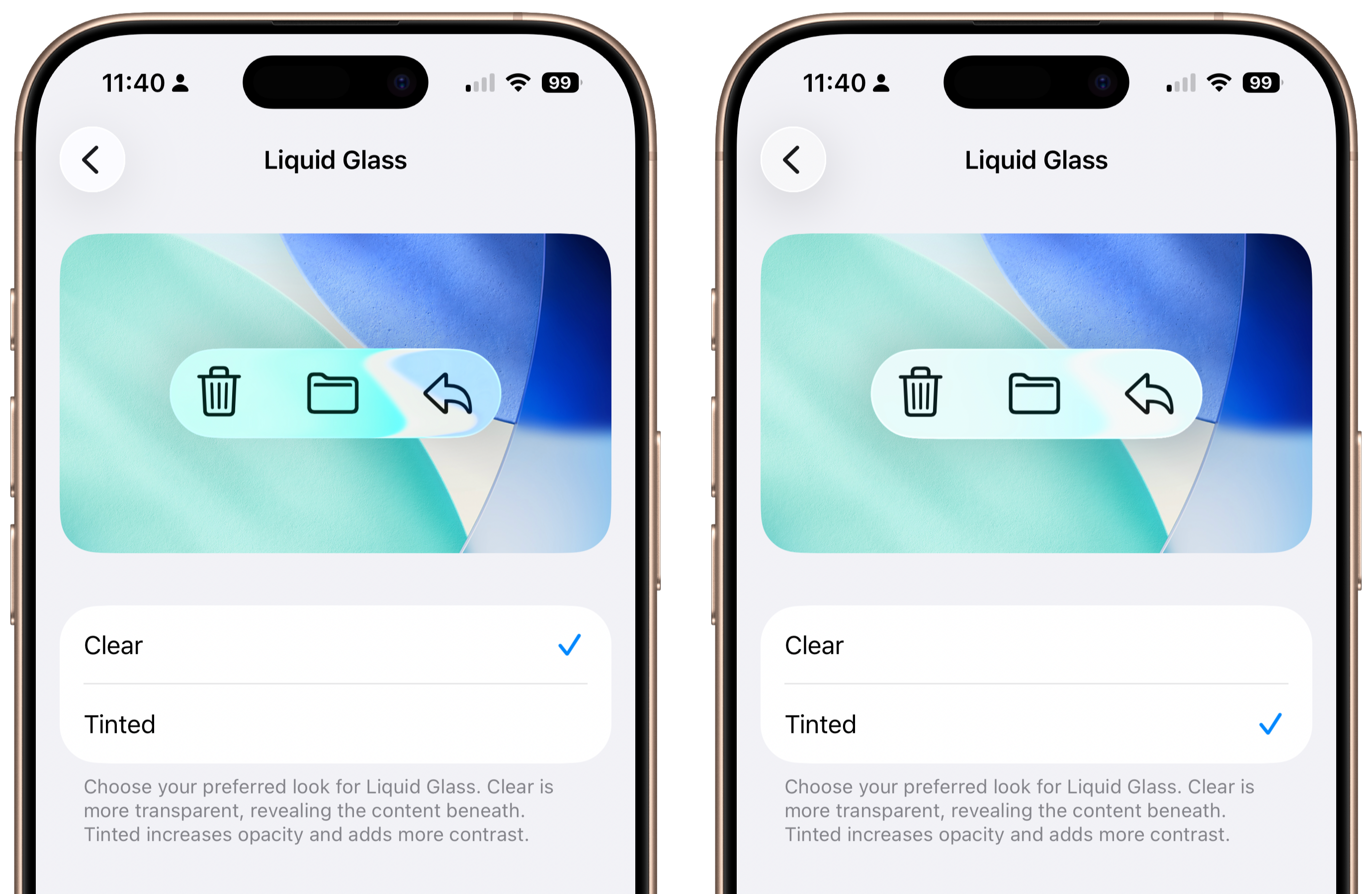
The other marquee feature addresses the Liquid Glass aesthetic that's been divisive since iOS 26 launched. Apple added a transparency toggle that lets you choose between "Clear" (the standard translucent look) and "Tinted" (which adds more opacity for better contrast). If you found yourself squinting at notifications against busy wallpapers, this is your fix. The tinted mode is particularly noticeable with Lock Screen notifications and within apps, giving everything a bit more visual weight.
Speaking of fixing annoyances, alarms now require a slide gesture to dismiss instead of a tap. This is brilliant if you've ever slapped the wrong button in a morning stupor and accidentally silenced your alarm entirely rather than snoozing it. The snooze button is still a simple tap, but turning off the alarm completely now requires deliberate action. A win for those of us who like to get up bright and early, a loss for those who blame their alarms on their tardiness.
Apple Intelligence expands to eight new languages, which is nice if you happen to speak Danish, Dutch, Norwegian, Portuguese, Swedish, Turkish, Traditional Chinese, or Vietnamese. AirPods Live Translation also gained Japanese, Korean, Italian, and Chinese, both Cantonese and Mandarin. The feature set is growing steadily, even if adoption remains patchy.
There's a genuinely handy Easter egg in Apple Music: you can now swipe across the song title in the music player to skip tracks. It's the kind of hidden gesture that feels natural once you discover it, though you'll probably stumble upon it by accident first.
The rest is mostly visual polish. Settings icons are now left-aligned instead of centered, which sounds trivial but does improve readability. The Phone app's keypad finally uses Liquid Glass properly, the Safari Tab Bar gained more usable space, and Apple updated the Display settings wallpaper from iOS 18 imagery, fixing an oversight that somehow made it through the iOS 26 launch.
For iPad users, there's a bigger story: Slide Over makes its return in iPadOS 26.1, working alongside the new window-based multitasking. You can now have multiple windows open while still being able to swipe in a quick Slide Over app from the side. It's Apple admitting that maybe, just maybe, the old way had some merit.
There's also a new background security system that automatically downloads security improvements without requiring full iOS updates, essentially a rebranded and improved Rapid Security Response feature. It's the kind of thing you won't notice until it quietly prevents something bad from happening.
This isn't a revolutionary update. But iOS 26.1 does something more valuable: it listens. The camera swipe toggle, the alarm dismiss change, the transparency options: these are responses to real-world friction points.
I also think that we're unlikely to see anything too exciting in upcoming releases, until the highly anticipated iOS 26.4 launches around March of next year. If all goes to plan, this would be our first taste of the new, improved, and most likely Gemini-powered Siri.
Enjoy tips videos, but struggle to remember everything?
Then you should definitely take a look at iPhone Essentials Plus. It’s my dedicated iPhone training portal with more than 150 lessons covering every aspect of your device, and I’m adding new content all the time.

Each lesson includes a short video, a step-by-step guide with screenshots, and a downloadable PDF, so no matter how you like to learn, you’re sorted. There are no ads, no sponsors, just straight-up content, and it’s all available for a one-time payment, no subscription.
And if you’re a Mac user, I’ve recently launched a Mac version too. You can pick that up on its own or bundle it with the iPhone course to get the best value. If you’re interested, click the links below to get started.
Purchase Links;
- iPhone Essentials Plus
- Mac Essentials Plus
- iPhone & Mac Essentials Plus Discount Bundle
- iPhone & Lifetime PDF
- Mac & Lifetime PDF
- iPhone, Mac & Lifetime PDF
Does Apple have something planned for next week?
Mark Gurman dropped an interesting tidbit in this week's Power On newsletter that's worth paying attention to. Apple's retail stores are prepping for an "overnight" on November 11th, when staff will refresh displays and product placements for the following day. Now, these overnights usually mean something's coming, but the timing here is tricky.
Tim Cook already made it pretty clear there aren't many products left to release in 2025. During the recent earnings call, he focused on "our most extraordinary lineup of products" already available for the holidays. In other words, don't hold your breath for anything major before the new year. Apple just had its big October reveal with M5-equipped MacBook Pros, Vision Pros, and iPad Pros. If anything else was coming before December, it probably would have been part of that show.
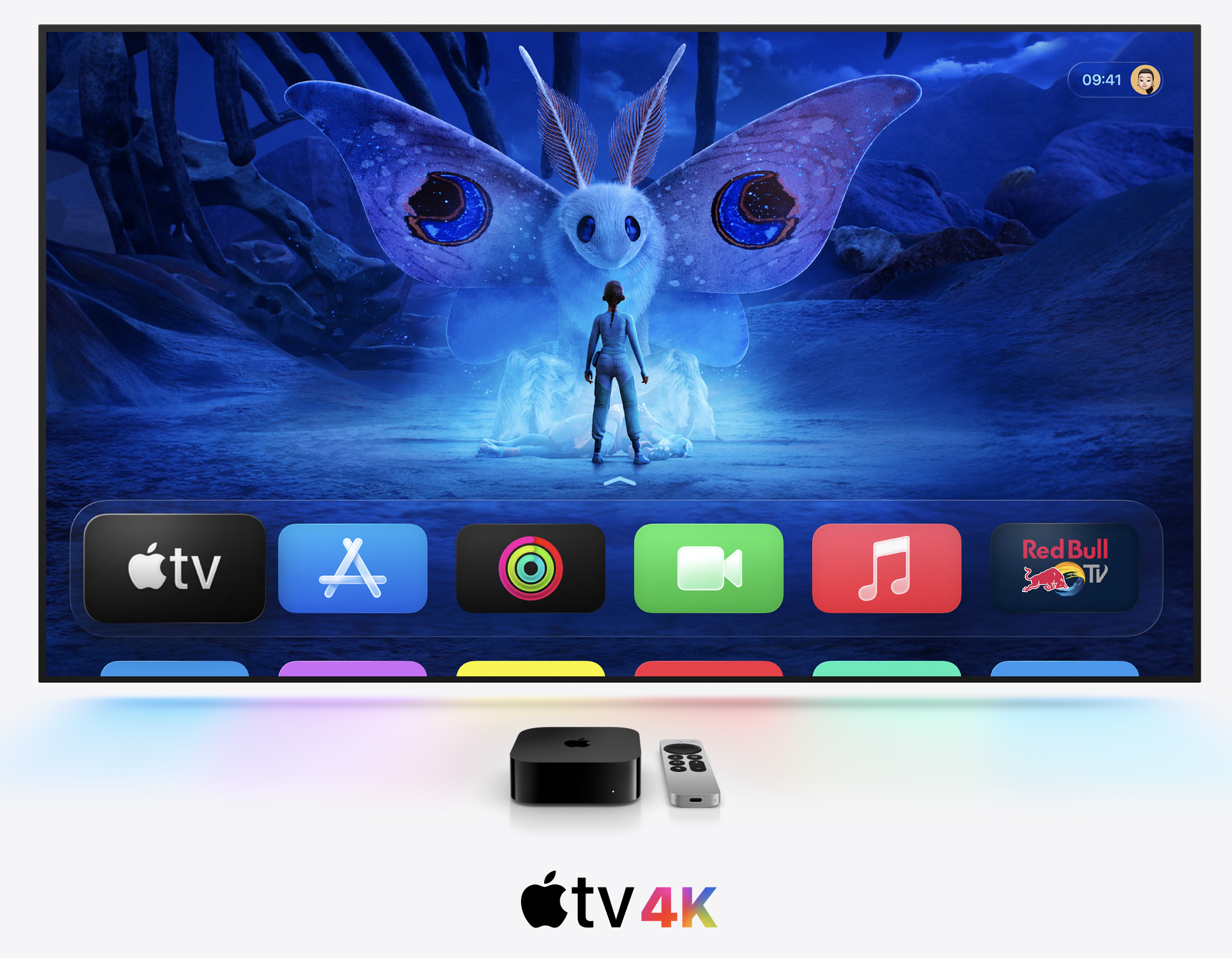
But here's where it gets interesting. Gurman notes that inventory is getting tighter for Apple TV boxes and HomePod minis. Both products are slated for updates with new chips and in-house wireless components. Anyone who's watched Apple's supply chain knows that a shrinking stockpile usually signals new versions are close.
So what's the November 12th refresh about? Most likely, it's just holiday merchandising. Stores need to look their best for the critical shopping season, and that means new displays, different product arrangements, and maybe some promotional materials.
But those tightening Apple TV and HomePod mini supplies? That's the more intriguing signal. Even if these refreshed models don't materialise before year's end, they shouldn't be far off. Apple needs them ready to showcase the new Siri and Apple Intelligence features planned for next year. These aren't going to be revolutionary updates, just spec bumps with Apple's own silicon on the inside, but they're necessary pieces of the puzzle.
Sure, the November 12th store refresh might amount to nothing more than seasonal merchandising. But it could also signal that new versions of these products are closer than we think. And honestly? That would be fun to see, especially a refreshed Apple TV box. The current model has been kicking around for a while, and a proper update with Apple's latest chips and wireless tech would give the living room side of the ecosystem some much-needed attention.
Deal of the week
- iPad mini (A17 Pro $100 off)
- Mac mini M4 ($100 off)
- MacBook Air M4 ($250 off)
- Watch SE3 ($50 off)
- Specced out M4 Max MacBook Pro $300 off
Tip of the week
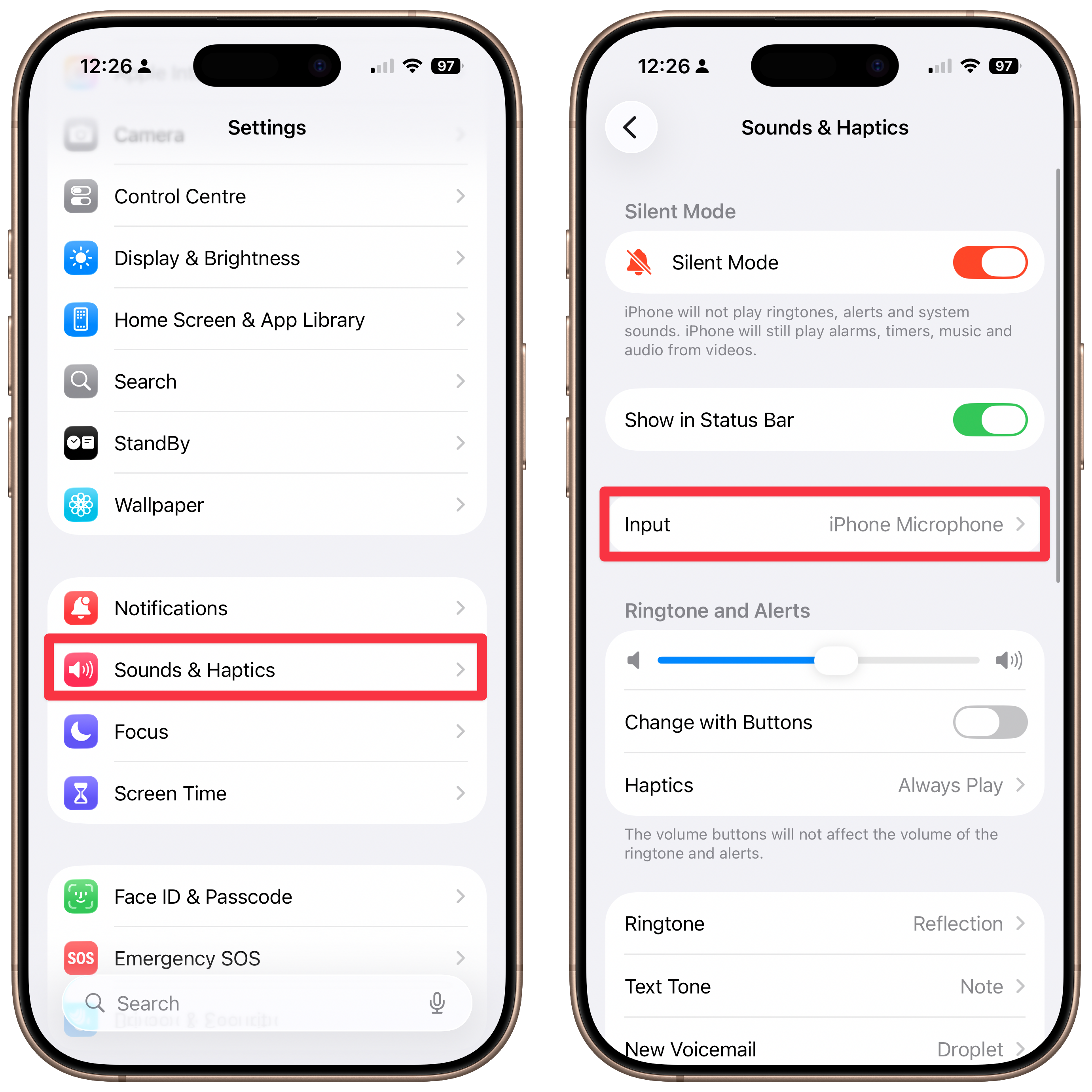
Did you know, that if you use an external microphone with your iPhone, be that the mic on some AirPods, or a USB C microphone, you can set the permanent input for your iPhone in Settings, saving you from having to manually select it each time?
Head into Settings, then choose Sounds & Haptics, and then choose Input.
My new content
10 Hidden iPhone Tips I wish I knew YEARS ago!
|
Content I've enjoyed
Doing Real Work in Galaxy XR vs Vision Pro
|

4 ChatGPT Hacks that Cut My Workload in Half
|