This week, Dub Dub is announced, new Siri might finally be coming, iOS 26.4 is out, and the Apple product lineup just lost it's most powerful (expensive) product...
Apple announces WWDC 2026
Every June, Apple holds its Worldwide Developers Conference, WWDC, or “Dub Dub” as it’s affectionately known. If you’re not familiar, it’s the one time each year where Apple pulls back the curtain on the next version of iOS, giving us our first proper look at what’s coming to iPhone in the autumn. No new hardware, just software. But for anyone who uses an iPhone every day, it’s arguably the most important Apple event of the year.
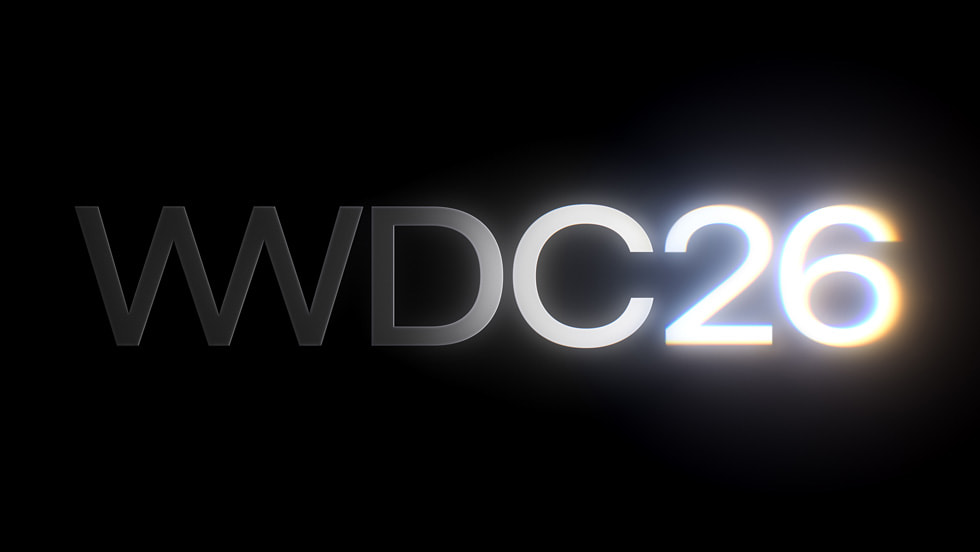
Apple has confirmed the dates for this year’s conference. WWDC 2026 runs from Monday 8th June to Friday 12th June, and like previous years, it will be a primarily online event, free and open to all developers.
The keynote kicks off on 8th June at 10am Pacific Time, which puts it at 6pm here in the UK. That’s where all the big announcements will happen, and it’ll be streamed live on Apple’s website, YouTube, and the Apple Developer app. Developers and students can also apply to attend in person at Apple Park in Cupertino, with a random lottery deciding who gets a spot.
So what’s actually coming? This year, Apple is expected to focus on refining last year’s Liquid Glass redesign, pushing forward with Siri and Apple Intelligence, and improving overall platform stability. According to Bloomberg’s Mark Gurman, Apple is taking a more stability-focused approach with iOS 27, meaning fewer visual fireworks and more effort directed at bug fixes and overall reliability. It’s being compared to iOS 12, the release that quietly made iPhones feel fast and reliable again after a rough patch.
But before we get to what is coming, it’s worth acknowledging why so many people are approaching this with a healthy dose of scepticism. At WWDC 2024, Apple made a series of bold promises about a dramatically smarter Siri, one that could understand what was on your screen, take actions across your apps, and feel genuinely useful for the first time. Two years on, most of what was promised still hasn’t arrived. Siri remains largely the same assistant it’s always been, and the frustration amongst iPhone users has been building steadily. Apple can’t afford another June of big promises with nothing to show. The stakes this year are genuinely high.
Which is why the news that broke in the last 48 hours is particularly interesting.
Bloomberg’s Mark Gurman is reporting that Apple is planning a fundamental shift in how Siri works, and it goes well beyond simply making the assistant a bit smarter. Apple plans to open Siri to outside artificial intelligence assistants, a major move aimed at bolstering the iPhone as an AI platform. The assistant can already tap into ChatGPT through a partnership with OpenAI, but Apple will now allow competing services to do the same.
The mechanism for this is something called Extensions. Rather than making individual deals with AI providers, Apple is adding an Extensions system to Siri that will allow AI chatbots to integrate with Siri directly. For example, Anthropic’s Claude app would work with Siri. If you have a supported AI app installed from the App Store, you’ll be able to toggle it on inside the Apple Intelligence and Siri section of Settings, from where Siri can route requests to whichever service you’ve enabled.
In plain English, rather than being locked into one AI model, you’d be able to choose. Gemini for tough questions, Claude for writing help, ChatGPT if you’re already paying for it. Users will be directed to a new App Store section from this menu to add additional AI services.
This is a meaningful strategic shift. By opening Siri to third-party AI services, Apple is effectively acknowledging that it may not need to build the best AI model itself, as long as it controls the user interface and platform experience. This approach mirrors Apple’s broader strategy with the App Store, where it provides the ecosystem while allowing third-party developers to deliver the functionality. In other words, Siri stops being a single assistant and starts becoming a platform.
It’s worth being clear about what this doesn’t mean, though. The Extensions system is distinct from Apple’s ongoing work to upgrade Siri using Google’s Gemini models. While Extensions would let users choose external services for specific queries, Gemini is expected to play a deeper role in powering Siri’s underlying capabilities. Apple isn’t handing the keys over to third parties. It’s offering a side door, while keeping Siri firmly in control of the main experience.
Gurman has also said that Apple hopes to have a conversational Siri chatbot, code-named “Campo”, ready for iOS 27. Apple is also testing a standalone Siri app for iPhone, iPad, and Mac, which will support both text and voice input, a significant shift from the voice-first model Siri has operated on since 2011. An “Ask Siri” feature is also in development, which would turn the assistant into a system-wide AI agent with deep integration across applications.
Apple plans to announce the new Siri and the third-party integration option when it unveils iOS 27 at the June 8 WWDC keynote. Whether everything materialises as reported remains to be seen. Apple’s recent track record on AI announcements gives good reason for caution. But if even half of this arrives in a coherent, working form, June 8th could be the moment Apple’s AI story finally starts to feel real.
Beyond Siri, Apple will also unveil iOS 27, iPadOS 27, macOS 27, tvOS 27, watchOS 27, and visionOS 27 at the event. Mark your calendar for 8th June.
What's NEW in Essentials Plus?
This week, I’ve added a few new things to Essentials Plus that I think you’ll really like.
First, I’m now including ad-free, sponsor-free versions of my YouTube videos directly inside the portal as bonus content. That means no interruptions, no mid-roll ads, no sponsor reads, just the content, straight through.
I’m working my way back through older videos and adding a few each week, and going forward, new uploads will be added shortly after they go live on YouTube. The CarPlay tips video which went live yesterday for example, is now available with no ads, and no sponsors, to Essentials Plus members.
On top of that, I’ve also launched a brand new course called iPhone Battery Made Easy.
This is a dedicated 15-video course that breaks down a lot of the common myths around iPhone batteries, and shows you how to get better day-to-day performance while also helping to extend your battery’s long-term health.
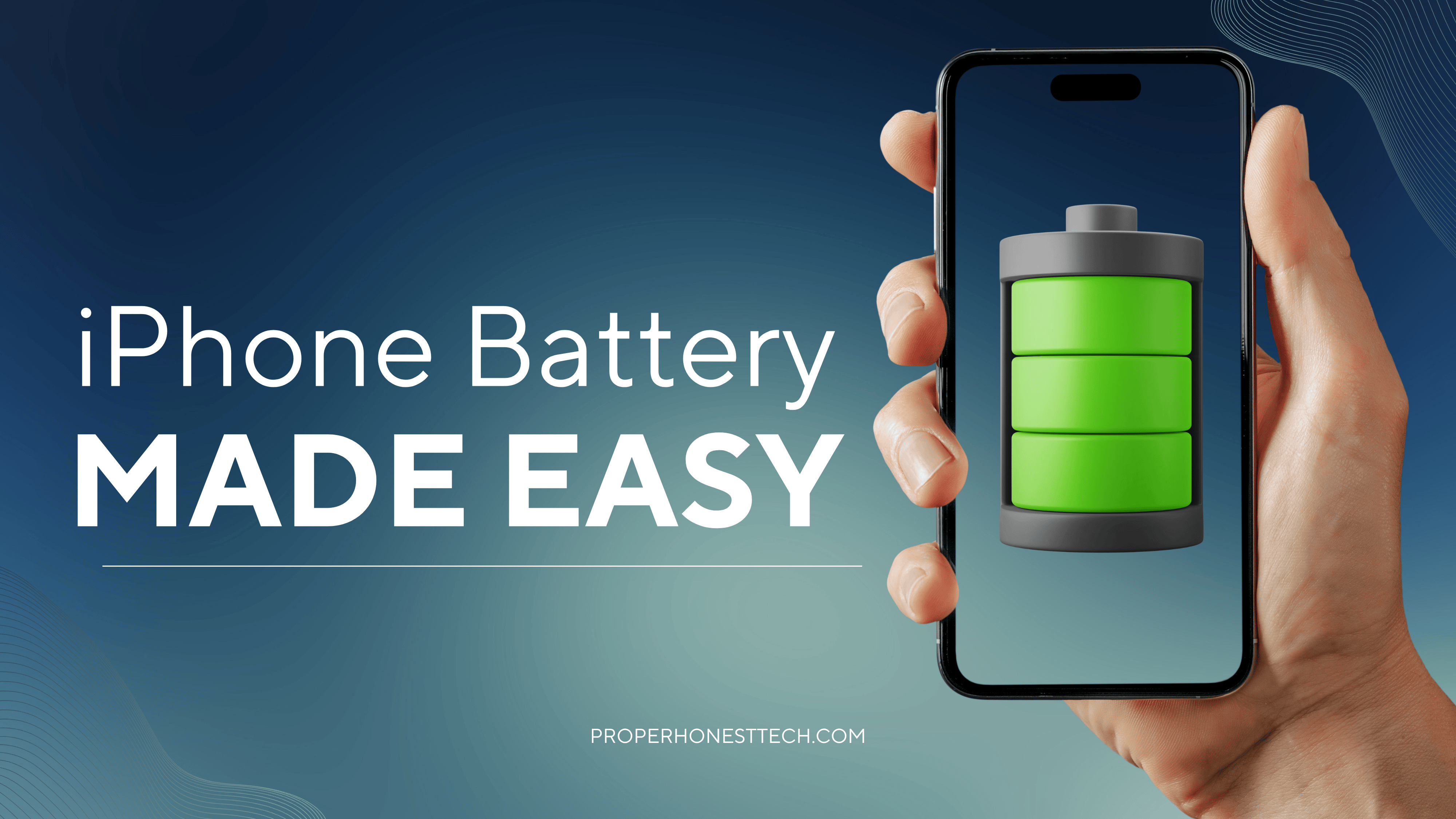
You can purchase this course on its own if that’s all you’re interested in.
But it’s also now included inside iPhone Essentials Plus at no extra cost, so if you’re already a member, you’ll find it waiting for you in your account.
And if you’ve been thinking about joining, you’re now getting even more included than before.
iPhone Essentials Plus already includes over 250 lessons covering everything your iPhone can do, with video walkthroughs, step-by-step guides, and downloadable PDFs, all with lifetime access and ongoing updates included.
And if you’ve got a Mac too, there’s also the option to bundle both for the best value.
Purchase Links;
- iPhone Battery Made Easy
- iPhone Essentials Plus
- Mac Essentials Plus
- iPhone & Mac Essentials Plus Discount Bundle
Apple releases iOS 26.4
If you follow Apple software updates, you might have noticed a pattern. The odd-numbered point releases, the .1s and .3s, tend to be fairly quiet affairs, focused mostly on bug fixes and security patches. It’s the even ones, the .2s and .4s, where Apple tends to add genuinely new features. iOS 26.4 follows that pattern nicely, with a handful of useful additions worth knowing about.
Apple has released iOS 26.4, bringing a collection of enhancements to your iPhone, including new emoji, changes to Apple Music, and keyboard accuracy improvements. Here are the highlights.
Apple Music gains a new Playlist Playground feature, which lets you create playlists using Apple Intelligence by simply providing a text description. You can type something like “sad songs from the 1990s for a rainy day” and Apple Music will automatically build a playlist based on that prompt. You can then keep refining it with further prompts without starting over. It’s still described as a beta feature, and only available to users in the US, so I've not even had a chance to test it. Thanks, Apple. Let me know if you're reading, and you've had a chance to test it out.
The Podcasts app also gets an upgrade, with an enhanced video podcast experience that lets you switch seamlessly between watching and listening, move to full horizontal display, and download videos to watch offline. Given how many podcasts now have a video element, this feels overdue.
Stolen Device Protection is now enabled by default in iOS 26.4. When active, you’ll need to authenticate with Face ID to perform certain sensitive tasks when away from trusted locations like home and work. This is a genuinely important security change, and the fact that it’s now on by default means more people will be protected without having to go hunting through Settings.
Family Sharing also gets a useful update, with each adult family member now able to use their own payment method for purchases, rather than everything running through the family organiser. A small change, but one that will make life noticeably simpler for a lot of families.
There are also eight new emoji, including a trombone, treasure chest, orca, ballet dancer, and a rather unsettling (but already viral) “distorted face”. And if you’ve found the Liquid Glass design a little visually overwhelming, there’s a new Reduce Bright Effects setting that cuts down on the bright flashes when tapping buttons.
Now for the elephant in the room. Many people, myself included, have been waiting a long time for a meaningfully smarter Siri. Earlier this year there was genuine expectation that iOS 26.4 would be the update to finally deliver it. After a full year of anticipation, the hype around a revamped Siri was so high that iOS 26.4 will largely be remembered for not including it. That stings a little, but as mentioned in the WWDC article above, June is now the moment Apple really needs to deliver. The patience of iPhone users is not unlimited.
To update your iPhone, go to Settings, then General, then Software Update. iOS 26.4 is available for iPhone 11 and later.
Apple quietly kills off another product
No press release. No farewell. Apple has confirmed that the Mac Pro is being discontinued, and has removed it from its website entirely. The buy page now redirects to the main Mac lineup, where all references to the Mac Pro have been removed. Apple has also confirmed it has no plans to offer future Mac Pro hardware. After nearly two decades, that’s quite a quiet way to go.
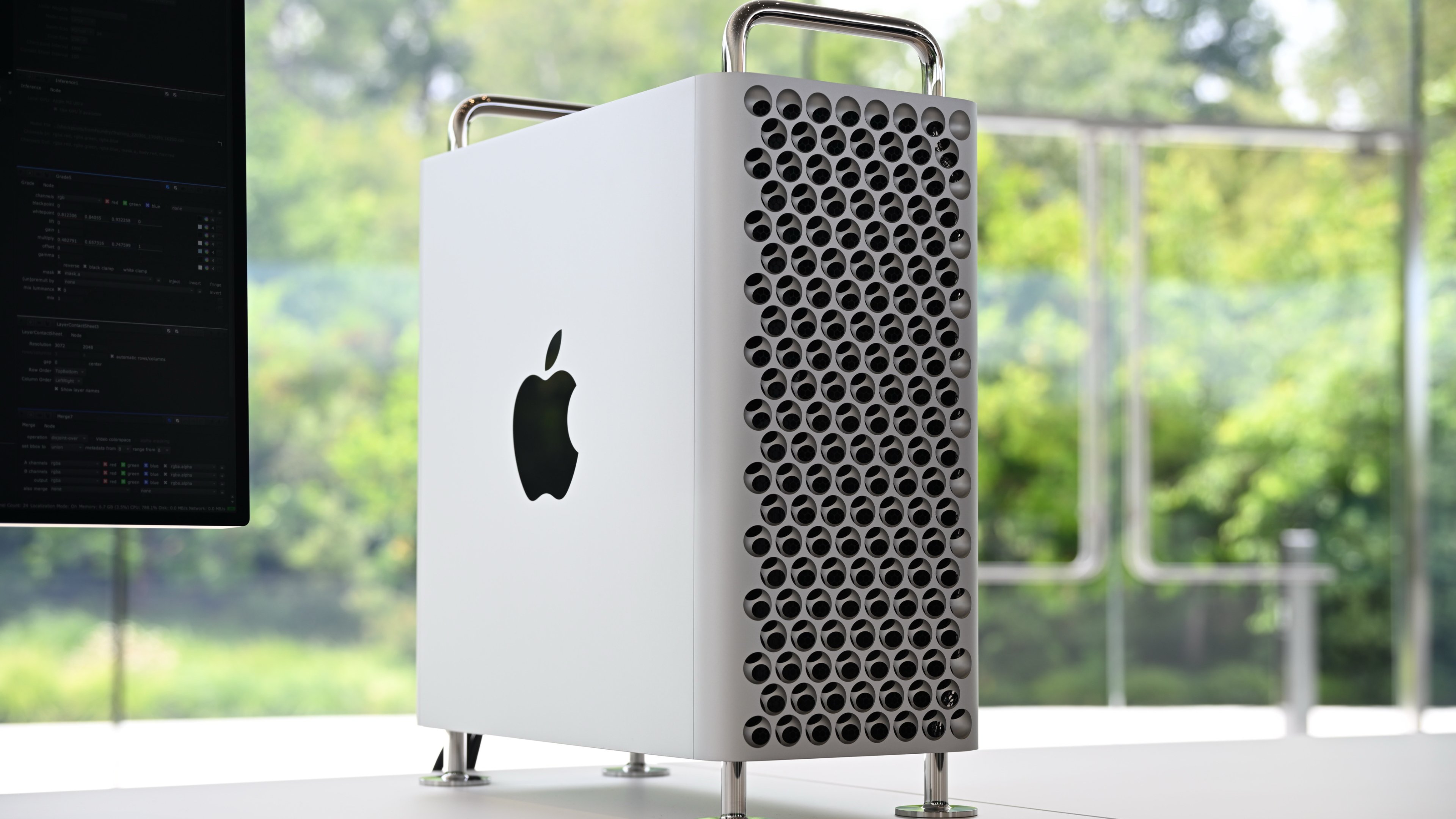
For those unfamiliar, the Mac Pro was Apple’s most powerful and most expensive desktop computer, built for professional users with seriously demanding workloads. Video editors, 3D artists, audio engineers, and broadcast studios were its audience. It was priced at $6,999, and in its fully loaded configuration, it cost considerably more than that. It was never meant for most people, and that was entirely the point.
When Apple relaunched the “cheese grater” Mac Pro in 2019 alongside the Pro Display XDR, it felt like a genuine moment. It was Apple publicly acknowledging that it had let professional users down for years, most notably with the “trash can” Mac Pro that couldn’t be expanded or updated properly. The 2019 model brought back PCIe expansion slots, a modular design, and a clear signal that Apple was serious about its most demanding customers again.
The problem was that Apple Silicon changed everything. Just a year later in 2020, Apple began transitioning to its custom M-series chips, proving Macs could be more powerful and power-efficient by abandoning Intel entirely. Suddenly, the Mac Pro’s core selling point, its expandability and raw power, was being matched and then exceeded by far smaller, far cheaper machines. Apple Silicon radically changed the Mac, and fatally wounded the Mac Pro. Suddenly Apple was getting Mac Pro-level performance out of everything, even eventually the lowest-cost Mac mini.
The Mac Studio, launched in 2022, was really the beginning of the end. A fraction of the size and cost, it offered comparable performance for the vast majority of professional users. The Mac Pro has languished at its $6,999 price point even as Apple debuted newer chips in the Mac Studio. Sitting there with a two-year-old chip at nearly seven thousand pounds while a smaller, cheaper machine outpaced it was not a great look.
It’s also worth noting that the Pro Display XDR was discontinued earlier this month, replaced by the new Studio Display XDR. The product that launched alongside the 2019 Mac Pro is now gone too, bookending that era rather neatly.
What this tells us about Apple’s direction is fairly clear. The Mac Studio is set up to be the pro desktop Mac of the future in Apple’s lineup. “Studio” is effectively the new “Pro” when it comes to Apple’s desktop ambitions. Don’t hold your breath for an iMac Pro revival either. Apple now sells three desktop Macs, the iMac, Mac mini, and Mac Studio. That’s a tidier, more coherent lineup than anything Apple has offered in years, and Apple Silicon makes it genuinely capable across the board.
The Mac Pro deserved a better send-off. But the writing has been on the wall for a while now.
Tip of the week
Did you know, you can choose which apps appear on your Apple Watch? For example, if an iPhone App has a Watch version, you can choose to enable or disable it on your Watch.
To do this, open the Watch App on your iPhone, then scroll down to the Apps section. If there's anything there that's not installed, and you'd like to add it, tap Install. If there's anything installed that you don't want, tap into it, and disable 'Show on Apple Watch'.