This week, we're going to talk WWDC, but perhaps not in the way you'd expect...
3 Days to Dub-Dub...
I’m sure you already know, whether from your own knowledge, from following the channel, or from reading this newsletter, that WWDC 2025 kicks off this coming Monday. And for me, it’s arguably the most exciting day of the year in the line of work that I do. Don’t get me wrong, new iPhone and Mac announcements are always fun. There’s something undeniably exciting about unboxing new hardware and getting hands-on with it. But at the end of the day, it’s the software that matters most. It’s what we use every single day, and it’s what I spend the majority of my working hours deeply immersed in.
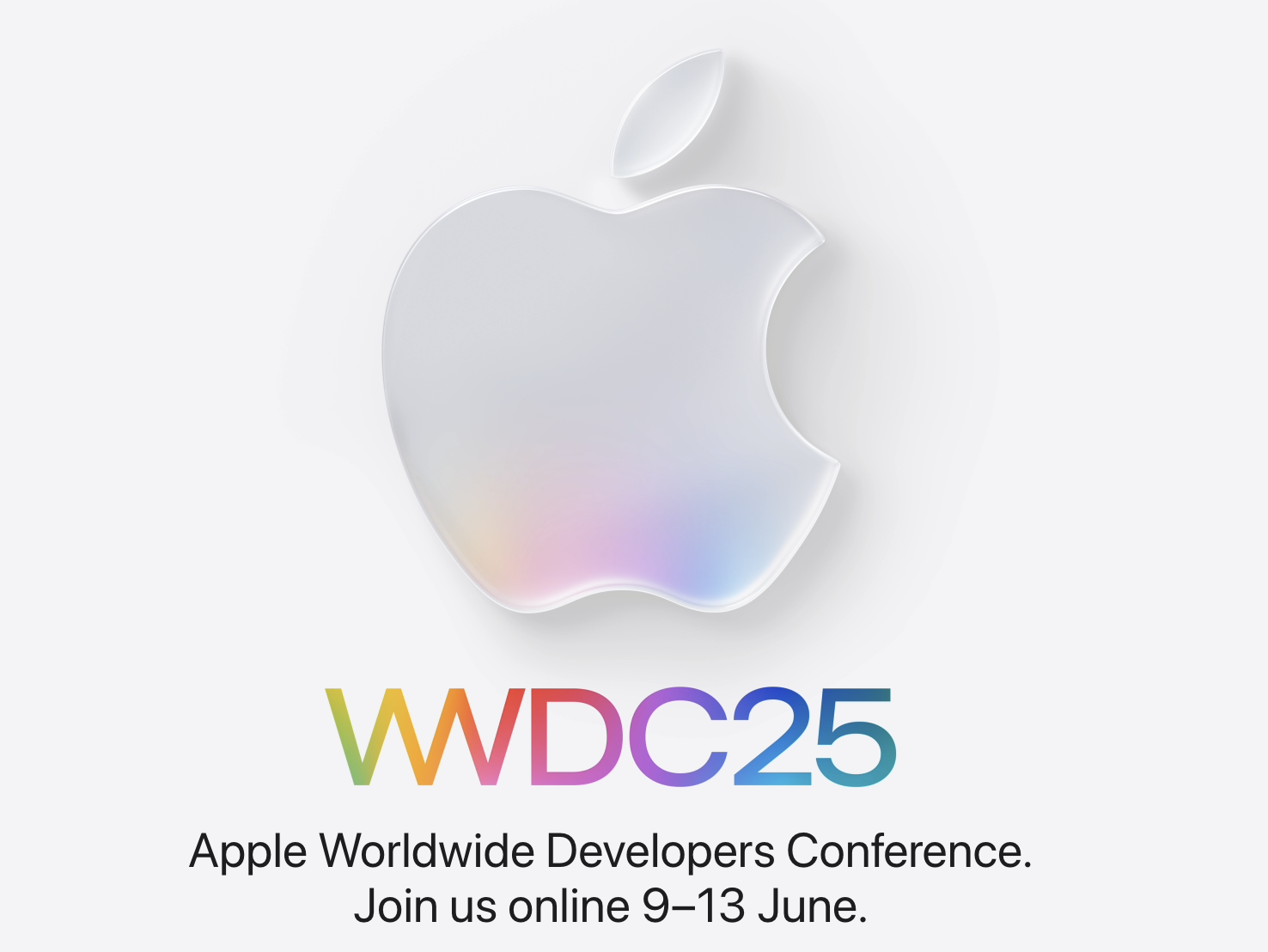
That’s why getting a sneak preview of what’s coming to all of our Apple devices in September is such a big deal. And this year’s WWDC is shaping up to be particularly interesting, for reasons I’ve been talking about in the newsletter for the past few weeks. I had considered doing one final predictions roundup before Monday, but I figured that might be a bit tiresome, especially given we’re now just three days away from finding out what Apple actually has in store.
So this week, I thought I’d do something a little different. Instead of sharing predictions, I want to focus on the five things I’d like to see at WWDC this year. These aren’t leaks or rumours. These are my personal hopes. And I’ll be honest, I’m not convinced many (if any) of them will materialise. But I thought they were worth sharing all the same.
1 - New Hardware
While WWDC is, of course, primarily known for its focus on software, it’s not out of the question for Apple to unveil new hardware at the event. Let’s not forget that two years ago, Apple used WWDC 2023 to introduce the Vision Pro headset for the very first time. Although it didn’t launch until seven months later, the choice of the Developers Conference as the venue to debut their first foray into spatial computing was a significant moment.
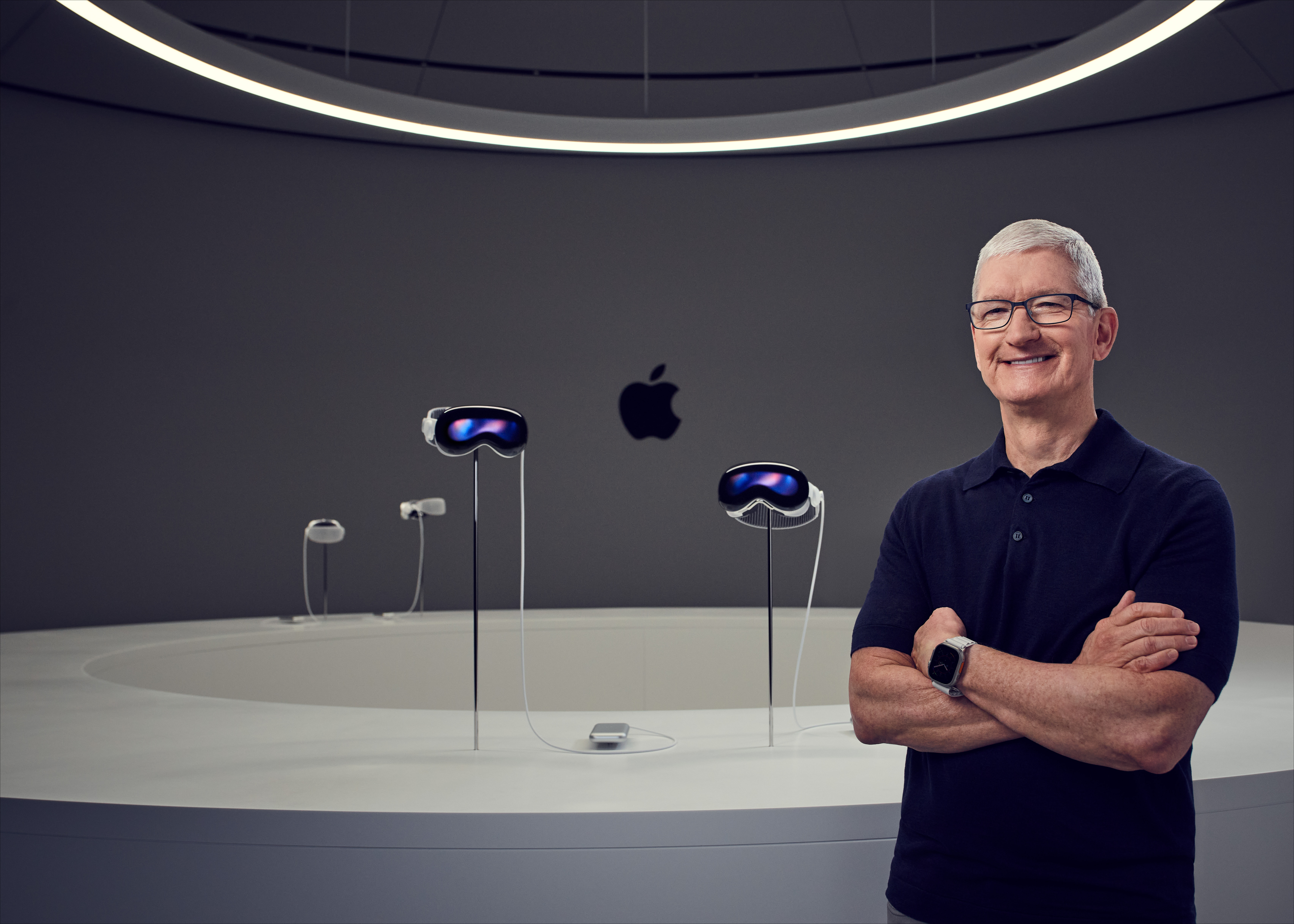
You could argue, in hindsight, that the reason for unveiling the Vision Pro at WWDC was to build excitement among developers for an entirely new platform, and WWDC was the most logical place to do that. The same logic likely won’t apply to any of the expected hardware announcements this year, with the possible exception of the long-rumoured HomePod–iPad hybrid.
If you’re unfamiliar with this idea, analysts have long speculated that Apple will eventually launch a device that merges HomePod technology with an iPad, creating a smart display that could live on a kitchen counter and act as a central hub for home automation and assistant features.
The main reason I’m fairly confident this won’t appear at WWDC is because it would be missing a key feature: a capable smart assistant. Siri is still widely believed to be lagging behind the competition, and after the backlash from last year’s event, Apple will almost certainly avoid showcasing anything involving Siri unless it’s genuinely ready to ship, and it doesn’t sound like that’s the case just yet.
So, I wouldn’t expect the HomePod–iPad hybrid to make an appearance. The only other hardware that could be shown off is a revamped Mac Pro, possibly alongside some new Pro Display accessories.
Apple already updated the Mac Studio a couple of months ago, giving it both the M4 Max chip and, somewhat unexpectedly, the M3 Ultra chip. This was surprising to many of us who had anticipated that Apple would release both an M4 Max and M4 Ultra version of the Mac Studio.
Rumours now suggest that instead of skipping the M4 Ultra altogether, Apple may be saving it for the Mac Pro, allowing them to deliver a machine aimed at professionals who need the absolute maximum performance and are prepared to pay for it.
To put things in context, a fully specced M3 Ultra Mac Studio will set you back around $12,000, expensive by any measure, and perhaps hard to justify for many professionals. A Mac Pro powered by the M4 Ultra, however, could easily reach tens of thousands of dollars. When the Intel-based Mac Pro first launched, well before Apple Silicon was introduced, you could spec it out to nearly $50,000, which was absurd for most, but ok for professionals in fields like Hollywood sound design, visual effects or high-end music production, where the investment made business sense.
Apple will no doubt want to differentiate the Mac Pro from the Mac Studio, and bringing it back to that high-performance, high-price-point level is one way of doing just that.
I think a revamped Mac Pro at WWDC this year is entirely plausible. But if Apple does decide to go down that path, I suspect they’ll only do so if they can also introduce a new display, just as they did when unveiling the original Mac Pro alongside the fantastic (if now quite old) Pro Display XDR.
Rumours suggest that Apple currently has one, possibly two new displays in the works. It’s possible that progress has reached a stage where they’re ready to show them off, either with an immediate launch or with a release planned for later in the year.
According to Mark Gurman of Bloomberg, Apple is likely developing two separate displays. One would be a successor to the Studio Display, and the other a next-generation Pro Display XDR. Reports suggest that Apple is placing more emphasis on creating a lower-cost display this time around, but that doesn’t rule out the Pro-level screen making an appearance as well.
I don’t think we’ll see anything from Apple on the iPad front this year, and I’m confident there won’t be any new hardware for the iPhone or Apple Watch; that will all be held back for the September event. But a new Mac Pro and at least one new display? That, to me, feels entirely possible.
Enjoy tips videos, but struggle to remember it all?

You should check out my training portal, iPhone Essentials Plus!
It’s more than 150 lessons for the iPhone, covering every aspect of it, with each lesson containing a video, a step-by-step guide with screenshots, and a downloadable PDF, with new content being added on a regular basis.
Sound interesting? Check it out by clicking here, or tapping the image above.
2 - The 'all in one' productivity App
I’ve said for a long time that while I’m a genuine fan of Apple’s built-in apps; Notes, Calendar, Mail, and Reminders, I think they’d benefit massively from deeper integration. Apple has made small steps in the right direction, like the addition last year that lets you view Reminders within Calendar and vice versa. But I still feel like there’s a long way to go before these apps feel like a proper productivity suite.
Take a typical task as an example. I use the built-in Mail app to manage the business side of my YouTube channel, and it won’t come as a surprise to anyone who watches my content that I have someone who helps me deal with sponsors. The usual process starts with an email outlining a potential opportunity. Once a contract is signed, I begin working on the sponsored content. Right now, that all happens in Mail and the third party app Notion, simply because the other apps don’t feel well-connected enough for me to use them effectively as part of that process.
What I’d love is the ability to tap a button in Mail and have that email thread turn into a Note, where I can start planning the video. And within that note, I’d want access to Calendar and Reminders, all in one place, so I could manage the timeline and to-dos without jumping between apps. That kind of setup would turn Notes into more of a project hub, rather than just a place for jotting down ideas.
Realistically, this would mean a significant redesign of Apple’s core productivity apps, but I think it’s something they’ll need to consider eventually. Right now, there are third-party tools like Notion and Bear that handle this kind of workflow far better, and plenty of Mail apps already offer built-in task management. I’m not convinced we’ll see anything like this soon, especially with Apple putting so many resources into AI. But I’m still hopeful, because the potential is absolutely there.
3 - A TRUE iPadOS
I’m not going to jump on the bandwagon of saying that I’d like to see macOS come to the iPad this year, because I wouldn’t. I just don’t think a tablet should, or even could, be used in the same way as a laptop or desktop computer. And while a direct port of macOS to the iPad might get people excited in the short term, I think that excitement would quickly wear off once users realise the software and hardware don’t really complement each other that well.
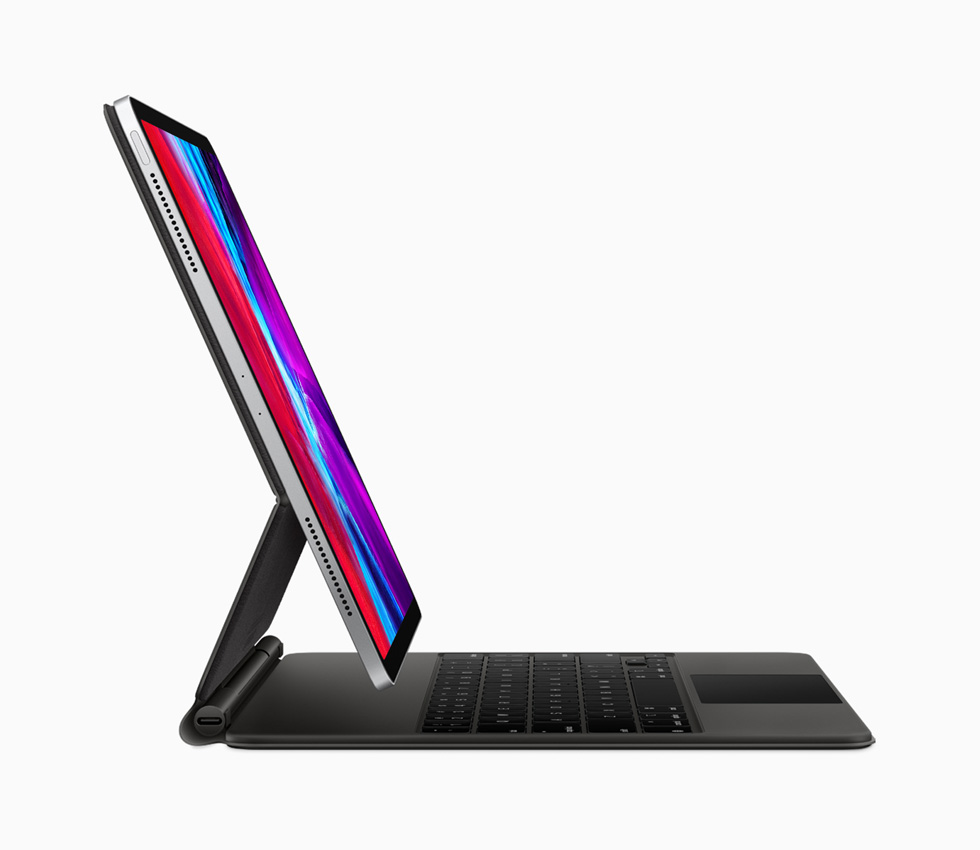
That said, I also think iPadOS, particularly on the Pro models, feels far too limited. It still behaves like a slightly scaled-up version of iOS, with only the occasional nod to the iPad’s larger screen. I genuinely believe that the ideal solution is somewhere in between the simplicity of iOS and the flexibility of macOS, and if the rumours are right, Apple might feel the same. There’s talk that this WWDC could finally be the moment when we see iPadOS start to evolve, moving a little closer to the Mac in terms of power and productivity.
The biggest challenge here is file management. This is where iPadOS still lags way behind macOS. If you’re trying to use the iPad as a serious productivity device, this becomes a real problem. For basic tasks, the iPad is great. Last night, for example, I grabbed my 11-inch iPad Pro and Magic Keyboard to reply to a few late emails. I didn’t fancy heading back to my desk to power up the Mac, and I wanted something more comfortable than typing on my iPhone. That’s exactly where the iPad shines, provided the software can keep up.
Improvements to file handling, a proper menu bar, and maybe even some kind of simplified Finder experience could all help massively. And done right, these upgrades wouldn’t make the iPad feel overwhelming to use. In fact, they’d make it far more useful without requiring a big learning curve. From a power and hardware standpoint, the iPad already has everything it needs, so I really hope Apple dedicates some proper time at WWDC to show how iPadOS is catching up.
Mac Essentials Plus

Following on from the success of iPhone Essentials Plus, I’m really excited to share that I’m putting the finishing touches to Mac Essentials Plus — my brand new training portal dedicated to helping you get the most out of your Mac.
This one’s going to be big. macOS is far broader in scope than iOS, and this training portal will reflect that. There’ll be more than 200 lessons available from the moment it launches in just a couple of weeks, and I’m already working on even more to roll out in the weeks and months ahead.
Just like iPhone Essentials Plus, each lesson includes a short video, a step-by-step written guide, and a downloadable PDF to make learning as easy and accessible as possible.
If you’d like to be the first to know when Mac Essentials Plus launches, follow the link here to join the waiting list.
4 - Bug Fixes
I won’t spend too long on this particular point; I’ll link to a video by Luke Miani that sums it up really well. But one area I think Apple needs to focus on with WWDC this year, even if they won’t actually say it out loud, is bug fixes. And the reason they won’t say it is because admitting they’re fixing bugs means admitting the bugs exist in the first place.
You don’t have to look far on Reddit or X to see that bugs across Apple’s core operating systems have increased significantly in recent years. For what it’s worth, I’ve actually been pretty lucky. I rarely get bugs on my devices. But even I’ve started to notice a few creeping in, and I’m talking about on official public releases, not betas.
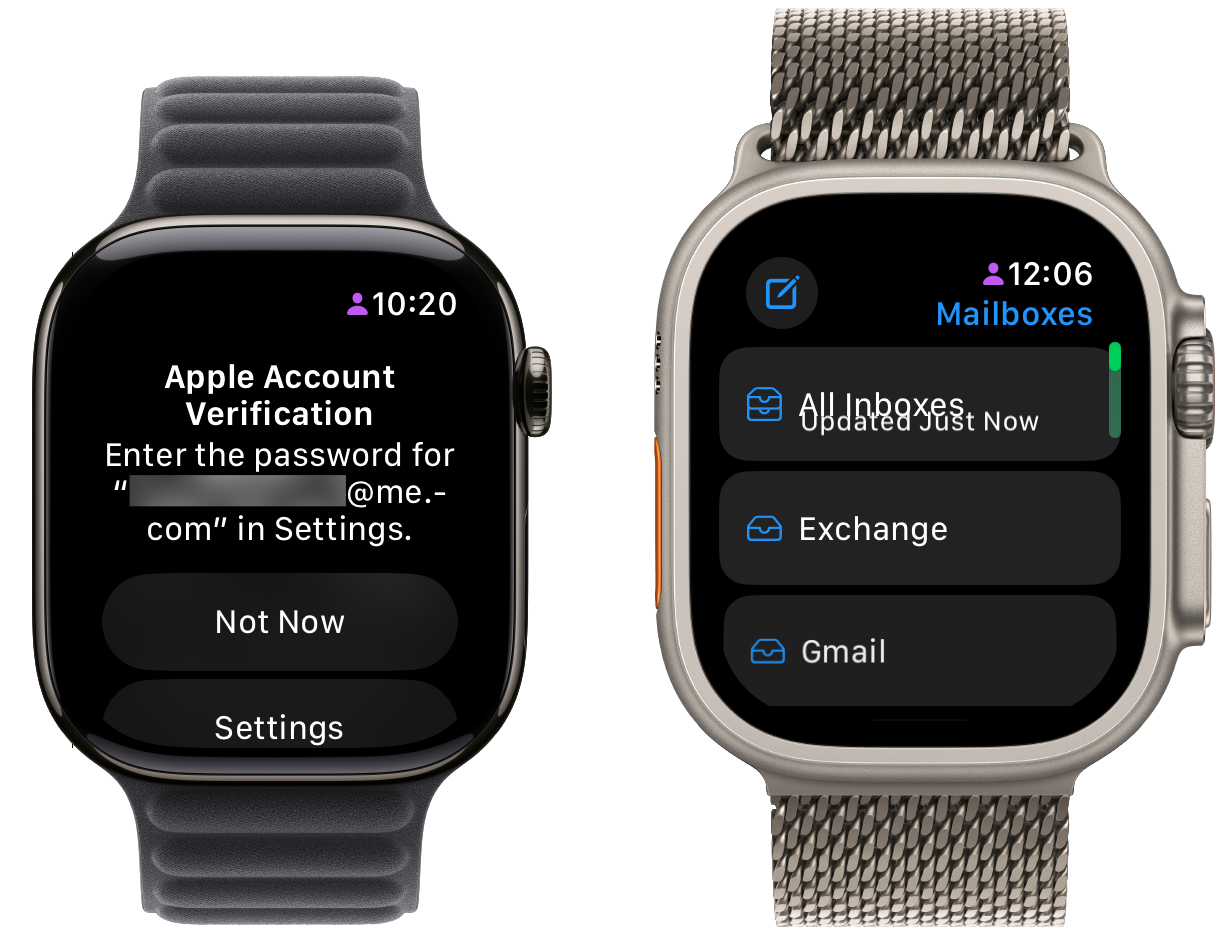
Sometimes it’s something minor, like text overlapping on my Apple Watch. Other times it’s a bit more frustrating, like my Watch repeatedly asking me to sign in to my Apple account even though I’ve already done it over and over again. I wouldn’t say any of these bugs have been deal-breakers, but they do go against the long-held belief that Apple devices “just work”. Increasingly, that doesn’t feel like the case.
My concern is that as Apple ramps up its focus on artificial intelligence, and as more senior engineers leave the company, we’re likely to see more of these bugs slipping through. And with WWDC expected to bring a full visual overhaul of the operating systems, I do worry that a lot of engineering effort has gone into design at the expense of reliability.
That’s not to say the visual updates aren’t welcome, they are. But only if they don’t come at the cost of stability and performance. A big redesign often introduces more bugs than a more iterative update. I really hope I’m wrong, and that iOS 26 and its OS cousins end up being the most stable versions we’ve seen in years.
I’ll be testing all of the new software on my beta devices as soon as they’re available, not just to get tutorial content ready for September, but also to share general feedback and findings on how the updates actually hold up in day-to-day use.
5 - An apology
The final thing I’d like to see at WWDC this year is really a two-part request. First, I’d love Apple to show a proper roadmap for what they envision over the next couple of years when it comes to artificial intelligence and the future of Siri, whether that’s a single new version or multiple iterations. And second, I’d love to see them admit that they got it wrong last year. That’s clearly never going to happen, but I’m including it anyway because it’s what I’d genuinely like to see.
If you follow the channel or stay up to date with the world of tech, you’ll already know exactly what I’m referring to. But in case you don’t, here’s a quick recap. At WWDC 2024, Apple dramatically overpromised. They showcased a new version of Siri that they said would be launching later in the year, and here we are, a full calendar year later, with nothing to show for it. Not even a beta version for developers.
The reality seems to be that what Apple showed off last year wasn’t a product that was almost finished. It was a marketing mock-up, designed to demonstrate what they hoped to build rather than something that actually existed. In fairness, the other AI tools Apple announced last year, like the writing assistant, Genmoji, and the image cleanup features, all ended up shipping in a form that closely matched what we were shown. But Siri didn’t. And that’s the part that matters most.
Now, I don’t think Apple will apologise, and honestly, I understand why. For a company of that size, any admission of fault would open the floodgates to legal action, and they’re already facing potential class action lawsuits related to the claims they made at last year’s event. So no, I’m not expecting an apology.
But what I would really like is for Apple not to just avoid the topic entirely. Don’t brush it under the rug. Don’t pretend like last year didn’t happen. Instead, come out and talk about where things really are. Because if the plan is to quietly skip over AI again, as Mark Gurman seems to think, that’s going to feel like yet another year where Apple looks dangerously behind the competition.
As someone who’s deeply entrenched in the Apple ecosystem, and who wants Apple to succeed here, I’m not expecting major AI announcements this year. But I do want clarity. I want to understand what the roadmap looks like. Is Gemini coming to Apple devices in a more integrated way? Will users eventually be able to choose between ChatGPT and Gemini as their default assistant? Is Perplexity going to be available more natively? And most importantly, is Siri actually coming, and if so, what can we realistically expect?
These are the kinds of questions I’d love Apple to start answering, even if they’re not quite ready to launch just yet. But for now, I’m very much not holding my breath.
Tip of the Week
Did you know you can set your iPhone to automatically show a specific website in Reader Mode?
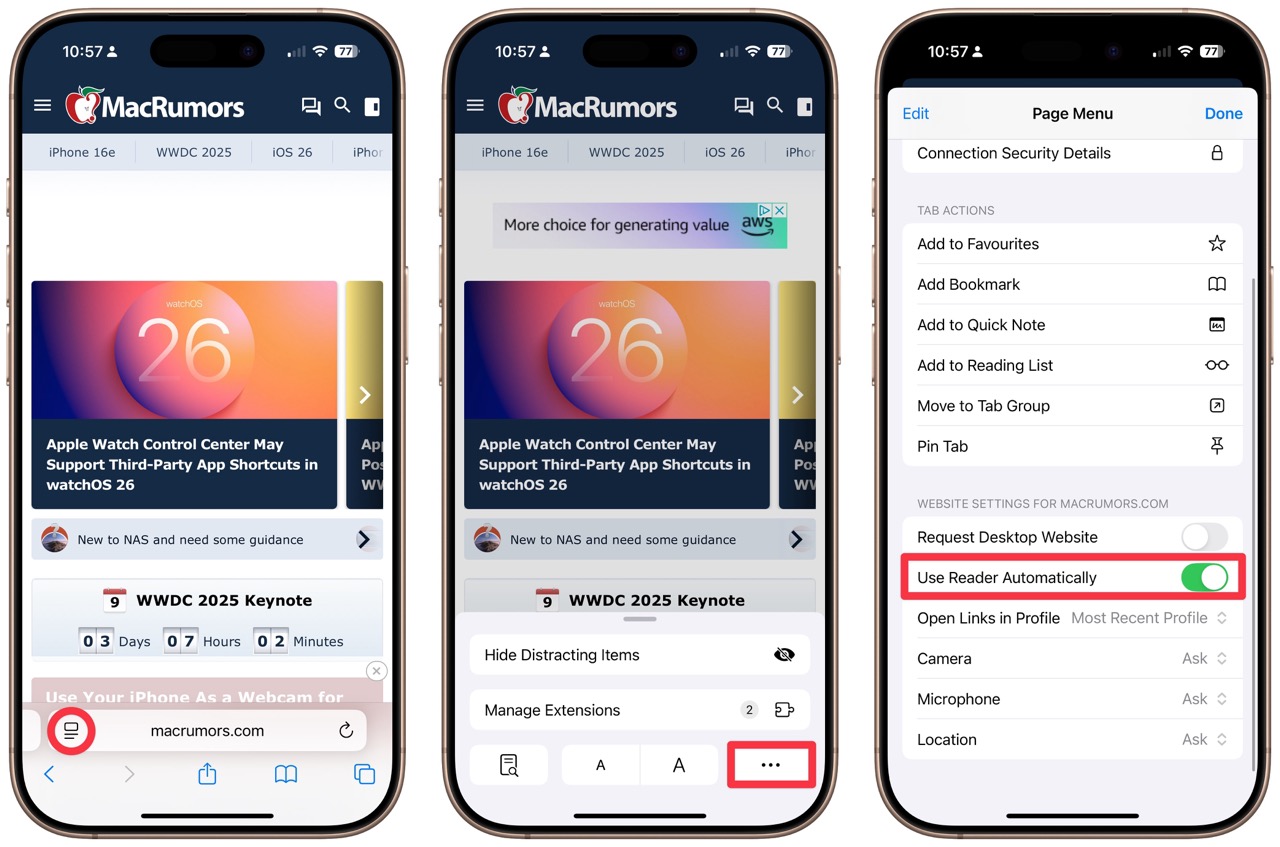
Just navigate to the site in Safari, tap the options button to the left of the address bar, then tap the ellipsis in the bottom right corner. In the website settings, toggle "Use Reader Automatically" to the on position.
My New Content
10 MacBook Tips & Tricks I wish I knew YEARS ago
|
10 AMAZING things your iPad can do RIGHT NOW
|