This week, a quick check in on the new operating systems, the biggest data breach in history, and a brilliant podcast.
How are the new Operating Systems faring?
I thought I’d start this week’s newsletter with a quick check-in on the OS 26 betas, which I’ve now had installed on a number of secondary devices for almost two weeks. That’s given me plenty of time to play around with them and get to know some of their quirks — and I have to say, I’ve been pleasantly surprised. As someone who’s only been testing beta versions for the last couple of years, this feels like one of the most polished and stable releases I’ve tried so far.
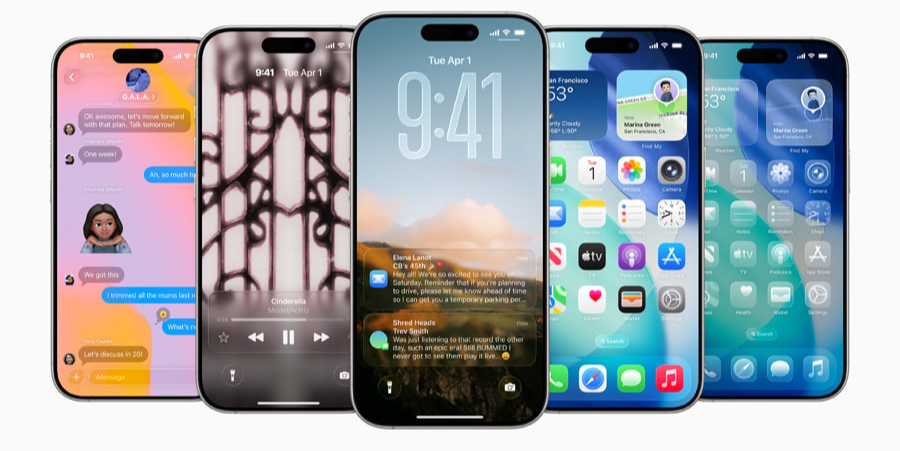
Let me caveat that by saying I still don’t recommend installing the beta on your primary device unless you’re a developer or know exactly what you’re doing. I’m fortunate that, because of the work I do, I have a number of spare Apple devices to test these updates on — and if something goes horribly wrong, I can switch over to another one in minutes. For most people, I’d say wait until September.
That said, this year is the first time I’ve genuinely enjoyed using the beta as my main daily driver. I’ve kept my iPhone 16 Pro running iOS 18, but I had a 16 Pro Max still boxed up — I’d picked it up earlier in the year, found it too big, and set it aside. I installed the beta on that Pro Max and, honestly, not only has the larger size grown on me, but the beta itself has been great to use as a primary operating system.
Yes, there are a few bugs — which I’ve been reporting through the Feedback app, as any tester should — but overall the experience has been smooth and reliable. I’ve also been able to take real advantage of some of the new features. Just the other day, I had to call my local medical centre and used Hold Assist, which managed the hold process for me and let me know when someone picked up. It worked flawlessly.
The spam filter in Messages has also been working really well. I’ve had several spam messages come through, and the system has correctly moved them into a separate folder — no interruptions, no distractions, and I can just glance at them later if I need to.
I haven’t spent quite as much time with the Mac and iPad betas yet — that will change soon as I start planning September content — but from the time I have spent, I’d say things are looking equally solid. A B+ or A– on the report card so far.
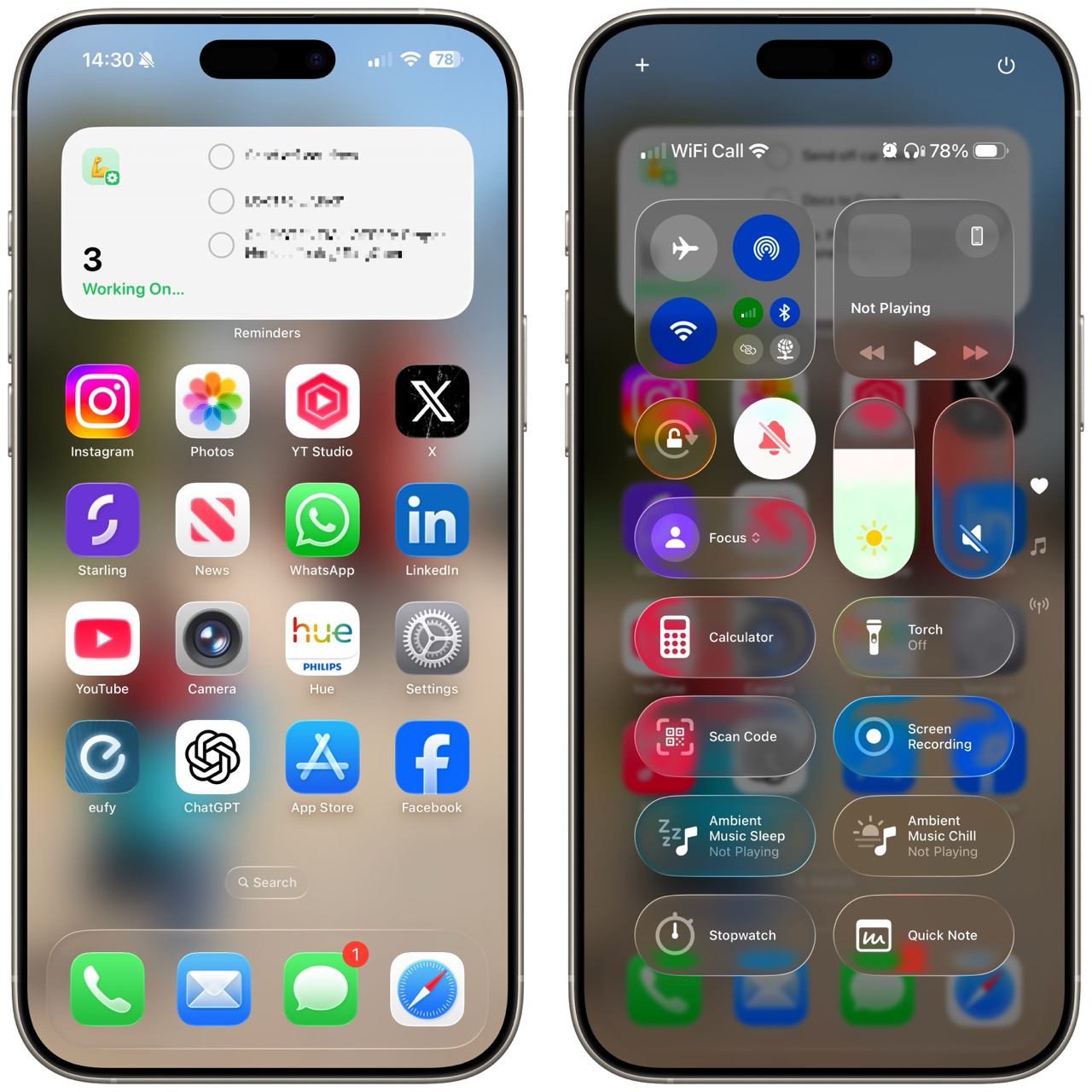
Of course, there’s been some discussion online this week about the new Liquid Glass design. I always expected it to be a love-it-or-hate-it situation, and that definitely seems to be the case. Personally, I’m in the love-it camp. The effect is beautiful in motion — although I do think Control Centre on the iPhone could use a rethink. It’s almost completely transparent and that makes it harder to use, but that’s something I expect Apple can fix easily before the public release.
Overall, I’m impressed. This has been a strong start for OS 26, and I’m really looking forward to these updates becoming the new norm in just a couple of months’ time.
Mac Essentials Plus is LIVE!
After months of hard work, I’m really excited to announce the launch of my next training portal — Mac Essentials Plus.
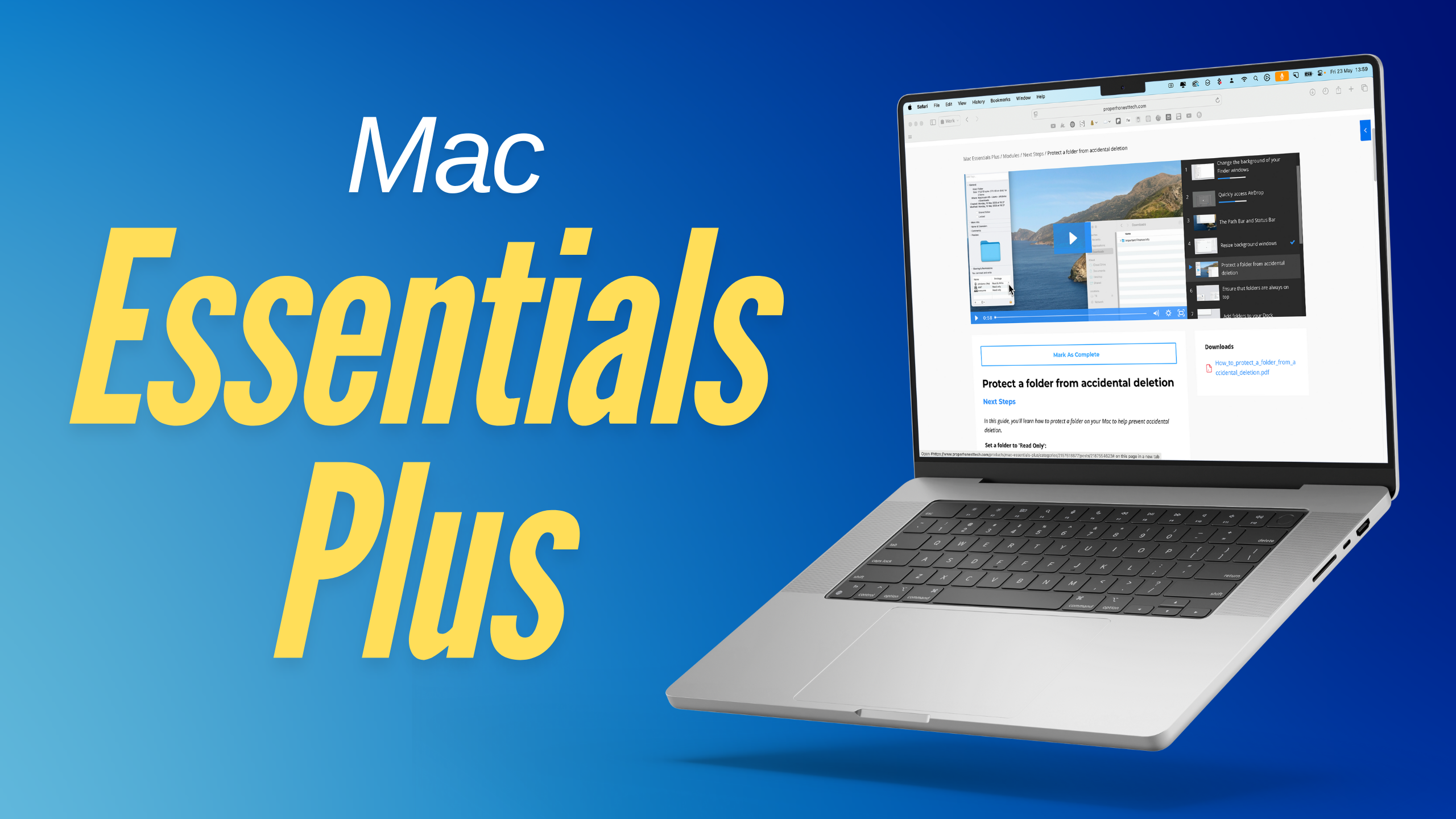
If you’ve used the iPhone version of my training portal, you’ll already know how it works. But just in case, here’s a quick overview. This is a comprehensive training hub with more than 200 lessons covering every aspect of your Mac. Each lesson includes a short instructional video, a step-by-step guide with screenshots, and a downloadable PDF, so no matter how you like to learn, you’re covered.
Click here to check it out for yourself
There’s no subscription here. It’s a one-off purchase, and that gives you full access for the product’s entire lifespan — including all future updates. I’m already working on new content for the portal, including updates for macOS 26, which I’m hoping to release around the time the new operating system launches in September (or shortly after if needed).
And if you’re already a customer of iPhone Essentials Plus, two quick things for you:
-
You’ll get access to an exclusive discount. Keep an eye on your inbox, as I’ll be sending that out by email to all existing customers.
-
Don’t worry — the iPhone portal absolutely hasn’t been forgotten. I’m still actively working on new content there too, and you’ll see some of that go live this week.
Click here to check it out for yourself
If you thought that last data breach was bad...
After all the excitement of WWDC, and with things likely to stay quiet over the summer, it’s unfortunate that the biggest tech story this week comes in the form of a data breach. A few weeks ago, I talked about a leak involving 184 million compromised credentials — and if you thought that was bad, you’ve got no idea just how bad things can really get. Researchers have now confirmed the largest data breach ever, with a staggering 16 billion login credentials and passwords exposed on the dark web.
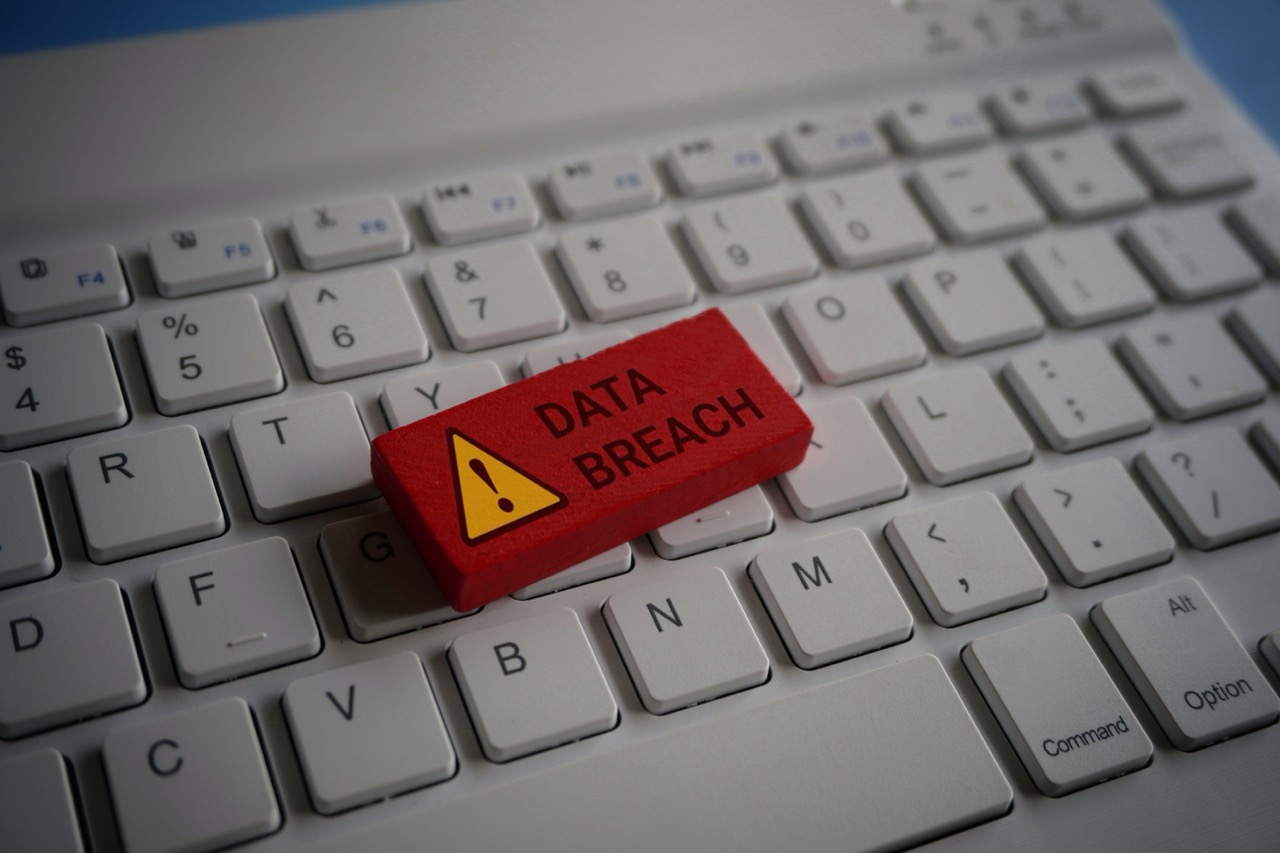
There isn’t a huge amount to report on the breach itself just yet — law enforcement will no doubt be poring over it in the weeks and months ahead — but it’s a good moment for a bit of data protection housekeeping. Specifically, I want to talk about your passwords. If you’re an Apple user, there’s really no excuse not to be using a password manager. Apple’s own built-in solution, called Passwords, is available by default across all Apple devices, and it’s genuinely very good.
The main benefit of using a password manager is that it remembers all your complex usernames and passwords so you don’t have to. That means you can — and should — use different credentials for every single website or service you sign into. Because if a hacker gets access to your details on one site, the very next thing they’ll do is try that same combination on other popular services. I’ve seen people get caught out by having their info stolen from something as random as a greetings card site, only to then have hackers gain full access to their email accounts using the same login.
Yes, it’s tempting to reuse the same password across multiple sites. And yes, you might think your go-to password is too clever to be cracked. But trust me, it’s not. Start using a password manager if you aren’t already, and make sure every site you use has a unique password.
If there are sites that store any kind of sensitive information — financial details, personal data, or anything involving payments — I’d strongly recommend using this weekend to go and change your password on those accounts. Ideally, this is something we should all be doing on a rolling basis anyway. It’s not fun, but it’s one of the best defences you have. Most of the leaked data in these breaches tends to be a little outdated, so changing your credentials regularly can render those old leaks useless.
Also, wherever possible, enable two-factor authentication. That’s when you need to confirm your identity with a text message or a verification app before you can log in. Yes, it’s a little annoying — but nowhere near as annoying as dealing with identity theft.
And finally, please be cautious. If you get a text or email asking you to click a link, always be sceptical. There was a story in the news this week about a politician who was invited onto a TV segment to talk about the situation in Israel. They received a text with a Zoom setup link, supposedly for the broadcast. But the entire thing was fake. By clicking the link, they unwittingly gave hackers full access to their computer, including all of their emails.
So once again, always be wary. Don’t follow links from texts or emails unless you’re absolutely sure they’re legitimate. If in doubt, go directly to the website or call the company yourself. It’s a small hassle, but a worthwhile one — especially when the alternative is handing over your data to a criminal.
Enjoy tips videos, but struggle to remember it all?
You should check out my training portal, iPhone Essentials Plus!
It’s more than 150 lessons for the iPhone, covering every aspect of it, with each lesson containing a video, a step-by-step guide with screenshots, and a downloadable PDF, with new content being added on a regular basis.
Sound interesting? Check it out by clicking here, or tapping the image above.
A podcast that's well worth a watch
If you watch one thing this week related to Apple, I’d definitely recommend the post-WWDC podcast between Andru Edwards, Jon Rettinger, and Mark Gurman. It’s about an hour long and packed full of insights, and while I won’t try to cover every topic they discussed here, there were a few standouts that I thought were worth sharing.
|

One of the most interesting points came from Gurman’s take on the “AI for the rest of us” messaging that Apple has been pushing. While it sounds like a noble philosophy — and in truth, it’s one I broadly agree with — Gurman suggested that it’s less of a genuine shift in Apple’s culture and more of a clever bit of marketing spin. In his view, Apple’s messaging team is simply doing the best they can with technology that can’t yet compete with the likes of OpenAI and Google. He pointed out that while Apple has been quick to dismiss high-end features like video generation, they’ve also happily showcased more gimmicky tools like Image Playground and Genmoji — features that arguably do less, but are easier to deliver reliably.
Gurman also took a stance on the debate around last year’s Siri demo at WWDC 2024. Craig Federighi recently claimed that the demo wasn’t a mock-up, pushing back against earlier suggestions from John Gruber of Daring Fireball that the entire thing was essentially staged. Gurman agreed that it wasn’t a mock-up — there was a real version of Siri running last year — but it simply wasn’t reliable enough. He estimated that the success rate of the assistant was around 60%, and noted that Federighi himself took an internal beta version home and became increasingly frustrated with how often it failed. That ultimately led to Apple pulling the plug and deciding to delay things until they had a much more robust product.
He still seems cautiously optimistic that Apple will get there eventually, but made an interesting comparison to the Apple Maps vs Google Maps situation a decade ago. Back then, Apple had time to catch up because Google Maps wasn’t evolving quickly. This time, the gap between Apple and its competitors is already wide — and with the pace of innovation from companies like OpenAI and Google, that gap is only getting wider by the day.
Another highlight was Gurman’s commentary on Vision Pro, which he remains surprisingly bullish about. He was clear that the product shouldn’t be written off, even if it does sometimes feel like a forgotten part of Apple’s ecosystem. According to him, Apple is working on two new Vision devices. One will be a more affordable, lighter version of the current Vision Pro — designed to help get the product into more people’s hands. The other will be a more advanced version that offloads some of its processing to a connected Mac, similar to how Xreal or Viture glasses work. In this case, the headset wouldn’t be fully standalone, but instead tethered to another device via USB-C.
What’s especially interesting is that Gurman suggested this could be part of a business-to-business push, which is pretty unusual for Apple. It’s not a space they’ve really played in before, but a B2B strategy for Vision could make sense — especially if they’re targeting industries that benefit from mixed reality workflows. He believes that both of these new headsets could appear either later this year or at some point in 2025.
Tip of the week
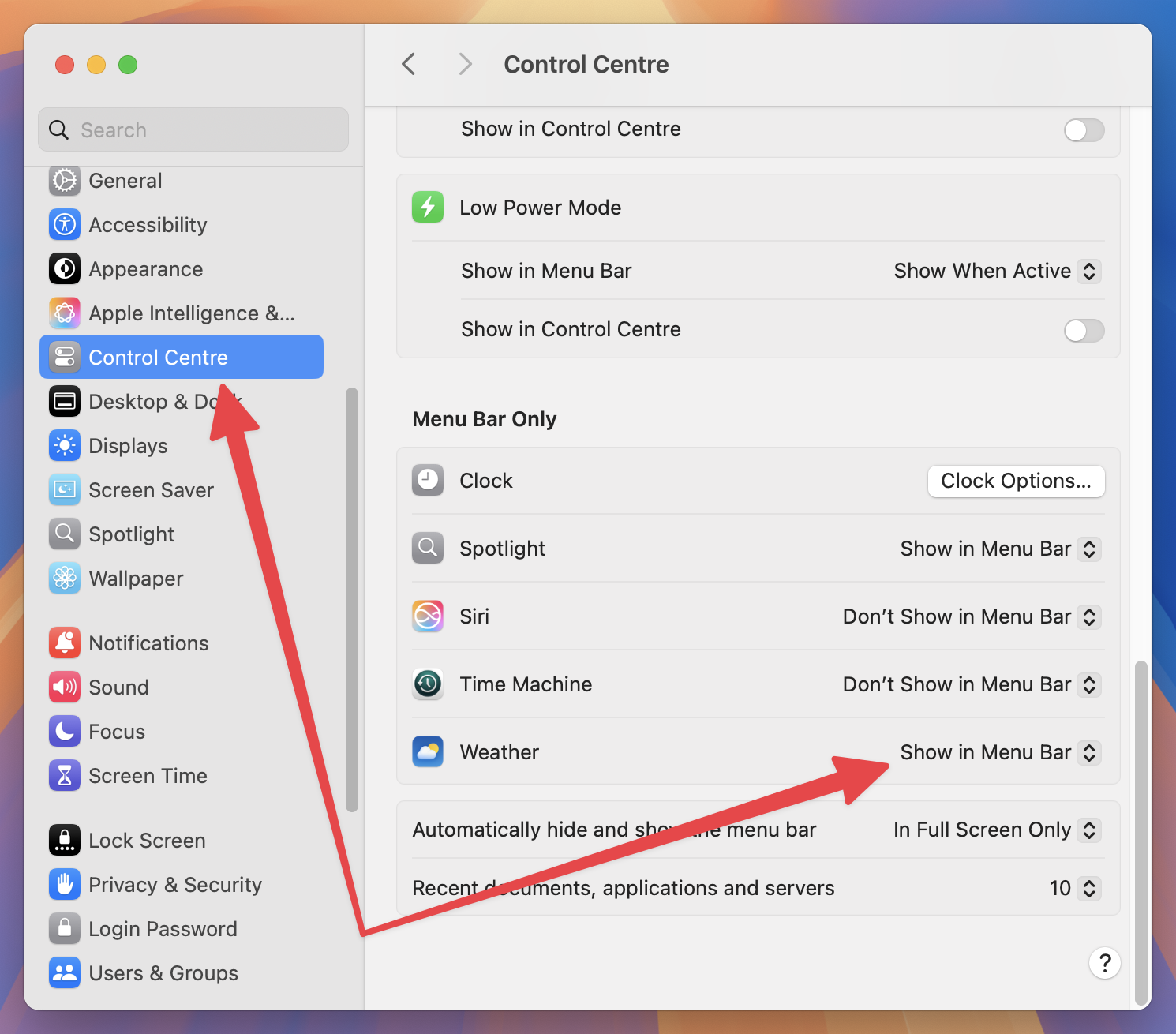
Did you know, you can include a Weather widget in your Menu Bar on your Mac? To enable this, open System Settings, choose Control Centre, and scroll down to Menu Bar Only. In here, toggle Weather to Show in Menu Bar.
Content I've enjoyed
iPhones shooting Hollywood Blockbusters!
|