This week, we look back at the week that was WWDC, talk about Apple's plans for the remainder of the year, and Apple finally breaks its silence on Siri.
That's a wrap on WWDC 2025
And just like that, WWDC is over for another year, and we now officially know what to expect from Apple’s upcoming operating systems when they launch later this year. I’ll be honest, I went into Monday’s showcase fully expecting to come away feeling underwhelmed. But after watching the keynote and installing the developer betas on a few of my secondary devices, I’ve come away feeling genuinely quite pleased with how WWDC turned out.
Yes, there wasn’t much to shout about in terms of artificial intelligence. Apple actually mentioned Siri right at the start, explaining that it still needs more time, which I’ll talk about in more detail elsewhere in the newsletter. But even without the kind of flashy AI demos we’ve seen from OpenAI, Samsung, and Google, there were plenty of solid quality-of-life improvements across all of Apple’s platforms.
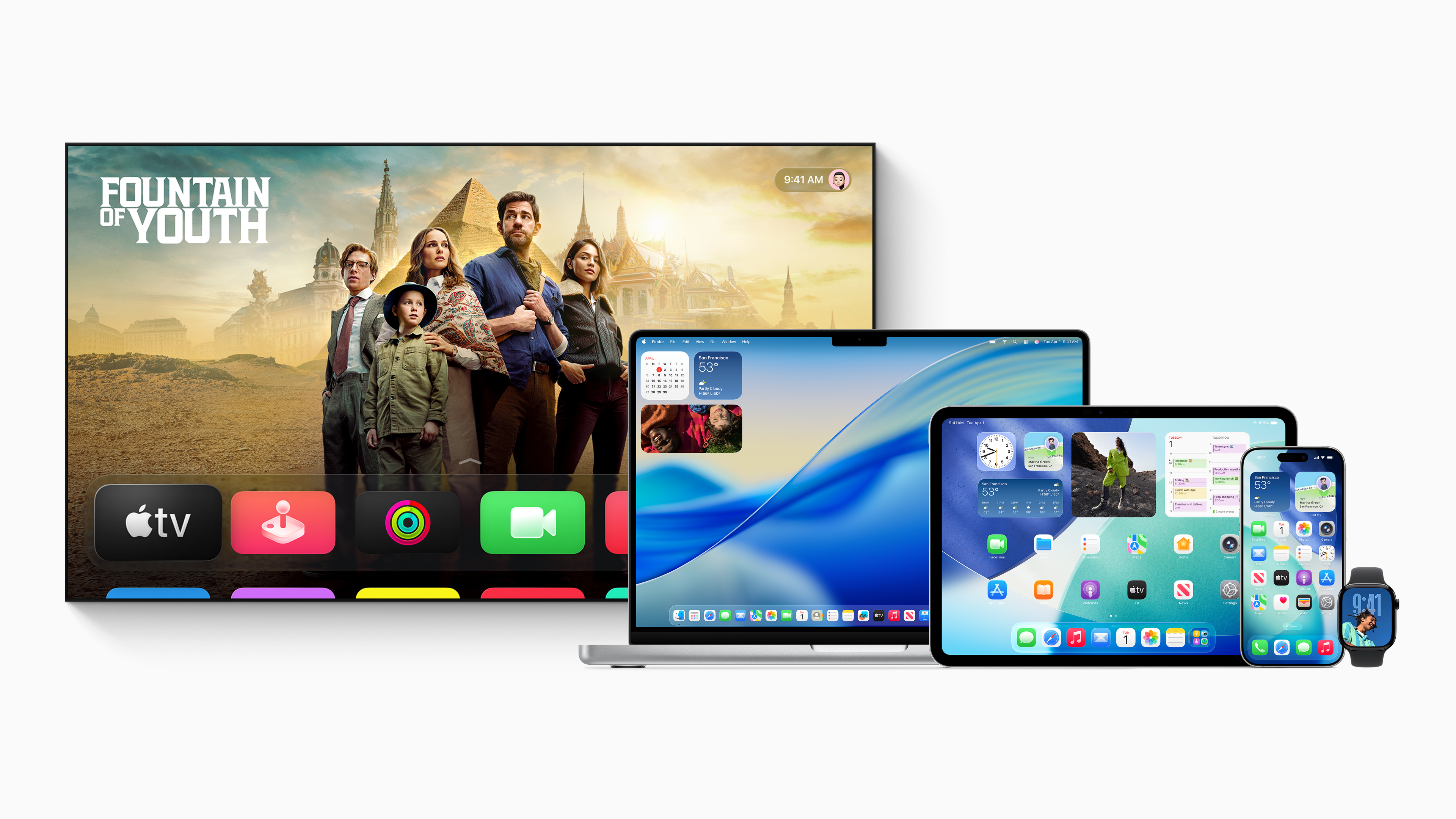
First off, the rumour about the version number rebranding was completely accurate. So when we update our devices in September, we’ll be moving to version 26 across the board, including tvOS 26, watchOS 26, and VisionOS 26 for Vision Pro users. Personally, I think it makes a lot of sense, and it’s going to be far less confusing for consumers to have that consistency across the different systems.
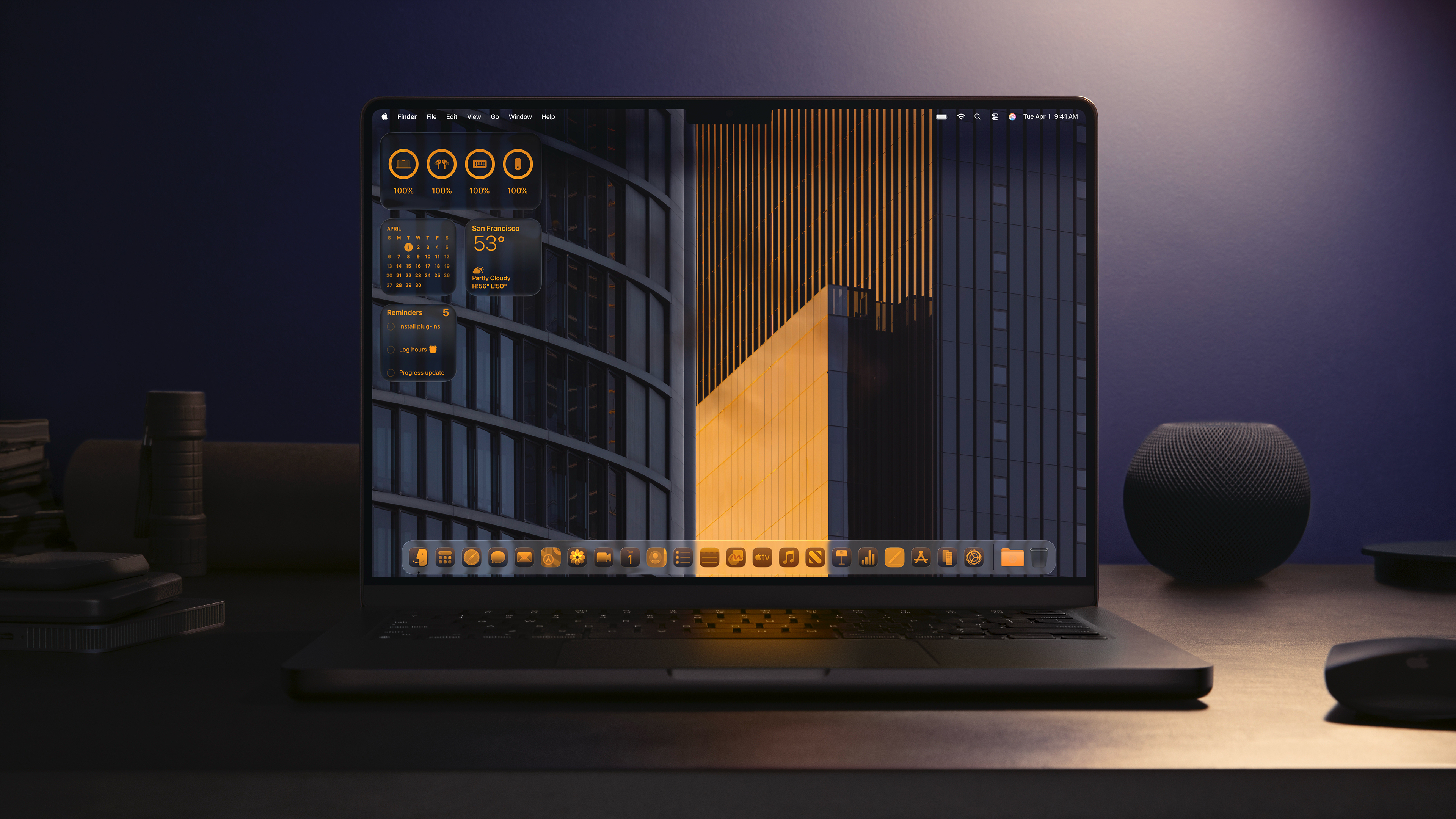
Apple also revealed an all-new visual design for the operating systems, which they’re calling Liquid Glass. Reactions have been mixed, especially in the comments of the videos I’ve made, but from a technical standpoint, I think it’s an absolute work of art. If you haven’t seen it yet, I’d really recommend checking out a video. It’s essentially a glass-like interface where layered panels glide over one another, creating a sense of depth and translucency that’s unlike anything Apple has done before.
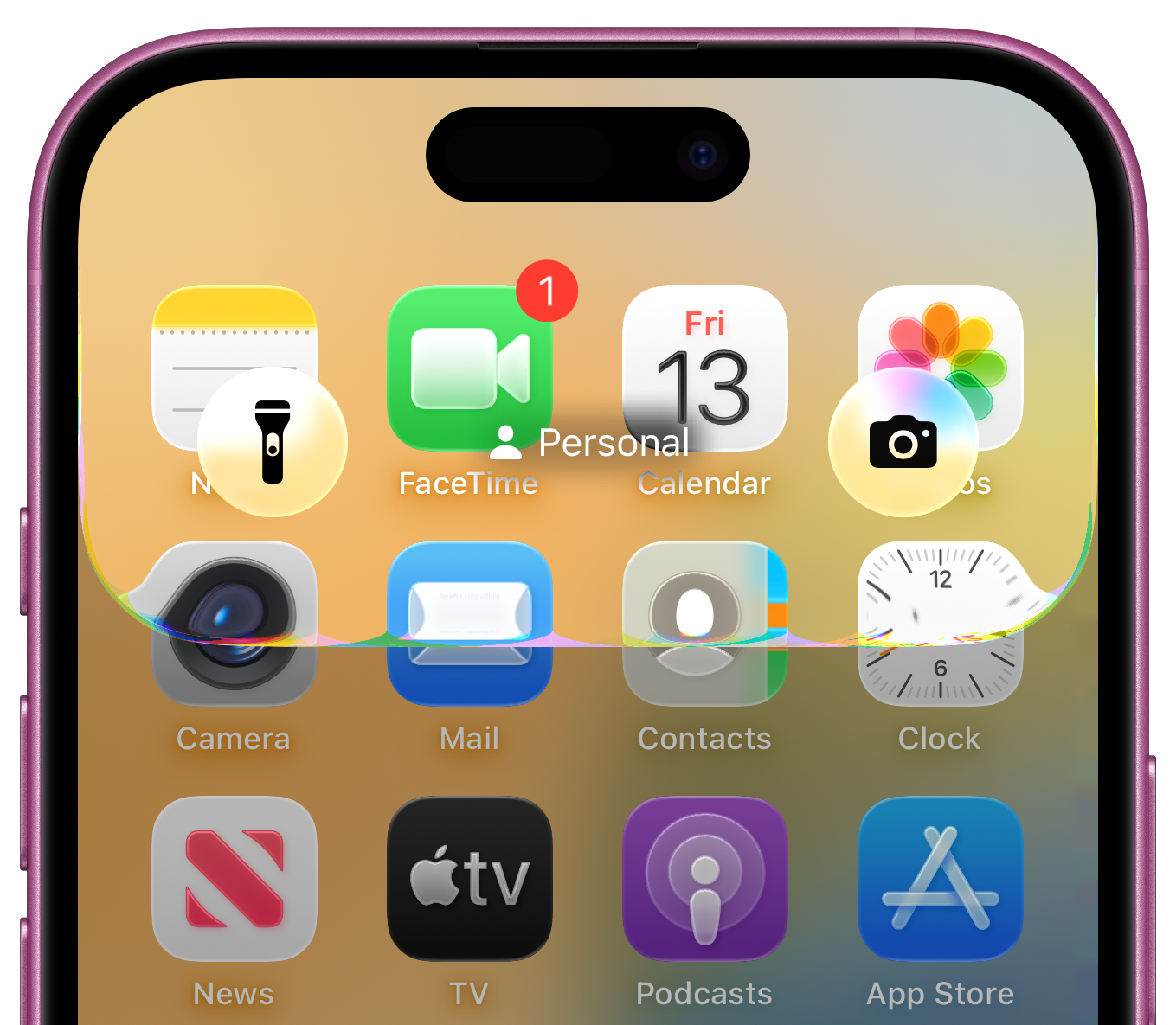
Even four days after installing the beta on my iPhone, I still find myself enjoying the small interactions, like slowly swiping down to reveal the lock screen and watching the reflections shift subtly as elements pass underneath the simulated glass. It’s a beautiful effect. And while the design might not be to everyone’s taste, I think most people would agree it’s technically very impressive.
There are a few accessibility concerns, of course, but I’ve already found settings that let you tone things down if needed, and I’ll be covering that in detail the moment the public version goes live. Overall, I’m a fan of the redesign, and I’m especially glad that it’s coming to all platforms, not just the iPhone. It’s great to see everything feeling unified at last.
I was really impressed with iPadOS 26 this year. For a long time now, iPad users who rely on their device for more professional tasks have felt like Apple hasn’t been listening to their concerns, especially around things like multitasking and file management. But this year, it genuinely feels like Apple has started to take those concerns more seriously.
The Files app has finally had a proper redesign, bringing in a lot more functionality that pro users can actually make use of. Yes, the iPad is still going to be limited in some ways, the lack of ports, for example, is always going to be a bottleneck, but having a more powerful and flexible file management system is a huge step forward for those trying to use the iPad as a proper work machine.
We’ve also got the Preview app arriving on iPad for the first time, making it far easier to view, edit, and mark up PDFs and images. And again, while this might not be something casual users will care too much about, for anyone with an iPad Pro or iPad Air who’s using their device for real work, this is going to be a very welcome addition.
And while we didn’t get any of the flashy generative AI features that companies like OpenAI and Google have been showing off at their recent events, we did see Apple Intelligence being applied in ways that I think will have a real, tangible impact for everyday users.
Live translation was one of the standout demos, where the on-device AI can automatically translate texts in Messagesand display live translated captions in FaceTime and phone calls. So if you’re regularly speaking with someone who doesn’t share your language, this could make communication far easier and more natural.
Visual Intelligence also takes a big step forward by now working on screen, something I’ve wanted ever since it first rolled out. Previously, it only worked with photos you’d taken, but now in iOS 26, you can take a screenshot and immediately run a reverse image search or interact with ChatGPT about what’s in the image. It’s a really smart move.
Apple also previewed a handful of practical software enhancements, like the new spam call screening tool that will answer unknown calls on your behalf, ask the caller for their name and reason for calling, and then let you decide whether to pick up. There’s also Hold Assist, which, if it works as promised, could let your phone wait on hold for you and only notify you when an actual person joins the line.
None of these features are going to wow the kind of crowd that’s chasing viral AI moments, but in terms of day-to-day usability, I think a lot of us are going to get serious value from them.
Enjoy tips videos, but struggle to remember it all?
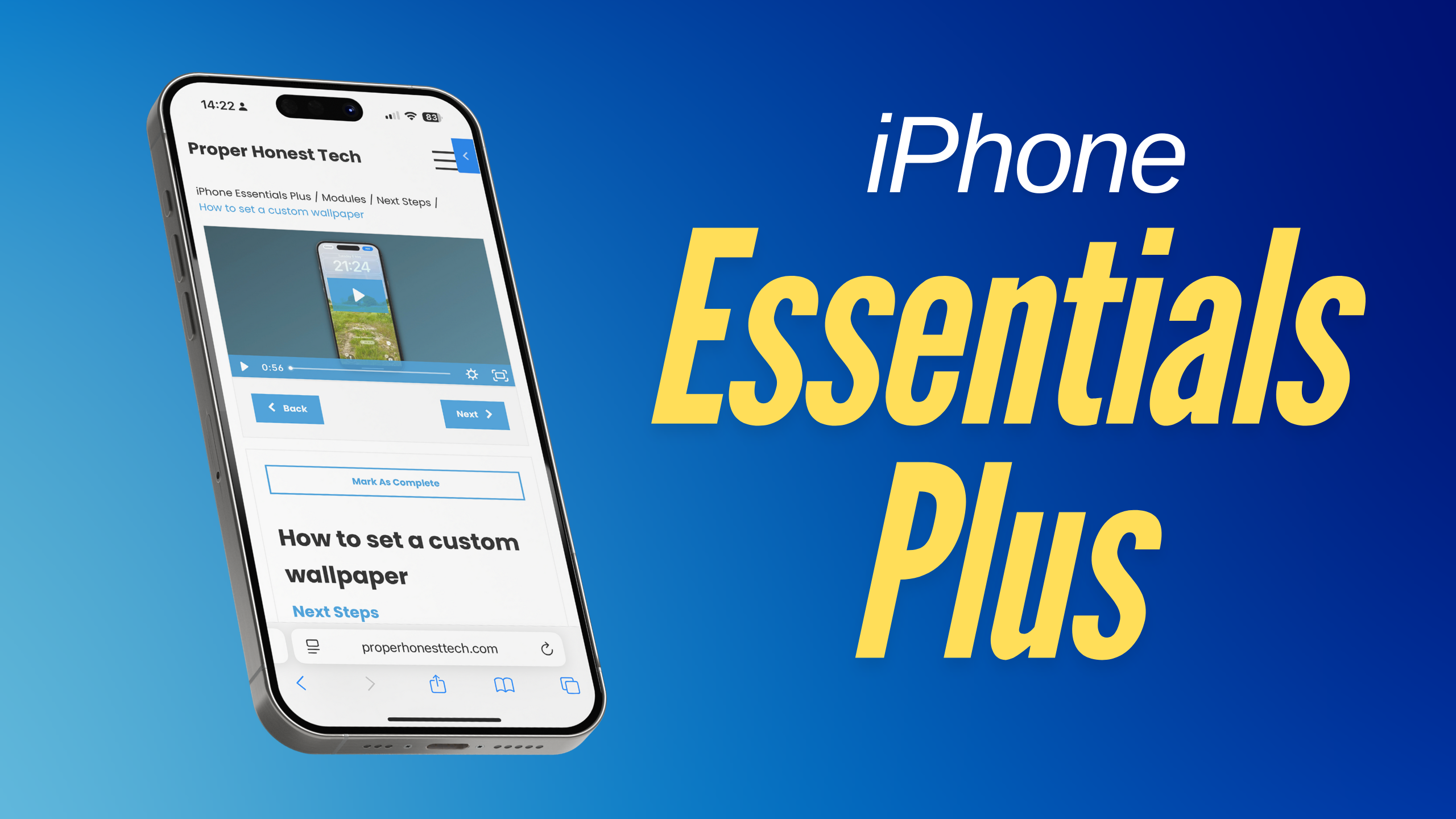
You should check out my training portal, iPhone Essentials Plus!
It’s more than 150 lessons for the iPhone, covering every aspect of it, with each lesson containing a video, a step-by-step guide with screenshots, and a downloadable PDF, with new content being added on a regular basis.
Sound interesting? Check it out by clicking here, or tapping the image above.
Siri, where art thou Siri?
The lack of meaningful updates around Siri at this year’s WWDC didn’t really surprise anyone. If anything, I was more surprised that Apple mentioned it at all. Siri came up just once during the keynote, when Craig Federighi briefly acknowledged that more time was needed to bring the assistant up to the standard the company was aiming for, and promised that they’d talk more about it in the coming year.
But that wording is doing a lot of heavy lifting. Does “coming year” mean within the next calendar year, or by this time next June? Honestly, it wouldn’t surprise me if we didn’t hear anything substantial about Siri again until WWDC 2026, which feels absurd when you think back to what was shown last year. But here we are.
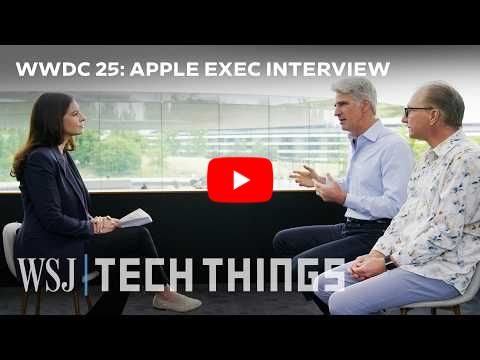
If you haven’t seen it already, I’d really recommend checking out the seven-minute interview that Joanna Stern from the Wall Street Journal did with Federighi and Greg Joswiak straight after the keynote. It’s well worth a watch; she doesn’t pull her punches. There’s even a brilliant meme doing the rounds that shows the exact moment Federighi realises Joanna isn’t going to let up. You can almost see the switch flip as his marketing training kicks in and he forces a smile.

In the interview, Stern asked some very direct questions about Apple’s failure to deliver on the promises they made around Siri last year. She put it to the execs that what we saw at WWDC 2024 wasn’t a real product at all, but simply a marketing mock-up, something that many Apple insiders have since confirmed off the record.
This time, though, Apple officially pushed back. They claimed that what we saw last year did exist, and that it was what they internally called Version One of the updated Siri. The idea was that Version One would ship with some next-gen features to keep users happy, while Apple quietly worked on a much broader redesign behind the scenes.
That explanation actually lines up with what Bloomberg’s Mark Gurman has reported several times now. But the part that’s still up for debate is whether that Version One was ever truly functional, or if it was always just a concept demo. Federighi admitted that Version One simply didn’t hold up during internal testing, it wasn’t good enough, so the team scrapped it and doubled down on the much bigger overhaul that’s now in progress.
It’s a frustrating situation, no doubt. The idea that we’ll still be stuck with a barely functional voice assistant for at least another year is a hard pill to swallow for those of us who are heavily invested in the Apple ecosystem.
But I also think it’s worth stepping back and asking what we actually want from AI on our devices. What do you use it for day to day? And how often do you genuinely need the kind of generative AI tools that OpenAI and Google are showcasing?
Because while those tech demos are flashy, they’re not always meaningful unless you’re someone who uses that kind of thing regularly. For most of us, useful AI features are things like call screening, live translations, or smart scheduling, not generating poetry or deepfakes.
So yes, Siri is late; painfully so. But if and when Apple finally rolls it out, I still think there’s a chance we’ll see classic Apple: last to the party, but with the best product.
Mac Essentials Plus

Following on from the success of iPhone Essentials Plus, I’m really excited to share that I’m putting the finishing touches to Mac Essentials Plus — my brand new training portal dedicated to helping you get the most out of your Mac.
This one’s going to be big. macOS is far broader in scope than iOS, and this training portal will reflect that. There’ll be more than 200 lessons available from the moment it launches in just a couple of weeks, and I’m already working on even more to roll out in the weeks and months ahead.
Just like iPhone Essentials Plus, each lesson includes a short video, a step-by-step written guide, and a downloadable PDF to make learning as easy and accessible as possible.
If you’d like to be the first to know when Mac Essentials Plus launches, follow the link here to join the waiting list.
What does Apple have in store for the rest of the year?
I mentioned in the newsletter last week that I was hoping to see some new hardware at WWDC, even though I fully expected that wish to go unfulfilled. And sure enough, I was absolutely right. No new hardware was showcased at WWDC this year.
That in itself isn’t unusual. Apple typically reserves WWDC for software announcements, but they’ve broken with that tradition in recent years, most notably in 2023, when they introduced the Vision Pro for the first time. That said, the more run-of-the-mill devices like new iPhones or Macs tend to get saved for later in the year, and I’d expect this year to be no different.
One of the most-rumoured devices ahead of WWDC was the HomePod-iPad hybrid; a smart display that could live on your kitchen counter and act as a home assistant. But given how heavily such a device would rely on Siri, it makes perfect sense that Apple didn’t mention it. Siri just isn’t ready, and I think Apple knows better than to make that mistake again.
There was also speculation about Pro-level hardware, like a refreshed Mac Pro with an M4 Ultra chip, or perhaps a new external display to succeed the Studio Display or Pro Display XDR. But in hindsight, that was always unlikely unless Apple had been planning a bigger spotlight for macOS, which they weren’t. If anything, iPadOS got more attention this time around.
With that in mind, we still don’t know how or when Apple plans to update these Pro products. But I’m starting to think we might see a smaller Apple event, similar to the iPad showcase from early last year, where the new iPad Air and iPad Pro were revealed. A 40–60 minute online event would be more than enough to cover any Mac Pro and display news, while still generating some buzz. And let’s not forget, these are products with extremely high price tags, they’re only going to appeal to a very niche audience.
So if we take the smart display off the table, we’re not left with a huge number of exciting new products for the rest of the year. I’d expect the usual MacBook refreshes around October, likely bringing us new MacBook Pros powered by M5 chips. And of course, the iPhone 17 lineup will almost certainly launch in September, with the new iPhone 17 Air shaping up to be the only truly new product in the mix.
We’re also expecting a refresh for the AirTags at some point in the second half of the year. But unless Apple adds something significantly new, that’ll likely be handled with a press release or bundled into a short segment at the iPhone event.
Tip of the week
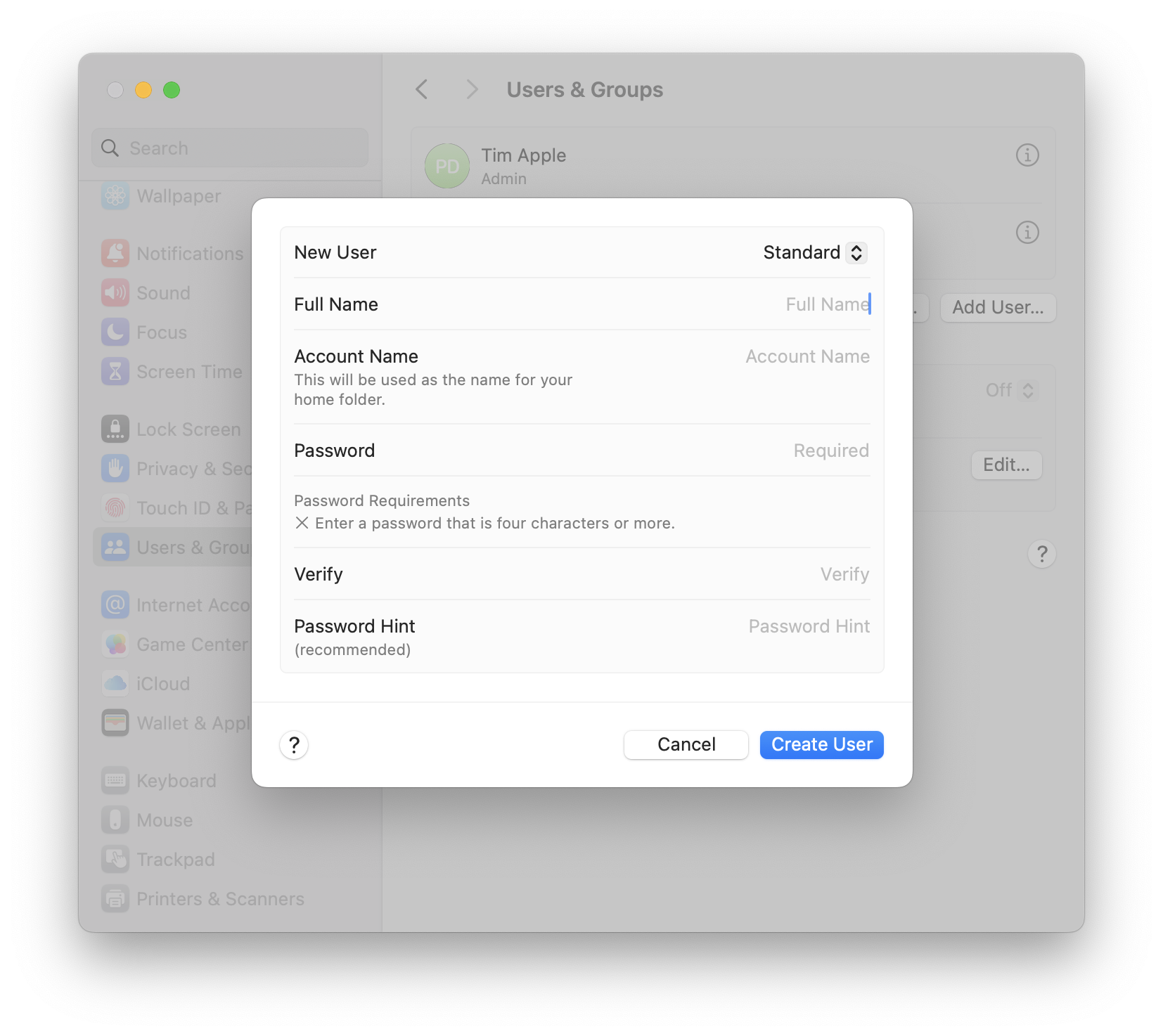
Did you know, you can share your Mac with other people, by adding them as a User. Simply head to System Settings, choose Users & Groups from the left hand side, and then choose Add User. Fill out the form, and you're good to go.
My new content
iOS 26 Preview
|
iPadOS 26 Preview
|
macOS 26 Preview
|

Content I've enjoyed
The WWDC Keynote
|
Apple's AI disaster
|

THAT Apple interview
|