This week, it's all about the iPhone event!
Another year, another iPhone event is over...
And just like that, another iPhone event is done for the year. Before the inevitable chatter begins about what Apple might have in store for 2026, I wanted to use this week’s newsletter to take a closer look at everything announced. There are some genuinely exciting new products landing in just a week’s time, and plenty that are worth talking about.
AirPods Pro 3
The first product Apple talked about this year was the AirPods Pro 3, and I actually came away from this part of the keynote feeling relatively upbeat.
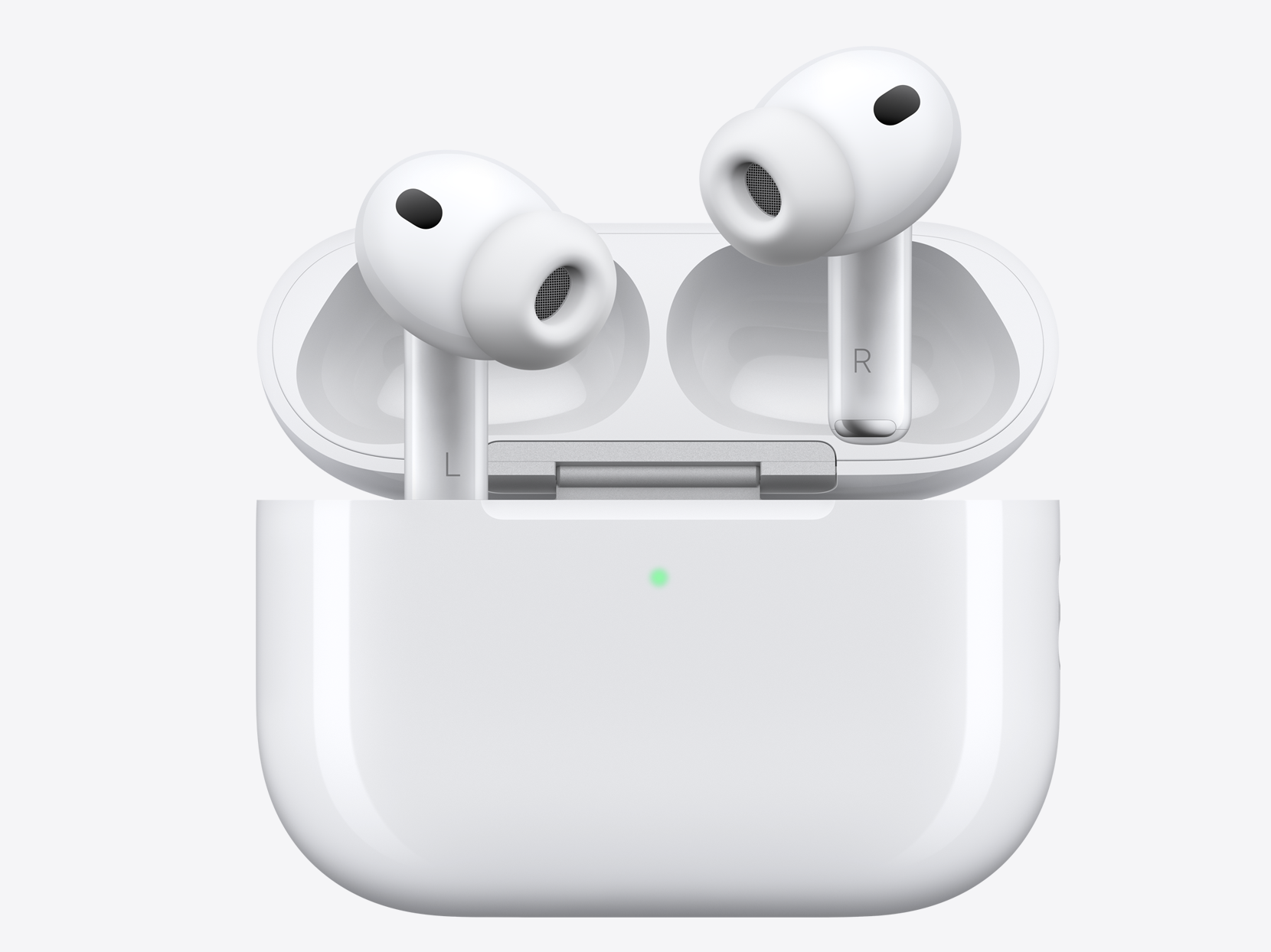
There had been rumours for some time that Apple might shrink the AirPods Pro case, but that didn’t happen. Honestly, I never thought the current case was all that bulky anyway, so I wasn’t holding out for a redesign there. From the outside, the case looks identical, and the changes are focused entirely on what’s inside.
The biggest improvement is with active noise cancellation. Apple says the AirPods Pro 3 offer 2× better noise cancellation than Gen 2, and 4× better than the originals. As someone who uses Gen 2 every day, I’d describe the current noise cancellation as good rather than great, so I’ll be really curious to see if these claims hold up when I try the new pair next week.
Apple also highlighted fit improvements, based on over 10,000 3D ear scans and 100,000 hours of user research. The AirPods Pro 3 now ship with five ear tip sizes instead of three, and have been designed to offer better comfort and stability. They’ve also bumped up the sweat and water resistance from IP54 to IP57, which is a welcome, if minor, improvement.
Things then moved on to AI-powered features, and this is where I noticed something that I think Apple users should be aware of. Apple has started to introduce new features during product launches that sound like they’re exclusive, but if you pay close attention, you’ll notice they don’t actually say that they are.
A good example here is live translation. Apple showed off a situation where two people, each wearing AirPods Pro 3, were having a conversation in different languages with their AirPods translating the chat in real time. It looks brilliant, but here’s the thing. That processing is handled by your iPhone, not the AirPods themselves. So if you’ve got an Apple Intelligence-compatible iPhone, you’ll probably be able to use this feature even with your AirPods Pro Gen 2.
One feature that is exclusive to the AirPods Pro 3, though, is heart rate tracking. Apple has now built a heart rate sensor into the AirPods themselves, and the keynote demo showed a user going for a run with just their iPhone and AirPods, no Apple Watch. The AirPods can track up to 50 different workout types, so this might appeal if you’re not a Watch owner or prefer to leave it behind.
Overall, I think the AirPods Pro 3 look like a really strong product, especially if you’re upgrading from the original AirPods Pro or picking up AirPods for the first time. If you’ve already got Gen 2, it’s a harder sell. But given the relatively reasonable pricing, I still think they’ll end up being one of Apple’s most popular products this year.
Enjoy tips videos, but struggle to remember everything?
Then you should definitely take a look at iPhone Essentials Plus. It’s my dedicated iPhone training portal with more than 150 lessons covering every aspect of your device, and I’m adding new content all the time.

Each lesson includes a short video, a step-by-step guide with screenshots, and a downloadable PDF, so no matter how you like to learn, you’re sorted. There are no ads, no sponsors, just straight-up content, and it’s all available for a one-time payment, no subscription.
And if you’re a Mac user, I’ve just launched a Mac version too. You can pick that up on its own or bundle it with the iPhone course to get the best value. If you’re interested, click the links below to get started.
Purchase Links;
- iPhone Essentials Plus
- Mac Essentials Plus
- iPhone & Mac Essentials Plus Discount Bundle
- iPhone & Lifetime PDF
- Mac & Lifetime PDF
- iPhone, Mac & Lifetime PDF
Watch
I’m going to combine all of the Apple Watch coverage into one section this year, because when you push past the marketing, there’s not a huge amount to talk about. The Watch Series 11 was expected to build on the redesign introduced with the Series 10, but in truth, the updates are minimal. You now get 5G connectivity and a slightly improved battery life, but beyond that, it’s essentially a Series 10. If you didn’t upgrade last year, this probably won’t be the version that tempts you either. And if you already own a Series 10, there is very little reason to change.
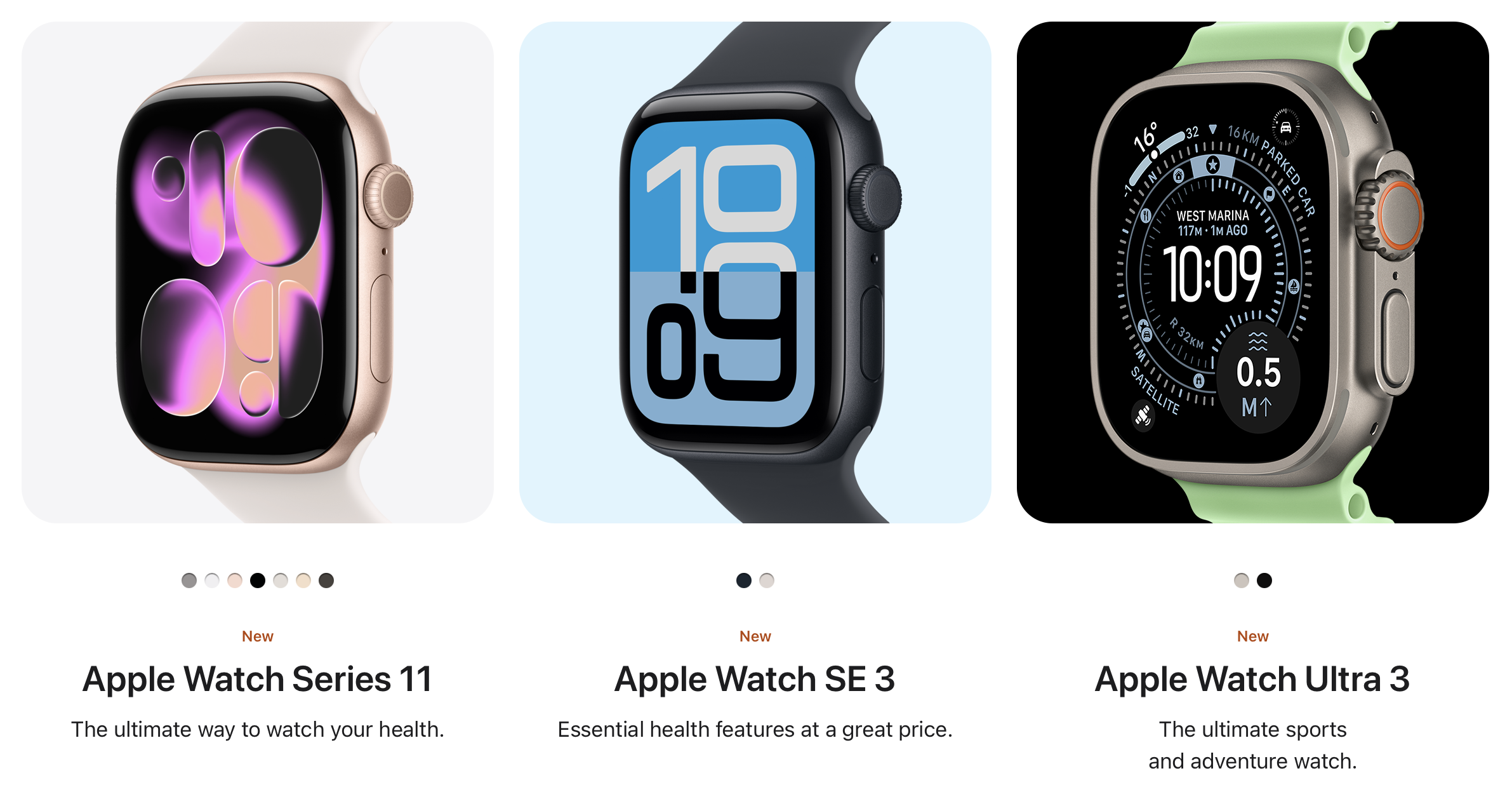
It’s a similar story with the Watch Ultra 3. The original Watch Ultra felt like a meaningful new product, but the updates since then have been surprisingly limited. The Ultra 2 added a black titanium case. This year’s Ultra 3 adds 5Gand emergency SOS via satellite. Those are helpful for anyone spending time in truly remote areas, but for the average user, the upgrade is hard to justify. This is still a great watch, but Apple seems to be treading water with this product line.
Where Apple has made more meaningful changes is with the Watch SE 3, which now brings a number of key features from the higher-end models into a more affordable price point. The SE 3 now has an always-on Retina display, something that genuinely improves usability throughout the day. It also jumps from the S8 chip to the S10 chip, unlocking features like gesture controls, including double tap and wrist flick. Add to that sleep apnea detection, high and low heart rate notifications, and other useful health features, and you’ve got a very strong value proposition for first-time Watch buyers or those on older models.
Apple also introduced a couple of new health features this year, but they did so in a way that’s worth calling out. Some features were clearly labelled as exclusive to the latest models. Others were mentioned in a way that implied exclusivity, but when you check Apple’s product comparison tool, that’s not actually the case.
Two features in particular; hypertension notifications and sleep score, are useful additions. But you don’t need the newest models to use them. Hypertension notifications are available on Watch Series 9 and Watch Ultra 2. The sleep score feature is available on those models too, and even on the second-generation Watch SE. It’s a good reminder to double check compatibility before upgrading. The best option for you might not be the latest model, especially if you’re trying to manage your budget.
iPhone 17
The iPhone 17 is very much an incremental update over the iPhone 16, but that doesn’t mean it’s not an impressive device. If you’re coming from a 15, 14 or earlier, the jump feels significant, and in many ways the 17 offers some of the best value we’ve seen in an iPhone for quite a while. The addition of features like the ProMotion 120Hz display, which now also supports an Always-On option, makes everyday use feel smoother and more responsive. These are features I’ve had for a while and would personally struggle to go without, but if you haven’t used them before it’s worth checking them out in person to appreciate the difference.
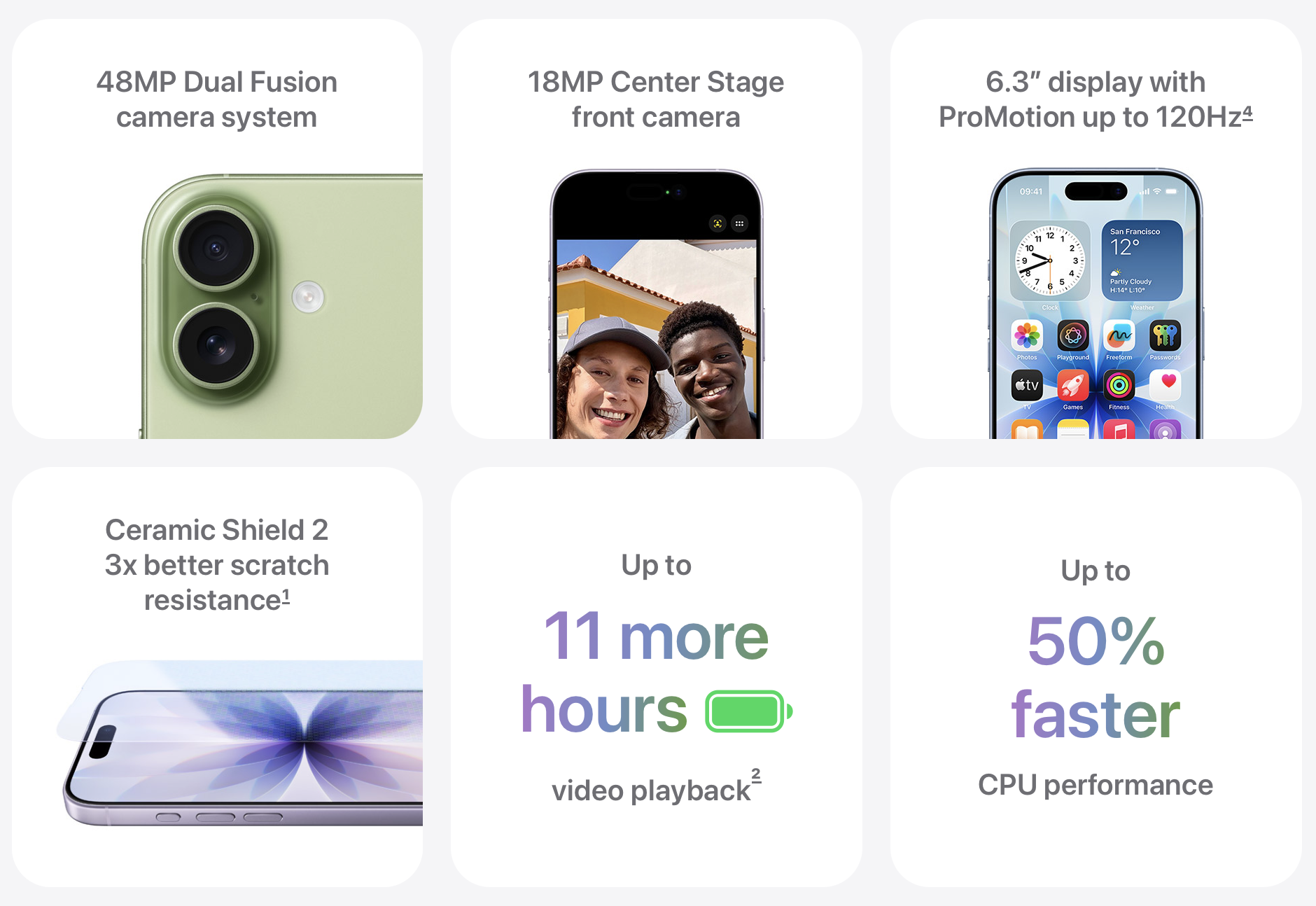
The base model also benefits from the 48-megapixel cameras across the board, including on the ultra-wide lens, which should really appeal to anyone who takes a lot of photos. Combine that with a slightly larger 6.3-inch display, better battery life with up to 30 hours of video playback, and the improved Ceramic Shield 2 offering three times better scratch resistance, and you’ve got a very strong package.
Of course, the newest Apple Silicon chip is here as well, and while performance has been excellent for years now, it’s nice to see Apple continue to push things forward. Overall, if you’re already set on going for a Pro model then you probably know exactly why you want it. But if you just want a great iPhone without stretching to the very top tier, the iPhone 17 feels like the sweet spot this year.
18MP Centre Stage front camera
I’ve given this feature its own section in the newsletter this week because it applies to all three of the new iPhones, and more importantly, it’s the first genuine innovation from Apple in years where I immediately understood the value. I can already imagine just how many people are going to get huge day-to-day benefit from this. I’m talking about the complete redesign of the front-facing camera.
Apple is calling this the Centre Stage front camera, and on paper alone it’s a notable upgrade. It’s now an 18-megapixel camera, compared to the 12-megapixel version found on last year’s models. But the real story here is the introduction of Centre Stage, a feature that’s been available on the iPad and iMac for some time but now finally makes its way to the iPhone, where I think it’s going to have the biggest impact.
So what does Centre Stage actually do? It uses a combination of machine learning and the wide field of view from the front lens to intelligently adjust the frame in real time. If you’re holding your phone out to take a selfie, you no longer need to twist your arm or contort your wrist to get everything and everyone in the shot. The camera will handle it for you. It will zoom, crop, and even rotate the frame depending on who’s in it — so if you’re holding your phone in portrait mode and a group of people joins in, the camera will automatically switch the shot to landscape without you needing to move a thing.
I’m not generally much of a selfie taker, but since our kids came along I’ve taken more. And honestly, I think this is the feature that’s going to make me the default selfie guy on family days out — not because I love being in front of the camera, but because this is exclusive to the iPhone 17 range and I’m the only one in the family upgrading this year.
This is also the feature I think will help Apple sell a shedload of iPhones. It’s one of those things people are going to see in action, either in adverts or out in public, and immediately want on their own phone. And when they go looking for it, they’ll realise it’s only available on the iPhone 17 range. That’s going to drive a lot of upgrades.
The other new camera feature worth mentioning is dual capture. This allows you to record using the front and rear cameras at the same time — ideal for vlogs, reaction shots, or social content. It’s a brilliant addition, but one that Apple has not made backwards compatible with older devices, even though there’s no clear reason it couldn’t run on something like the iPhone 16 Pro. It’s another example of Apple drawing a line in the sand and giving people another reason to make the jump to this year’s iPhones.
iPhone 17 Pro
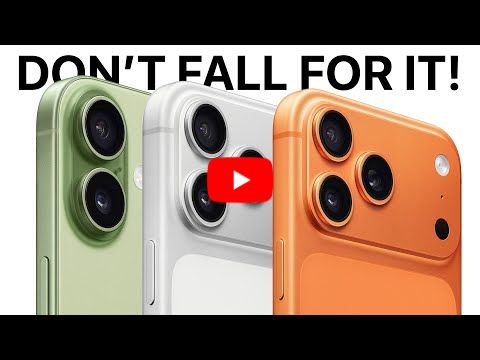
As for the 17 Pro, we are very definitely back in the territory of incremental updates. Unless you’re interested in one of the new colours, of which a deep blue and a really punchy bright orange are included, there isn’t much of a reason to upgrade from a 16 Pro. Interestingly, black is missing this year for some reason, which will definitely frustrate a few people.
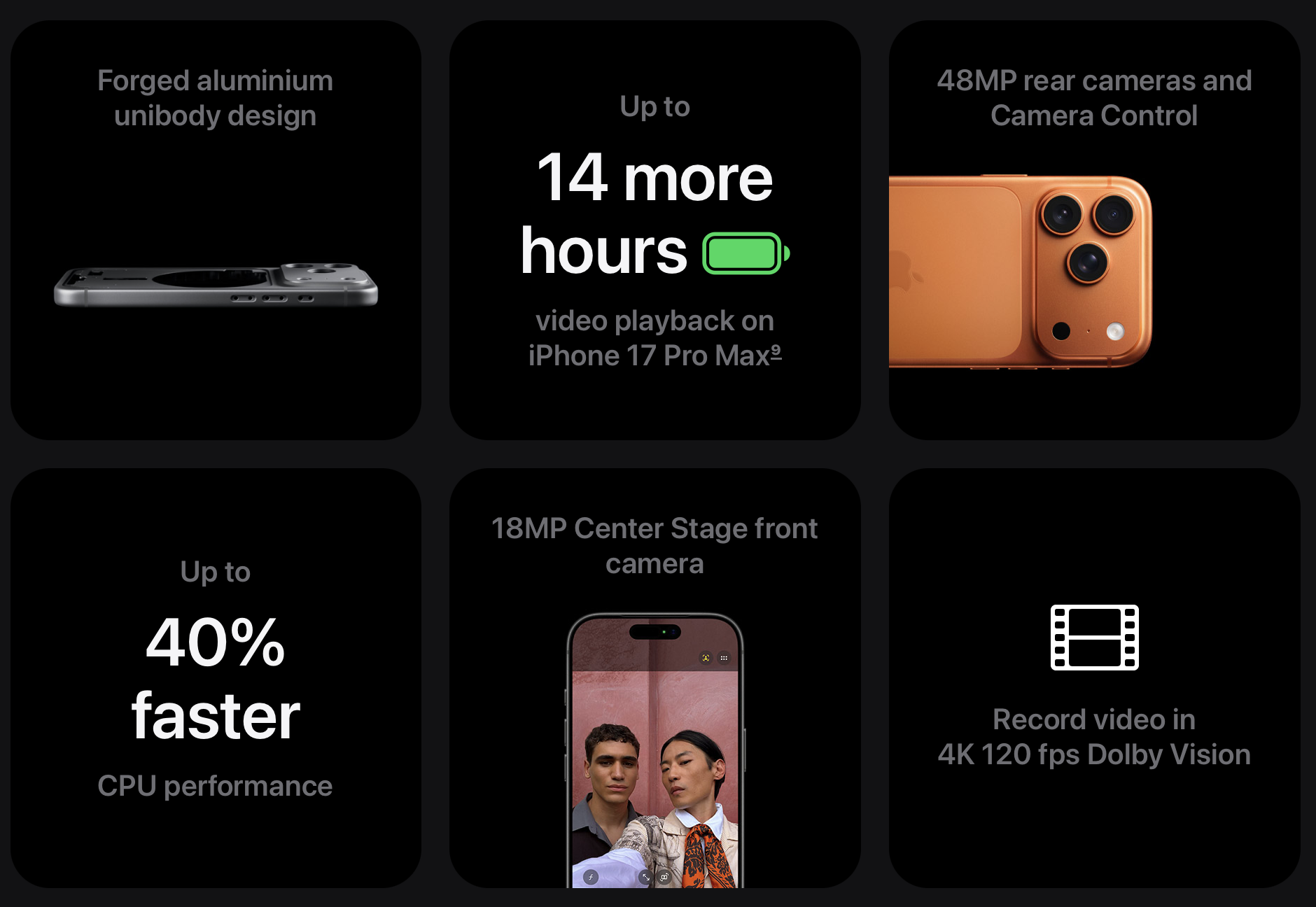
The main selling point this time around is the camera system. You’re getting the new centre stage front camera, along with dual capture and everything else that’s now standard across the 17 lineup. But you also get a full suite of 48 megapixel lenses on the back. That means ultra wide, wide, and telephoto lenses all capturing in full 48 megapixel resolution, which gives people who like to shoot photo and video content on their iPhone an awful lot of flexibility. The trade-off, of course, is the price.
Beyond that, things are pretty much identical. You get the usual spec bump to the latest chip, combined with better thermals thanks to the new design, but I don’t expect most people to notice much difference in real-world performance. If you’re someone who uses an iPhone Pro for proper filmmaking, you might be more interested in the two pro-grade additions this year, which are Gen Lock support and ProRes RAW. Those features are very niche, but if they apply to your workflow, they might be enough to justify the jump.
For everyone else though, if you’re already on a 16 Pro, or even a 15 Pro in some cases, I’m not convinced there’s enough here to justify the upgrade. It really does come down to how much you want that new camera system.
iPhone Air
So the one surprise at the iPhone 17 event wasn’t really a surprise at all. Those of us in the tech and Apple space have been talking about it for at least six months, and that is the iPhone Air. The only real surprise is the name. Apple are calling it the iPhone Air, not the iPhone 17 Air, which raises questions about what the range will look like next year. We could see an iPhone Air 2, the iPhone 18, the Pro and Pro Max models, the iPhone 18e, and even the Fold. The category has the potential to get very confusing.
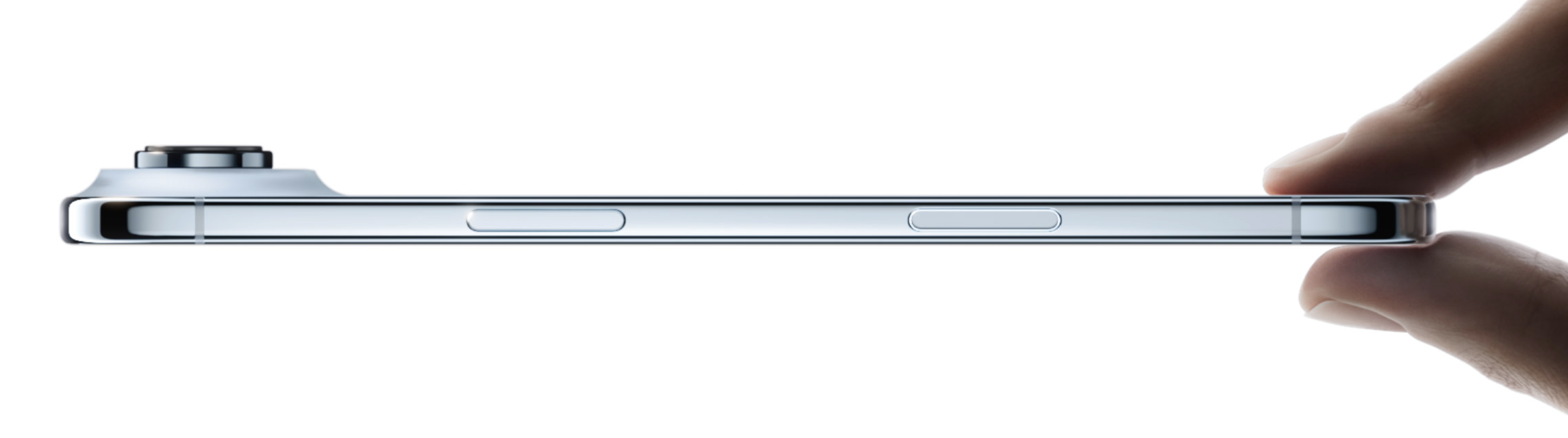
The main selling point of the iPhone Air, as expected, is size and weight. The depth comes in at just 5.64mm compared to 7.95mm on the iPhone 17 and 8.75mm on the 17 Pro Max. The weight is just 165g compared to 177g on the iPhone 17 and 231g on the 17 Pro Max. That makes it Apple’s thinnest and lightest iPhone ever. Of course, there are some trade-offs, but not as many as I expected.
You’re getting a slightly larger display than the iPhone 17 at 6.5 inches, complete with ProMotion and the Always-On display. Inside is the A19 Pro chip, the same as the 17 Pro, with the only difference being a 5-core GPU instead of the 6-core GPU you get in the Pro. That means the Air will run graphics-heavy apps slightly less smoothly. On the back is a single 48MP Fusion camera, which still gives you 1x and 2x zoom. The 2x zoom is a digital crop rather than an optical zoom, unlike the Pro models. Beyond that, you still get all the front camera and Centre Stage features you’d expect.
Battery life is rated at up to 27 hours of video playback. That’s compared to 30 hours on the iPhone 17 and 37 hours on the 17 Pro Max. This is the area where we’ll need to see real-world results. Most of us don’t just sit and watch video all day. We use our phones for a mix of tasks, and that’s where battery life usually takes the biggest hit. It’s no surprise that the thinnest iPhone comes with the weakest battery performance, but it will be interesting to see how it holds up in day-to-day use. Apple did call it “all-day battery” in the keynote, but then immediately promoted the MagSafe battery pack as an accessory. That’s unusual, and my guess is that for most people, the Air won’t deliver true all-day battery life. Apple will need to lean on fast and easy charging to make it work.
The jury is still out for me on the iPhone Air. It’s a better iPhone than I thought it would be, with far more Pro features than I expected. I knew this phone was meant to sit between the 17 and the 17 Pro, but I’m pleasantly surprised at how much it leans closer towards the Pro than the regular model. I'm definitely looking forward to trying it out for myself, and forming an opinion.
The only other observation I have is the colours. Considering this was supposed to be the phone for people who want to be noticed with the latest and greatest iPhone, Apple hasn’t gone particularly bold. Ironically, the Pro models are the ones with the bolder colours this year, while the Air sticks to muted tones of sky blue, light gold, black, and white. It ties in neatly with the rest of the Air range, so that may have been the thought process, but it still feels a little safe.
Whether this phone goes on to be the smash hit Apple expects is another question. My gut says it could go either way. It might end up a disappointing product line that struggles to sell in big numbers, with people sticking to the Pro or Pro Max instead. Or Apple could sell a huge number of them, making it the new go-to iPhone for most people.
My thoughts
For me, this Apple event felt a little underwhelming, but not in a surprising way. We got exactly what most people expected: incremental updates and some sensible refinements. Analysts like Mark Gurman have been suggesting for a while that this year would feel like a stopgap, with the bigger iPhone changes arriving over the next year or two. To be fair, it feels like that’s said almost every year, but I do think the next truly exciting event will be when Apple finally gives us another “one more thing,” which could well be the first iPhone Fold.
On the iPhone side, I think most people don’t upgrade every single year. Instead, it’s usually on a two- to three-year cycle, and for those due an upgrade, the new models this year are really good. The Centre Stage camera is, in my opinion, the standout feature and could be the one that tempts people to upgrade earlier than planned. It’s the kind of thing that, once you see friends or family using it, you’ll want it too. Beyond that, the cameras in general remain the part of the iPhone I’m most excited about, because so much else feels familiar. The iPhone Air is also a welcome addition, and I’m looking forward to trying mine when it arrives. I’m not sure yet if it will replace my daily driver, but I like that Apple is broadening the range. For me personally, the extra battery life and cameras on the Pro still make that the default choice, and it will be interesting to see if the broader public feel the same way or not.
On the watch side, I was open to the idea of upgrading this year, if there was enough value in doing so. I currently use the Watch Series 10 and the Watch Ultra 2, and I won’t be moving to the Series 11 or Ultra 3 this year. The changes are simply too small for me. That said, they remain the best watches Apple has ever made, and if you’re on an older model you might find the new features worthwhile.
If you’re in need of an upgrade, or simply wanting one, the iPhone 17 range offers a lot this year. I don’t think there’s any issue at all with making the move now, as these are excellent phones with plenty to like. That said, it’s worth keeping in mind that next year, although we do tend to say this every year, is shaping up to be a more significant iPhone year. The Fold in particular is very strongly rumoured, so if there’s any part of you that wants to hold out for something like that, waiting could prove to be the smarter choice.
Tip of the week
The number one piece of advice I can give this year is to use Apple’s comparison tool on their website. If you’re not familiar with it, go to the Apple site and hover your cursor over the category you’re interested in, whether that’s iPhone, Watch, or AirPods. Just below the different product ranges you’ll see a “Compare iPhone” option.
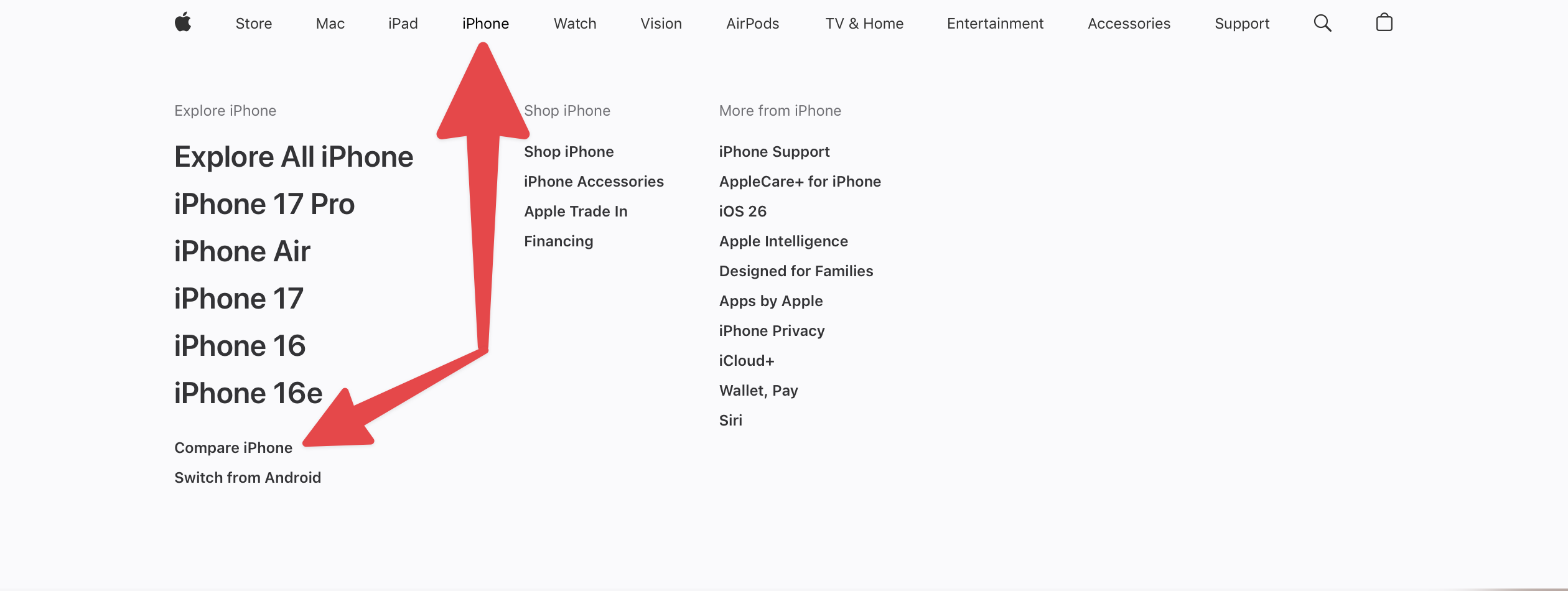
Click on that and you can enter your current model to compare it directly with the latest release. This gives you the clearest picture of whether the new features are worth the cost of upgrading for you.
My new content
10 Steps to get your iPhone READY for iOS 26
|
Content I've enjoyed
iPhone 17 Event
|
And a recap, if you'd prefer the shorter version
|
Great comparison of the iPhone 17 and the Pro
|