This week, with a brand new year getting underway, we’re taking a step back from the shiny and the new to look at what happens when Apple decides a product has officially had its moment.
Happy New Year
Firstly, I hope you all had a fantastic holiday break, if you celebrate, and an enjoyable New Year. Frustratingly, the cold and flu that I'd managed to avoid almost all year finally caught up with me just a day or two before Christmas, so I spent much of the festive period downing Day Nurse capsules and getting to bed unfashionably early. But it was still a great time with my family, even if I wasn't firing on all cylinders. The kids had a fantastic time, which is always the main thing.
With that all out of the way, we can now look ahead to 2026. But before we do, I thought I'd officially close the door on 2025 with a look at what happens when Apple adds a product to its vintage list.
When Apple Calls Time: What 'Vintage' Really Means for Your Devices

Apple's just quietly updated its vintage products list, and if you own an Apple Watch Series 5, an iPhone 11 Pro, or the final Intel MacBook Air, your device has officially crossed that threshold. It's the end of the calendar year, and for some of us, it's also the end of an era.
The list I'm talking about is Apple's official "vintage products" list. Not obsolete, that comes later, but vintage. It sounds almost charming, doesn't it? Like something you'd find in a boutique or an antiques shop. In reality, it's just Apple's way of saying: "We stopped selling this more than five years ago, and we're starting to wind things down."
So what does that actually mean for you if you own one of these devices? Let's talk through it properly, because there's more nuance here than you might expect, and it's worth understanding how Apple thinks about the lifecycle of its hardware.
What Vintage Really Means
When Apple labels something vintage, it doesn't flip a switch and turn your device off. You won't wake up tomorrow to find your Apple Watch refusing to track your run or your iPhone displaying a "time's up" message. Everything continues working exactly as it did before. Your apps still open, your notifications still arrive, and your device still does what you bought it to do.
What changes is your access to repairs. Apple and authorised service providers can still fix vintage devices, but only if the parts are available. That's the key bit: if. There's no guarantee anymore. If you walk into an Apple Store with a cracked screen or a dodgy battery, they might be able to help you, or they might politely tell you there's nothing they can do. It depends entirely on whether they've got the components in stock, and as time goes on, that becomes increasingly unlikely.
For Mac laptops, there's a small bit of breathing room. Apple offers an extended battery repair programme that can stretch up to ten years from when the product was discontinued. So if your Intel MacBook Air's battery starts to fade, you've got a shot at getting it replaced for a while longer. But that's it. Everything else is subject to parts availability, and realistically, that window is shrinking with each passing month.
After two more years, seven years total from when Apple stopped selling the device, it moves to the obsolete list. At that point, official repairs are off the table completely. Apple won't service it, authorised providers won't touch it, and even if you're willing to pay whatever it costs, the answer from official channels is no. The device isn't broken, but as far as Apple's concerned, it's beyond support.
That doesn't mean you're completely without options, though. Independent repair shops might still be able to help, depending on what's gone wrong and whether they can source parts. It's a different proposition entirely, with no guarantees and varying levels of quality, but it's not necessarily the end of the road. It just means you're operating outside Apple's ecosystem from that point forward.
Ready to actually master your Apple devices in 2026?
Whether you unwrapped a shiny new iPhone or MacBook over the holidays, or you're simply tired of only using 10% of what your devices can do, now's the perfect time to finally become an Apple power user.
That's exactly why I created iPhone Essentials Plus – a comprehensive training portal with more than 200 lessons that cover everything your iPhone can do. No fluff, no filler, just the skills you actually want to learn, with fresh content added regularly.

Every lesson is designed for real learning: a short video walkthrough, a step-by-step guide packed with screenshots, and a downloadable PDF so you can learn however works best for you. Whether you're commuting, relaxing at home, or need a quick reference, you're covered.
Best of all? No ads, no sponsors, no subscription traps. Just honest, straightforward teaching available for a single payment.
Got a Mac too? I've also created Mac Essentials Plus with the same approach. Grab it separately or bundle both courses for the best value and finally unlock everything your Apple ecosystem can do.
Make 2026 the year you stop Googling the same questions and start using your devices like a pro.
Purchase Links;
- iPhone Essentials Plus
- Mac Essentials Plus
- iPhone & Mac Essentials Plus Discount Bundle
- iPhone & Lifetime PDF
- Mac & Lifetime PDF
- iPhone, Mac & Lifetime PDF
The Devices That Just Made the List
The products added this week include the 2020 Intel MacBook Air, all variants of the Apple Watch Series 5, the iPhone 11 Pro, and the cellular version of the third-generation iPad Air. It's quite a significant update, and each of these devices tells a slightly different story about where Apple's been over the past few years.
The Intel MacBook Air is particularly notable because it was the very last MacBook Air Apple sold with an Intel chip. It arrived in March 2020 and was gone by November of the same year, replaced by the M1 model. Eight months. That's it. In the grand scheme of Apple's product timeline, it barely existed. I owned one of those Intel machines myself, though mine was a 13-inch MacBook Pro with a Touch Bar, bought the year before Apple Silicon arrived. It cost an absolute fortune, the Touch Bar was borderline useless, and when I eventually replaced it with an M1 MacBook Air, the difference was absolutely staggering. The M1 was faster, cooler, quieter, and cost less. That Intel machine was powerful on paper, but in practice, it felt like I'd backed the wrong horse right before the race changed completely.
The Apple Watch Series 5 was the first Apple Watch I ever owned. I wore it for years before eventually upgrading to the Series 8, which happened to coincide with my YouTube channel starting to grow. Since then, I've moved through the Series 9 and beyond, but the Series 5 holds a bit of sentimental value for me. It was the one that got me hooked on wearables in the first place, and it introduced the always-on display that's now standard across the range. For its time, it felt like a genuinely meaningful step forward.
I never owned the iPhone 11 Pro. I had an iPhone XS, kept it for ages, then jumped straight to the iPhone 13 Pro when the channel started picking up steam. But I know plenty of people who loved the 11 Pro. It was the phone that brought the triple-camera system to the Pro line, and it marked a real shift in Apple's photography ambitions. It was a genuinely great phone, and honestly, it still is. If you're using one today, you've got a device that's perfectly capable of handling everything most people need.
Understanding Apple's Support Lifecycle
Apple's approach to product support is built around a fairly rigid timeline, and understanding that timeline helps make sense of why this transition exists in the first place.
When a product is current, it gets everything. Full hardware support, same-day repairs in most cases, comprehensive software updates, and access to every service Apple offers. It's the golden period, and it lasts for as long as Apple keeps selling the device.
Once Apple stops selling it, the clock starts ticking. For the first five years, the device remains fully supported. You can still get it repaired without issue, parts are plentiful, and software updates continue as normal. This is when most people are still using the device daily, so it makes sense that Apple keeps everything running smoothly.
At the five-year mark, it becomes vintage. This is the transition phase, and it's designed to give users a bit of runway before support disappears entirely. Repairs are still possible, but they're no longer guaranteed. Software updates might continue for a while, but there's no promise. It's a gradual wind-down rather than a sudden stop.
Then, at seven years, it becomes obsolete. That's the hard line as far as Apple's concerned. No official repairs, no parts through Apple channels, no exceptions. The device is on its own when it comes to manufacturer support. Apple's moved on, and you're expected to have done the same. That said, independent repair shops might still be able to help you out, though you'll be relying on their ability to source parts and their own expertise rather than Apple's official network.
This system isn't unique to Apple, but Apple's unusually transparent about it. Most tech companies don't publish lists or give you clear timelines. They just quietly stop supporting things and hope you don't notice. Apple, for better or worse, tells you exactly where you stand.
Just got a new iPhone for Christmas? Here's how to keep it running like new.
There's nothing worse than unboxing a brand new iPhone, only to watch the battery drain to 20% by mid-afternoon. You start wondering what you're doing wrong, which apps are the culprits, or if you've somehow got a dud.
Here's the truth: most battery drain issues aren't about faulty hardware. They're about settings you didn't know existed, background processes you never approved, and Apple's defaults that prioritise features over longevity.
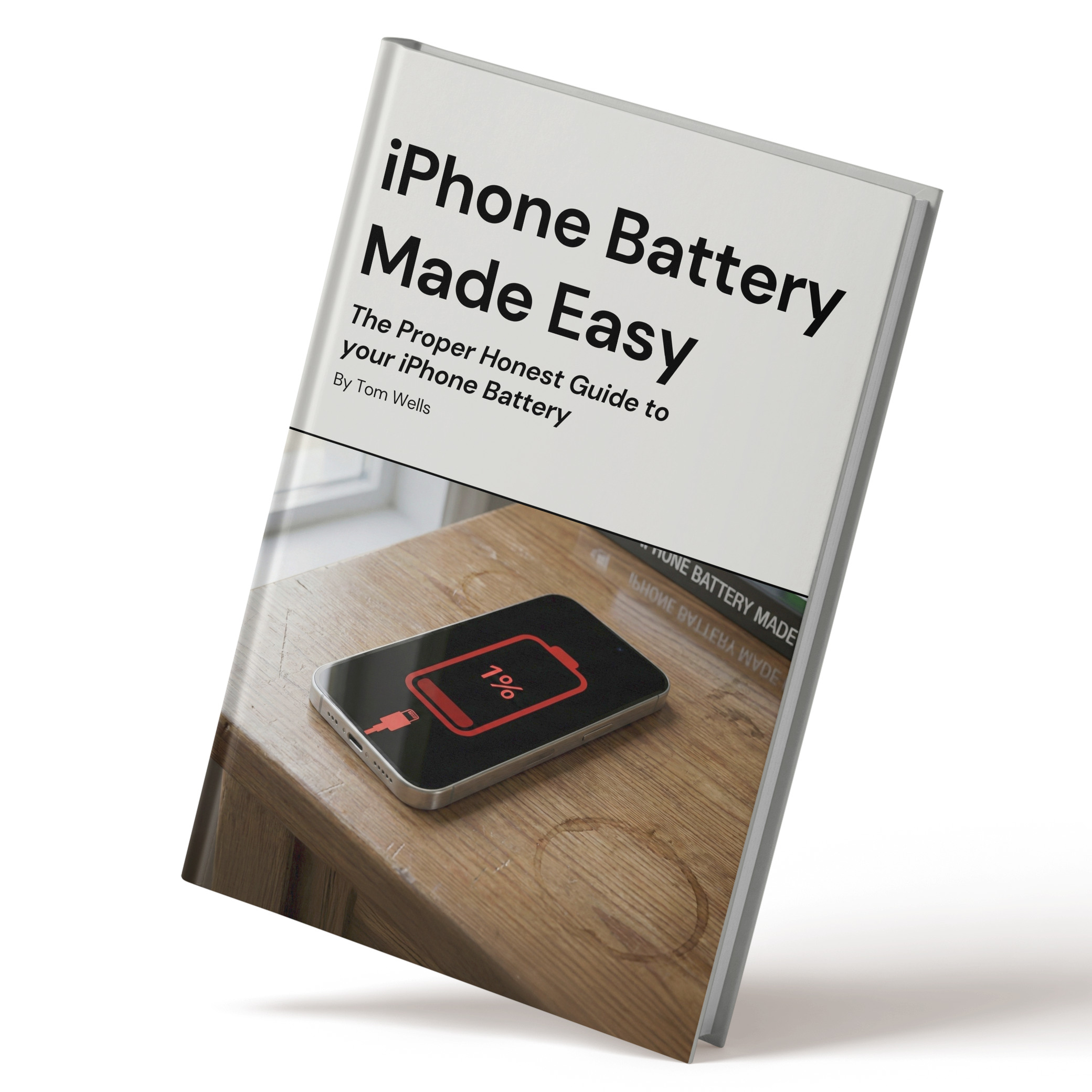
That's why I created iPhone Battery Made Easy – a no-nonsense guide that cuts through the confusion and gives you exactly what you need to maximise your battery life, starting today.
Inside, you'll discover how your iPhone battery actually works (it's not what you think), which settings are silently killing your charge, and the exact steps to slow down Battery Health degradation so your phone stays healthier for years, not months. You'll learn how to identify which apps are secretly draining power in the background, and which popular "battery saving tips" are complete myths that waste your time.
Everything is explained in plain English with screenshots and real examples you can implement in minutes. No technical jargon, no confusing menus – just clear, actionable steps that actually work.
Whether you're trying to protect your new Christmas iPhone or rescue your current one from constantly hunting for a charger, this guide will transform how long your battery lasts each day and how many years it stays healthy.
Stop accepting dead batteries by dinner time. Take control of your iPhone's battery life today.
What Still Works and What Changes Over Time
Here's the thing that often gets lost in these conversations: vintage status doesn't mean your device stops working. It just means the support infrastructure around it is changing.

Your iPhone 11 Pro will still make calls, send messages, take photos, and run apps. Your Apple Watch Series 5 will still track your workouts, show your notifications, and tell you the time. Your Intel MacBook Air will still browse the web, edit documents, and do everything it did when you bought it. None of that changes the moment Apple updates a list on their website.
What changes is your safety net. If something breaks, you're in a more precarious position than you were before. If your screen cracks or your battery starts swelling, you might not be able to get it fixed through official channels. Third-party repair shops might still be able to help, depending on what's wrong and whether they can source parts, but that's a different gamble entirely.
Software updates are a separate consideration, and this is where things get a bit more complicated. Vintage status doesn't automatically mean the end of iOS or macOS updates, but it's often a strong indicator that the end is near. Apple tends to support devices for roughly six to eight years from their original release, which means an iPhone 11 Pro, released in 2019, is approaching that threshold. It's still getting updates now, but you'd be wise to assume that won't last forever.
When the updates do stop, that's when things start to get tricky. Apps will continue working for a while, but eventually, developers will drop support for older iOS versions. Services you rely on might stop functioning properly. Security vulnerabilities won't get patched. It's a slow fade rather than a sudden blackout, but it's a fade nonetheless.
Should You Panic?
No. Absolutely not.
If your device is working fine, keep using it. Vintage status doesn't mean you need to rush out and buy something new. It doesn't mean your iPhone is about to explode or your MacBook is going to grind to a halt. It just means you should be aware that the clock is ticking, and you should think about what happens next.
If you've been putting off a repair because you didn't want to deal with it, now's probably the time to get it sorted whilst parts are still around. If your battery's been draining faster than it used to, or if there's a crack in your screen you've been ignoring, don't wait. Get it fixed now, whilst you still can.
But if everything's working well and you're happy with what you've got, there's no immediate reason to change. Use your device until it no longer does what you need it to do. That's the only metric that really matters.
That said, if you're still using one of those Intel Macs, it's worth acknowledging that the jump to Apple Silicon has been the most incredible leap forward in Mac computing in years. The difference in performance, battery life, and thermal management is genuinely transformative. If you can justify the purchase and you've been thinking about upgrading anyway, now's actually a fantastic time to make that move. There are some incredible deals available, especially on previous-generation Apple Silicon models, and the improvement over Intel is night and day.
What this does require, though, is a bit of honest self-assessment. Are you the kind of person who needs the latest features and the newest hardware? Or are you perfectly content with something that works, even if it's not cutting-edge anymore? There's no right answer, but knowing which camp you fall into will help you make better decisions about when to upgrade.
How Apple Treats These Devices Historically
Apple's approach to vintage products is, for the most part, consistent and predictable. They stick to the timeline: five years from discontinuation, you're vintage. Seven years, you're obsolete. There's not a lot of wiggle room, and there aren't many exceptions.
But here's the thing: Apple tends to support devices longer than most people expect when it comes to software updates. The iPhone 6S, for instance, received iOS updates for seven years. The original iPhone SE got six. Even when a device hits vintage status, it's often still perfectly usable for another year or two, sometimes longer. Apple's not in the habit of cutting you off the moment the calendar hits a certain date.
The real concern is hardware. Once parts dry up, you're on your own. And with older devices, especially ones from niche product lines like that final Intel MacBook Air, parts can disappear faster than you'd think. Apple doesn't manufacture components indefinitely, and once the stock runs out, that's it. Third-party suppliers might have some bits and pieces for a while, but even that well runs dry eventually.
There's also a geographical element to this that's worth mentioning. In some regions, like California and Turkey, local laws require Apple to offer extended support for vintage products. If you live in one of those places, you've got a bit more breathing room. But for most of us, the standard timeline applies, and there's no getting around it.
What It All Means for You
Apple's vintage list is just a reminder that technology has a lifespan, and that lifespan is getting shorter and shorter as the pace of change accelerates. Five years ago doesn't feel that long ago, but in tech terms, it's an eternity. The Apple Watch Series 5 was released in 2019. That's only six years ago, but in that time, we've seen the Series 6, 7, 8, 9, 10, and now the Ultra line as well. The industry moves fast, and Apple moves with it.
If you own one of these devices, you're not being forced to upgrade. But it's worth being aware that the safety net is shrinking. Your device still works. It'll keep working. But if something goes wrong, your options are more limited now than they were last week, and they'll be even more limited next year.
And maybe that's fine. Maybe you were already thinking about upgrading anyway. Or maybe you're perfectly happy with what you've got, and you'll ride it out until the wheels fall off. Both are completely valid approaches. There's no moral superiority in upgrading early, and there's no badge of honour in clinging to outdated tech. You do what works for you.
What I'd encourage, though, is to think about this transition as an opportunity for reflection rather than a source of anxiety. Take a moment to assess where you are with your devices. Are they still meeting your needs? Are there things you wish they did better? If something broke tomorrow, would you replace it with the same model, or would you move on?
These are good questions to ask, not because you need to make a decision right now, but because having a rough plan in your head makes everything less stressful when the time eventually comes. And the time will come. It always does.
The Bigger Picture
There's something slightly melancholic about watching devices move through this lifecycle. The Apple Watch Series 5 was, for me, the device that started it all when it came to wearables. The Intel MacBook Air was the end of an era, even if it barely had time to exist before Apple moved on. These aren't just products. They're markers of where we were, what we were doing, and how we were thinking about technology at the time.
But that's also the nature of this industry. Things move forward, and what felt essential yesterday becomes vintage tomorrow. It's not sentimental, and it's not particularly kind, but it's how progress works. Apple doesn't maintain support for devices indefinitely because it's not practical or sustainable to do so. At some point, you have to draw a line.
The important thing is to not let that line dictate your decisions before you're ready. Use your devices for as long as they work. Repair them when you can. And when the time comes to move on, move on with confidence, knowing you got everything out of them that you could.
Just don't expect Apple to catch you when the wheels finally do fall off. Because by then, they'll be long gone, and you'll be on your own.
Thanks for your support in 2025
I'm still soaking up the final moments of time off with my family and friends, so there's no tip of the week or new content this week. Normal service resumes next Friday. Speak then.