Tom here, with another issue of The Proper Weekly. This week, we finally know when we'll be seeing the iPhone 17, and Apple Execs are at odds about where Apple's AI should go next...
Apple confirms iPhone 17 Event
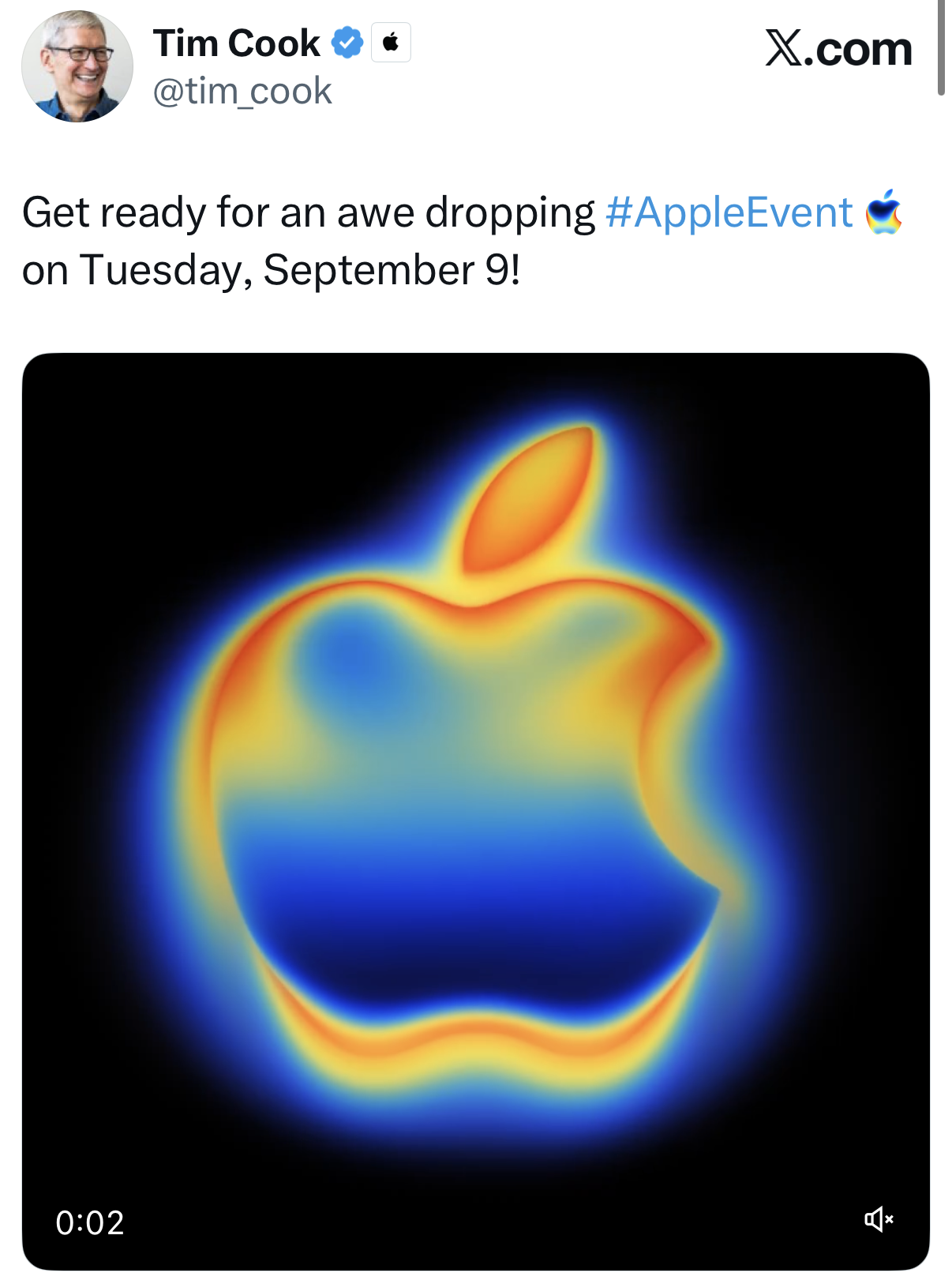
The biggest Apple news of the week is now official: Apple has sent out invitations for its upcoming iPhone 17 launch event. The event will take place on Tuesday, September 9th at 10am Pacific, which is 6pm here in the UK, and will be streamed live from Apple Park in Cupertino. As ever, it will be available on all the usual platforms, and I’ll be watching along with everyone else. Expect a full video from me the day after with thoughts, reactions, and a look at what’s coming next.
As this is the annual iPhone event, the iPhone itself will once again be the star of the show. Apple is sticking with its recent four-model strategy, though this year comes with one big change. The Plus model is gone, replaced by a brand new device: the iPhone 17 Air. This will sit between the standard iPhone 17 and the Pro models in the lineup, and from what we know so far, it’s shaping up to be one of the most interesting new iPhones in years.
According to the rumours, the Air model will be all about form over function. It’s expected to be an ultra-thin phone, potentially just 5.5mm thick — the thinnest iPhone Apple has ever made, and thinner than most phones on the market. It likely won’t be packed with features, and may even include fewer features than the regular iPhone 17, but it’s clearly being pitched as a fashion-forward device. It looks like it’s targeting style-conscious users who want something sleek and elegant. If true, I’d expect it to be a huge hit with the Instagram and TikTok generation.
Beyond the new Air, we’ll see the usual iPhone 17, iPhone 17 Pro, and iPhone 17 Pro Max. One of the most notable changes this year is expected to be the camera layout on the Pro models, which will feature a new rectangular bump and improved 48MP lenses across all rear cameras. We’re also expecting much better optical zoom and possibly the addition of 8K video recording.
Perhaps the biggest universal upgrade this year could be the displays. One of the most exciting rumours suggests that all four iPhones will finally get 120Hz ProMotion screens, something that’s been missing from the regular iPhones for far too long. With competing Android phones offering faster refresh rates even at lower price points, this would be a very welcome change.
Of course, iPhones won’t be the only thing shown off. We’re also likely to get updates to the Apple Watch lineup, including a Series 11, Watch SE 3, and a Watch Ultra 3. We’ll have to wait and see what new features get added, but with two years since the last Ultra refresh, I’m hoping for something meaningful. AirPods Pro 3 were also rumoured for this event, but more recent leaks suggest they may have slipped to next year.
As for the rest of the Apple product range — iPads, Macs, and displays — I’m not expecting any surprises here. Apple typically holds a separate October event for that side of the portfolio, and I imagine we’ll see something similar again this year.
From a personal perspective, I’m genuinely excited about this event. I’ve actually missed the last two iPhone launches. In 2023, it fell on the day our twins were born, and in 2024, we were away on holiday. But this year, the calendar is clear, and I’m ready to go all in. I’ll be sharing plenty of content around iOS 26 and macOS 26, along with reviews and hands-on impressions of the hardware. I’m planning to pick up one of everything, so there’ll be plenty to cover.
Let the countdown begin.
Enjoy tips videos, but struggle to remember everything?
Then you should definitely take a look at iPhone Essentials Plus. It’s my dedicated iPhone training portal with more than 150 lessons covering every aspect of your device, and I’m adding new content all the time.

Each lesson includes a short video, a step-by-step guide with screenshots, and a downloadable PDF, so no matter how you like to learn, you’re sorted. There are no ads, no sponsors, just straight-up content, and it’s all available for a one-time payment, no subscription.
And if you’re a Mac user, I’ve just launched a Mac version too. You can pick that up on its own or bundle it with the iPhone course to get the best value. If you’re interested, click the links below to get started.
Purchase Links;
- iPhone Essentials Plus
- Mac Essentials Plus
- iPhone & Mac Essentials Plus Discount Bundle
- iPhone & Lifetime PDF
- Mac & Lifetime PDF
- iPhone, Mac & Lifetime PDF
iOS 26 is taking a stand against scam text messages
A piece in Forbes this week has highlighted one of the most important security upgrades in iOS 26. Whether you’re picking up a new iPhone 17 this September or planning to upgrade your existing device, this is a setting you’ll want to pay attention to.
The scam text problem has reached unprecedented levels, with waves of messages often disguised as toll charge alerts, failed delivery notifications or parking fine reminders. Many of these are powered by tools developed in China, rented out to criminal networks who are flooding users in the US, UK and elsewhere with these kinds of attacks.
While networks have taken some steps to try and block these messages at the source, they’re often one step behind. Bad actors rotate numbers constantly and use vast banks of consumer devices to send their messages. That means it’s increasingly down to your phone’s software to catch these messages before you fall victim.
Apple is responding in iOS 26 by upgrading the way Messages filters spam. There has long been an “Unknown Senders” filter, but the new system introduces a much stricter “Spam” folder that specifically targets scam messages and limits your ability to engage with them.
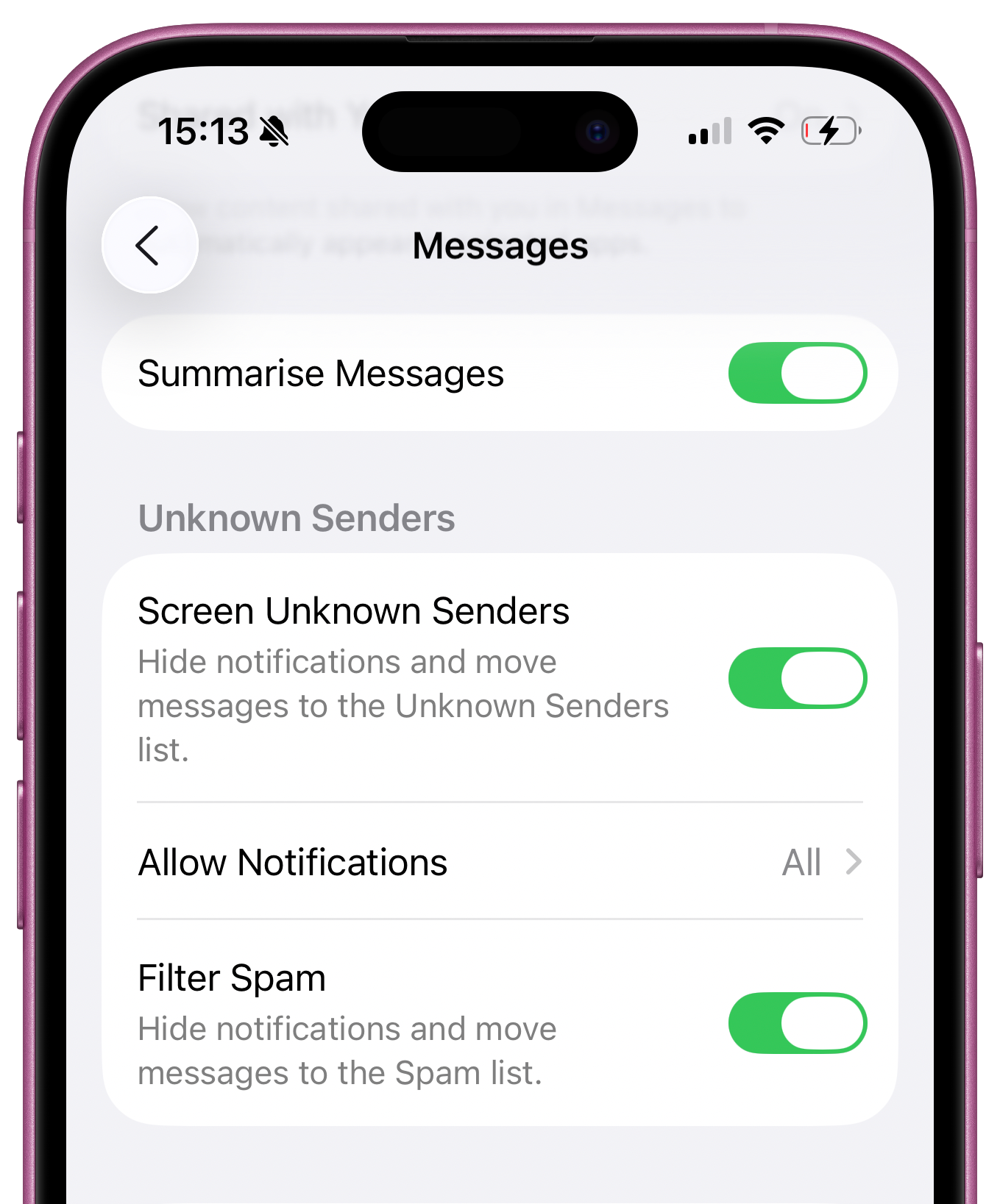
According to 9to5Mac, users won’t be able to tap links or reply to any message that is sitting inside the Spam folder. This is a deliberate move designed to add friction. You can still move a message back into your regular inbox if you’re sure it’s legitimate, but that extra step could stop you from replying out of curiosity or panic.
It might sound simple, but it’s a smart move. Many of today’s text scams don’t even rely on you clicking a link. Instead, they’re designed to get you to reply. A short, ambiguous message like “Hey” or “What time is dinner tonight?” is often just the start of a phishing attempt. Once you engage, the scammer has what they need.
With iOS 26, Apple is essentially making the decision for you. If the system flags a message as dangerous, you won’t be able to reply to it unless you manually override that warning. And that, for most users, will be just enough to avoid falling into the trap.
Security agencies like the FBI and FTC have been saying it for years: don’t reply to messages from unknown numbers until you can verify who they are. Apple is finally reinforcing that advice with a clear line of defence.
Scam texts are a growing threat, with billions sent each year. While no system is perfect, features like this in iOS 26 can make a meaningful difference. I’ve written about this issue in the newsletter before, and I’ll say again: make sure you have message filtering enabled, and avoid replying to any text unless you’re absolutely sure it’s safe.
Apple’s AI Debate: Cue vs Federighi
One of the more interesting stories circulating this week is a credible report that two of Apple’s most senior executives are clashing over the company’s artificial intelligence strategy. According to multiple sources, Eddy Cue and Craig Federighi are currently at odds, with their disagreement centred on how Apple should approach the next stage of its AI development.

Eddy Cue, who leads Apple’s Services division, is reportedly pushing for a more aggressive acquisition strategy, encouraging Apple to acquire fast-rising AI startups like Perplexity or Mistral. His position is simple: the AI landscape is evolving too quickly, and Apple needs to move faster if it wants to remain competitive with the likes of OpenAI, Google, and Meta. Buying a company that’s already up and running, Cue argues, could give Apple an immediate boost.
Craig Federighi, on the other hand, is said to be taking a very different approach. As the head of Apple’s Software Engineering division, Federighi believes that Apple should continue building its AI capabilities in-house. His argument is based on Apple’s long-standing belief that true innovation comes from deep integration across hardware and software, and that outsourcing critical features like AI would ultimately compromise Apple’s values around privacy and control.
This debate is unfolding at a time when the pressure is really mounting. Apple is still trying to overhaul Siri, which many people believe is lagging behind the competition. And with the possibility that the company’s search deal with Google might not be renewed in the near future, Apple needs to prove that it can offer something meaningful in the AI space.
According to reports, the rift between Cue and Federighi reflects a broader internal debate within Apple. One side sees the company at risk of falling behind unless it starts playing by the rules of its rivals. The other believes Apple should stick to its guns, focus on quality and integration, and avoid rushing into flashy acquisitions that don’t fit the company’s DNA.
It’s worth noting that this story also comes on the heels of several high-profile AI departures from Apple in recent months. Engineers and researchers have been lured away by more aggressive competitors, often with the promise of more open research and higher compensation. Some insiders suggest that part of the problem is Apple’s cautious, secretive approach, which doesn’t always sit well with today’s AI talent.
Whether this debate results in a shift in Apple’s strategy remains to be seen. Historically, Apple has succeeded by doing things differently. But in the world of AI, the rules are changing fast. It will be fascinating to see which side of this internal discussion ends up shaping the future of Apple Intelligence.
Tip of the week
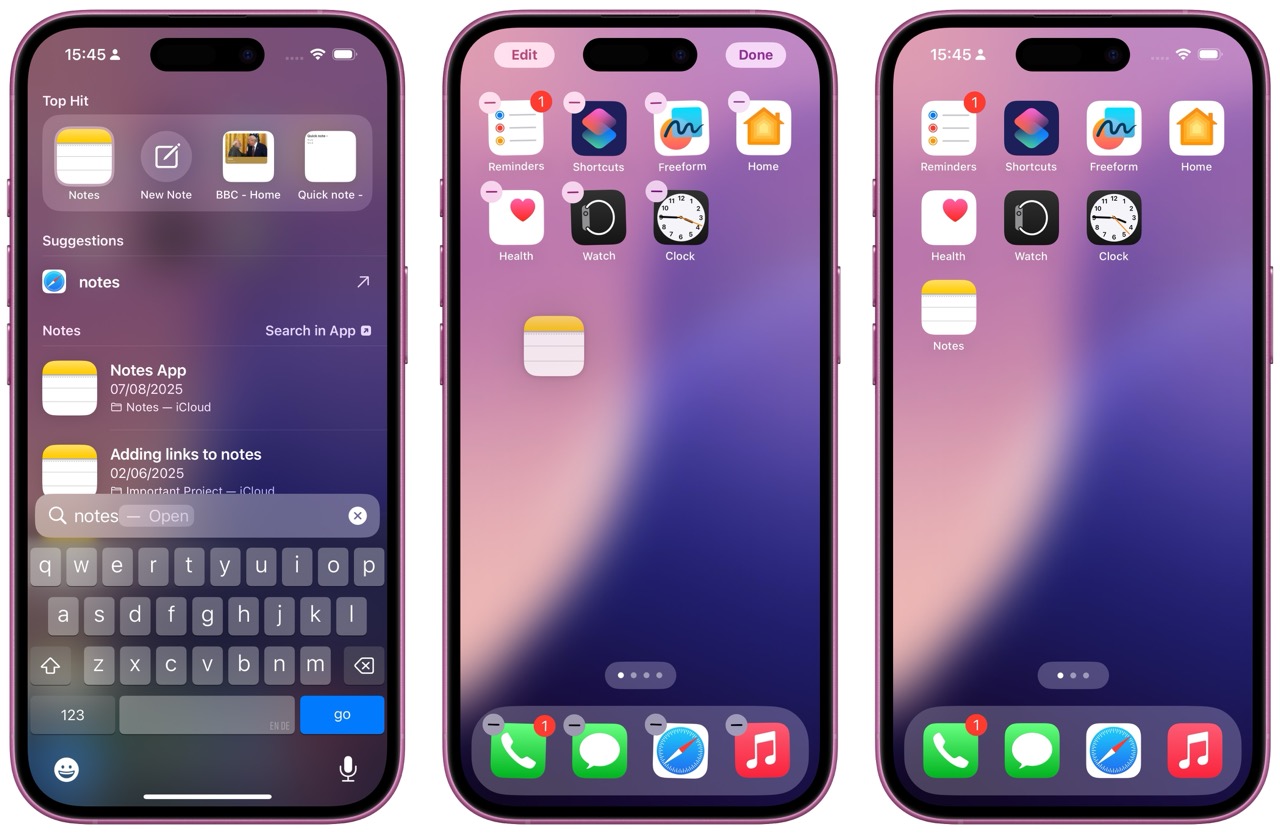
Did you know, you can drag an App from Spotlight on your iPhone, to your Home Screen? Just give it a try, it's a great way to quickly pull apps you often search for, and give them a place on your main screen.
Content I've enjoyed
Why we should all put down our phones...
|
What can we expect at the Apple Event?
|
My new content
iPhone Privacy Settings EVERYONE should disable
|
20 BRILLIANT things your Mac can do RIGHT NOW
|